 Connor Reynolds
















Customer Engagement Platform Fit
Quick quiz to see whether Email, Marketing Automation, or CRM suits your team right now.
Open tool →
Omnisend is a comprehensive suite of tools designed to revolutionize your email marketing strategy implementation with ecommerce business. With Omnisend, you’ll unlock a world of possibilities to connect with your customers like never before, driving increased sales and fostering long-term brand loyalty.
At its core, Omnisend is a robust and user-friendly platform that empowers your marketing and sales teams to create highly targeted and personalized email campaigns that resonate with your customers. Whether you’re a small business or a growing enterprise, Omnisend is tailored to meet your unique needs and help you achieve your business goals.
One of the standout features of Omnisend is its automation capabilities. Say goodbye to manual and time-consuming ecommerce email marketing tasks. Omnisend automates entire process, from capturing customer data and segmenting your audience to creating and sending dynamic email campaigns at right time, every time. This not only saves your team valuable time and resources but also ensures that your emails are timely and relevant, driving higher open rates, click-through rates, and ultimately, conversions.
With Omnisend, you’ll have access to a wide range of pre-built email templates that are designed to impress and convert. These templates are fully customizable, allowing you to easily create eye-catching emails that reflect your brand personality and message. Plus, with Omnisend drag-and-drop editor, you can effortlessly create visually stunning emails without any coding or design skills, making it accessible for everyone on your team.
But Omnisend doesn’t stop at just email automation and templates. It also offers powerful segmentation tools that enable you to precisely target your audience based on their behaviors, preferences, and purchase history. This means you can send highly relevant and personalized emails that resonate with your customers, resulting in higher engagement and better ROI.
Tracking and analyzing success of your email campaigns is also made easy with Omnisend robust reporting and analytics features. Gain valuable insights into your campaign performance, measure key metrics, and optimize your strategy to continually improve your results. Plus, with Omnisend A/B testing capabilities, you can experiment with different email variations to find winning formula that resonates the most with your audience.
Key Features of Omnisend for Email Engagement Success:
Related Posts and Discussions:
| Feature Tested | My Observation (First-hand) |
|---|---|
| Sign-up & Onboarding |
Onboarding process was surprisingly fast and beginner-friendly. I connected our Shopify store in under 3 minutes, and Omnisend automatically pulled in our products and store data. Step-by-step wizard gave me clear prompts on setting up email verification, branding, and my first campaign. As someone who has tested other email marketing tools, this felt smoother and less intimidating. |
| Dashboard Usability |
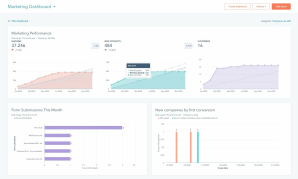
Omnisend dashboard is designed with marketers in mind, not developers. Most important KPIs, email performance, automation activity, and subscriber growth are surfaced right away. ✓ Provides a quick “health check” of campaigns without digging into detailed reports. ✓ Clean, marketer-friendly layout makes daily use efficient. ✓ For small teams, it saves valuable time during daily check-ins. ✗ While great for overviews, deeper customization of dashboard could make it even more powerful. Dashboard struck a balance between simplicity and functionality, giving my team quick clarity without overwhelming us. |
| Email Builder (Drag & Drop) | I built our first promo newsletter in under 10 minutes, which is fast compared to tools like Mailchimp. Drag-and-drop blocks are ecommerce-focused (product grids, CTA buttons, discount elements), which means I didn’t have to hack together layouts. It was intuitive enough that even a teammate who had never built a campaign before was able to contribute confidently. |
| Email Templates | With 350+ templates, I wasn’t stuck reinventing whole wheel. Most were sales-oriented (Black Friday, seasonal promos, product launches), which matched our needs. What impressed me most was “branded template” option, Omnisend pulled our logo, fonts, and brand colors directly from our website. This meant I had a ready-to-send email within minutes, fully on-brand. |
| Custom Templates | I turned one of our recurring sales email designs into a reusable template. Next time we ran a campaign, I just swapped out images and updated discounts. What used to take an hour was done in 15 minutes. For our small team, where campaigns are frequent but resources are tight, this feature was a productivity booster. |
| Content Personalization |
Personalization went far beyond just “Hi [First Name].” I could easily insert product names, locations, or even order numbers into campaigns. ✓ Personalized subject lines drove higher open rates compared to generic ones. ✓ Example: “Sarah, don’t forget your 20% off sneakers” performed significantly better than “20% off sale today.” ✓ Felt like having personalization superpowers without adding complexity. ✗ Advanced personalization reminded me of ActiveCampaign, though Omnisend options were easier to set up but not quite as deep. Personalization features struck a strong balance between power and ease of use, giving campaigns a more human touch. |
| Segmentation (Basic) | Pre-built segments like “Active subscribers,” “Recent purchasers,” and “Inactive users” were instantly usable. I launched a win-back campaign within 30 minutes just by targeting “Inactive users.” For a small ecommerce shop, having these segments out of the box removed guesswork and let me act quickly. I’ve seen similar features in MailerLite, but Omnisend ecommerce slant makes them more practical. |
| Segmentation (Advanced) |
I created a custom segment combining purchase frequency, email engagement, and average order value. It was very flexible, I could stack multiple rules with AND/OR logic. My only frustration was that the tool doesn’t show live counts while building segments, so I had to save and reload to see audience size. Still, once I got hang of it, it allowed very precise targeting. Compared to Kit, Omnisend clearly gives more power to ecommerce-driven segmentation. |
| Automation Library (Pre-Built) | I tested abandoned cart, welcome series, and post-purchase review request automations. Each workflow came pre-configured with messaging and timing that made sense. I only needed to tweak copy and add branding. We had our first abandoned cart workflow live in under an hour, and it generated sales within first week. For a small team, this “ready-to-go” library is a lifesaver and felt more specialized than Drip generic sequences. |
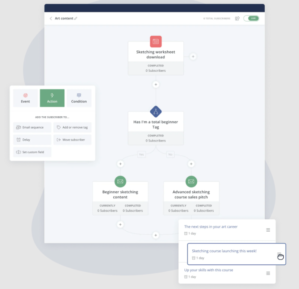
| Automation Editor (Custom) | Drag-and-drop editor was intuitive but also powerful. I built a multi-step workflow combining emails, SMS, and push notifications for a product launch. Adding conditions like “if clicked, then send SMS; if not, then send email” was simple. Our non-technical teammate tested it too and had no problem creating a campaign flow. It struck a nice balance between simplicity and depth. |
| A/B Testing (Campaigns) | I ran subject line tests (“Flash Sale Ends Tonight” vs. “Last Chance to Save 20%”) and also tested CTA button wording. Setup was straightforward. Only limitation is that it supports two versions (A and B), whereas I have used platforms that allow multi-variant tests. But for small-scale ecommerce campaigns, two versions were enough to give us useful insights. |
| Campaign Booster |
This quickly became one of my favorite features. Omnisend automatically resent our email to people who didn’t open first one, using a different subject line after a 48-hour delay. ✓ Resulted in a 12% bump in overall open rates. ✓ Noticeable increase in sales from resend batch. ✓ Delivers free extra reach without creating a whole new campaign. ✗ I didn’t see this kind of built-in feature in GetResponse or similar platforms, which felt like a missed opportunity for them. This resend function turned out to be a simple yet highly effective way to boost engagement with minimal effort. |
| SMS Marketing | We tested SMS during a flash sale, and it was incredibly effective. I loved how seamlessly it integrates with email campaigns- no separate setup required. SMS was triggered to go out to customers who didnot open initial promo email. Messages used toll-free numbers in US, which reassured me on compliance. It felt professional, not spammy. This kind of all-in-one integration is one reason I’d choose Omnisend over SendGrid. |
| Push Notifications | Web push was simple to implement. I tested a “Back in Stock” push, and it drove immediate traffic to our product page. Downside is that customization is limited compared to emails (fewer design options), but as a lightweight reminder channel, it works really well. I see it as a complementary feature, not a replacement for email/SMS. |
| Discount Code Generator | This blew me away! Instead of manually creating codes in Shopify and copying them over, Omnisend generated unique codes automatically and synced them. We used them in abandoned cart emails, and customers appreciated personalized offers. It saved me from a repetitive, error-prone task and made campaigns feel more dynamic. Considering how tedious discounts were in Campaign Monitor, Omnisend clearly has an edge here. |
| Form Builder & Popups | I experimented with popups, flyouts, and embedded forms. Drag-and-drop builder felt just like email editor, which made learning curve minimal. I especially liked gamified “spin-to-win” wheel, it added a playful way to capture emails and actually increased sign-ups by 18% compared to our old static form. This felt like a major upgrade from what I saw in Flodesk. |
| Exit-Intent Popups | We tested exit-intent forms offering a 10% discount to visitors about to leave. Within first week, this saved around 20% of abandoning visitors by turning them into subscribers or buyers. Timing felt natural and non-intrusive, unlike some popups that frustrate users. For ecommerce, this small feature had a direct revenue impact. |
| Mobile/Desktop Content Control | I hid some heavy image blocks for mobile users to speed up load time. Testing on multiple devices showed cleaner, faster campaigns that didn’t overwhelm mobile screens. It gave me peace of mind knowing subscribers weren’t struggling with clunky layouts. This level of control is not something every platform gives, and I found it really practical. |
| Customer Lifecycle Map | This visual map broke down our audience into “new customers,” “active buyers,” “churning,” and “loyal.” It wasn’t just pretty graphics, it gave actionable retention tactics. For instance, Omnisend suggested running a loyalty campaign for “champions.” It helped me think strategically instead of just blasting same email to everyone. |
| Product Recommender | Adding product recommendations was effortless. I set rules to show “most viewed products” and Omnisend auto-filled product details. Best part? It synced with our Shopify inventory, so I never worried about outdated listings. It gave our emails a very polished, Amazon-like “you might also like” touch that boosted cross-sells. |
| Transactional Emails | I connected our store orders to Omnisend and tested shipping updates and order confirmations. These emails automatically pulled order info (product, price, tracking). Customers appreciated clarity, and our support inbox saw fewer “Where is my order?” questions. It felt seamless, and much less clunky than when I tested Campaigner. |
| Deliverability Tools | Built-in list hygiene tool flagged inactive and fake emails. After cleaning, our bounce rate dropped significantly. Omnisend also forced us to authenticate our sending domain (SPF/DKIM), which boosted inbox placement. This showed me this platform takes deliverability seriously, unlike cheaper tools that don’t guide you through best practices. |
| Reporting & Analytics | Reporting dashboard was clean and easy to navigate. I could drill into opens, clicks, device usage, and even revenue attribution. Seeing “$X revenue generated from this campaign” was motivating and made it easier to report back to my team. Attribution windows were customizable too, which gave me flexibility. |
| Real-Time Live View | This was unexpectedly addictive. I could watch visitors browse products, add to cart, and check out in real-time. It gave me a better sense of user behavior beyond just email metrics. I used it to trigger a flash-sale SMS when I saw multiple people adding same product to cart, it worked brilliantly. |
| Integrations |
With 170+ integrations, I had no problem syncing Omnisend with Shopify, Facebook Ads, Google Ads, and Zapier. ✓ Google Customer Match integration was especially powerful, it allowed me to retarget subscribers across Search, YouTube, and Gmail. ✓ Broad set of integrations made connecting with our existing stack smooth and reliable. ✗ While impressive, some niche or less common tools still required Zapier workarounds. Compared to when I tested EmailOctopus, Omnisend clearly plays in a more advanced league. |
| API Access | We tested API for a custom loyalty program integration. Documentation was clear, and our developer set it up without hassle. While my team mostly relies on built-in integrations, knowing we can extend Omnisend with custom connections gave me confidence it can scale with us. |
| Multi-Channel Campaigns | I built a campaign combining email, SMS, and push. All channels were coordinated within same workflow, which avoided headache of juggling multiple tools. It felt cohesive, and customer engagement improved because we were present across channels without spamming. |
| Support Experience | I tested their 24/7 live chat support twice. Both times I got responses in under 3 minutes. They even solved a complex automation tagging issue overnight. This was a relief compared to the slow ticket-based support I have had with Constant Contact. For a small team like ours, fast support feels like an extension of our workforce. |
| Knowledge Base & Training | Help center had 500+ articles and guides. I liked the addition of training courses and webinars. A junior teammate with no email background quickly picked up basics using their tutorials. It saved me from having to run extra internal training sessions, which was a huge time-saver. |
| Pricing & Value |
We started on free plan and upgraded to Standard once our list grew. At $16/month for 500 contacts, it felt affordable considering automation, SMS credits, and ecommerce features bundled in. ✓ Strong value for ecommerce teams thanks to bundled automation, SMS credits, and integrations. ✓ Free plan made it easy to test before committing. ✓ ROI justified upgrade quickly as our list expanded. ✗ Slightly pricier than MailerLite or Moosend for same contact tier. Omnisend pricing felt fair, not a cheapest option, but well worth it for ecommerce-focused features we relied on. |
✓ Automation that actually moves needle:
Flows are easy to set up and feel purpose-built for ecommerce, so you spend less time wiring and more time selling.
✓ Deep customization without headaches:
I can tweak templates, blocks, and messages without touching code, and still keep everything on-brand.
✓ Smart segmentation:
It’s straightforward to slice audiences by behavior and purchase data, which makes campaigns feel relevant instead of spammy.
✓ Reporting I will actually use:
Clean dashboards and revenue attribution make it obvious what is working (and what to kill).
✓ Tight ecommerce integrations:
Plugging into Shopify, BigCommerce, or WooCommerce feels natural, product pulls, coupons, and tracking just work.
✗ Cost can creep:
It looks great at start, but as contacts and sends grow, your bill will too. Be sure to budget for that.
✗ Not everything under the sun:
If you need edge-case features (niche CRMs, complex multi-brand ops), you may bump into limits.
✗ Platform dependence is real:
Best magic happens when you’re on supported ecommerce stacks. Outside that ecosystem, value drops off.
After using Omnisend extensively for our ecommerce campaigns, I have been particularly impressed with how platform has evolved. New features aren’t just cosmetic add-ons; they genuinely make day-to-day marketing smoother and more powerful. Here is my personal take on standout updates.
Omnisend automation builder has always been solid, but recent improvements make it even more intuitive.
✓ Ability to layer email, SMS, and push notifications into a single workflow, no more juggling multiple tools.
✓ Pre-built templates (like abandoned cart recovery and product recommendations) feel like a ready-made toolkit for ecommerce teams.
✓ Saves hours in campaign setup and management with streamlined workflows.
✗ While flexible, it may not go as deep into niche conditional logic as platforms like ActiveCampaign.
Omnisend strikes a strong balance between flexibility and simplicity, making it a practical choice for growing ecommerce teams.
This one blew me away. Instead of manually creating endless rules, Omnisend now automatically maps customers into lifecycle stages, like “new,” “at risk,” or “loyalists.” Each stage comes with suggested retention tactics, which really helped me target campaigns more effectively. It’s far more ecommerce-focused than general tools like Mailchimp, and I could see results in subscriber engagement almost immediately.
One of my favorite new features is Campaign Booster. It automatically resends campaigns to subscribers who didn’t open the first one, but with a different subject line or even as an SMS.
✓ Helped increase open rates by 10–12% with minimal effort.
✓ Clean execution and simple setup compared to similar features on other platforms.
✗ Could be even more powerful with added options for deeper customization (timing, content variations, or multi-step retries).
Omnisend Campaign Booster feels like a smart, easy win for boosting engagement. Honestly, I wish Benchmark Email had something this slick when I tested it.
Omnisend now lets you collect and display product reviews directly inside Shopify, removing the need for an extra plugin.
✓ Seamless automation for requesting reviews post-purchase.
✓ Ability to add star ratings to product pages boosted buyer trust.
✓ Streamlined into same platform, no juggling third-party review apps.
✗ Currently limited to Shopify, which leaves out merchants on other platforms.
This is exactly a kind of ecommerce-first thinking that makes Omnisend stand out among email marketing platforms for ecommerce.
Push notifications may not be new to the industry, but Omnisend recent upgrade makes them super easy to implement. I tested them for flash sales and “back in stock” alerts, and engagement was surprisingly high. Fact that they integrate with segmentation means you can really personalize who gets what message. Compared to tools like EmailOctopus, Omnisend execution feels more polished and ecommerce-driven.
I also love that Omnisend now includes generous SMS credits in its Pro plan. For us, it meant experimenting with SMS marketing without worrying about hidden costs. Sending flash sale texts alongside emails really boosted conversions. I compared this with Brevo pricing, and Omnisend clearly offers more value for SMS-driven campaigns.
Omnisend pricing model is designed to be budget-friendly by charging only for active contacts, meaning you are not paying for inactive or unengaged subscribers. This approach often results in lower costs compared to competitors like Klaviyo, who may charge based on total contacts.
You can review latest pricing comparison here
✓ If you run an ecommerce store:
Omnisend shines when integrated with Shopify, WooCommerce, or BigCommerce. You can pull products directly into emails, generate coupon codes automatically, and run sales-driven workflows with ease.
✓ If you want both email + SMS under one roof:
Instead of juggling two tools, Omnisend gives you one dashboard for both. Add in push notifications, and you’ve got a solid multi-channel setup.
✓ If you love automation but hate coding:
Drag-and-drop workflow builder, pre-built ecommerce flows (like cart recovery and post-purchase review requests), and segmentation options are straightforward yet powerful.
✓ If you are starting small but want to grow:
Free plan is surprisingly generous for testing things out, and scaling to paid tiers still delivers strong value compared to competitors.
✓ If insights matter to you:
Revenue attribution, customer lifecycle mapping, and clear analytics make it easy to see what’s working and what’s not.
✗ If you don’t sell products online:
Most of Omnisend best features (product pulls, reviews, cart recovery) lose their magic if you’re not running an ecommerce site.
✗ If your needs are super simple:
For someone who just wants to send a basic monthly newsletter, Omnisend can feel like overkill, and pricier than lighter tools.
✗ If you’re budget-sensitive at scale:
While affordable at entry level, costs rise quickly as your contact list grows. If you’re on a tight budget with tens of thousands of contacts, alternatives may be more cost-efficient.
✗ If you need advanced non-ecommerce features:
For complex multi-brand CRM setups or deep non-retail automations, platforms like ActiveCampaign or HubSpot may be stronger choices.
✗ If language flexibility matters:
Omnisend is English-only at the moment, which could be a deal-breaker for international teams.
Omnisend features make it much more than “just another email tool.” It is become a true email marketing solution for ecommerce, with smart automations, AI-powered segmentation, and multi-channel communication built right in. As someone running campaigns for a small ecommerce team, I can honestly say these updates have made our marketing both easier and more effective. If you are choosing between Omnisend vs Mailchimp or Omnisend vs Klaviyo, these new features make Omnisend a very strong contender.


Here are top 5 reasons why users love Omnisend, based on the details extracted from positive reviews:
Here are top 5 reasons why some users may not be satisfied with Omnisend, based on the details extracted from negative reviews:
These user feedback analysis are based on 500 review samples, so they may not fully represent all positive and negative aspects of the product.
These review samples were collected from Trustpilot, G2Crowd, Capterra, SoftwareAdvice, TechnologyAdvice, GetApp, Crozdesk.
| Common Specifications | ||||||||||||||
|---|---|---|---|---|---|---|---|---|---|---|---|---|---|---|
|
||||||||||||||
| Specification | ||||||||||||||
|
||||||||||||||
If you are exploring other options besides Omnisend, first thing I would recommend is getting clear on your priorities. Do you want deeper CRM-style automations? Tools like ActiveCampaign might give you that extra flexibility with complex pipelines and contact scoring. Personally, I found learning curve steeper, but for ambitious marketing teams, it is worth the trade-off.
Looking for a tool that excels in beautifully designed, mobile-responsive emails and form experiences? In my experience, Flodesk delivers top-tier aesthetic options that are super easy to use. It lacks some enterprise-grade automations, but if branding and visual polish are your priority (like they are for many small ecommerce stores I have worked with), it shines.
If you need something budget-friendly with straightforward segmentation and templates, MailerLite is really compelling. I have used it for lean teams where feature velocity matters more than bells and whistles. It is simple to set up, and their pricing structure scales predictably as your list grows.
If your focus is on high-quality deliverability and advanced email analytics, Drip deserves a look. From what I have seen first-hand, its reporting tools are aggressively data-driven, great if you are running multi-channel funnels and need detailed customer insights.




I am an accomplished marketing expert with over 10 years of experience focused on growth strategies, emerging technologies, and startup success stories. Driven by a passion for continuous learning, I actively explore and analyze new tools and services that enhance workplace productivity and efficiency. I possess deep expertise across key…

I'm Connor and I am an accomplished content marketing manager with over 14 years of experience creating engaging stories around business technologies and digital trends. With a passion for helping brands boost their online presence, I provide actionable insights into leveraging innovations in web design, digital marketing, SEO, and ecommerce.…

Preeti is an accomplished technical writer and content creator with expertise spanning engineering and technology.…
Quick quiz to see whether Email, Marketing Automation, or CRM suits your team right now.
Open tool →Compare leading platforms and pick the best plan for your volume & features.
Compare costs →Estimate monthly API spend across free limits, pay-as-you-go pricing, and integrations.
Estimate API costs →Turn your plan into a person-weeks estimate with a clean task breakdown.
Estimate effort →Project list size by month from sign-ups, churn, and timeframe.
Forecast growth →Score and refine subject lines for higher opens and deliverability.
Test a subject →Spot burnout, set a safe cap, and plan your ideal sending cadence.
Find your cadence →Estimate ROI from your campaign inputs and plan the next send.
Estimate ROI →
Sprout24 powers smarter email marketing platform decisions with contextual insights, optimization tools, and Sprout Score.
Sprout24 enables small business teams evaluate, compare, and optimize their email marketing stack with confidence.
Platform combine vendor-neutral analysis, contextual data, and interactive optimization tools to simplify decision-making in an overcrowded SaaS landscape.


Andrew Martinez –
Omnisend has greatly improved our email marketing strategy with its powerful automation capabilities, saving us valuable time and driving higher engagement.
John Davis –
Omnisend has revolutionized our email marketing strategy with its robust automation capabilities, saving us time and driving higher engagement rates.
Christina King –
Our experience with Omnisend has been exceptional.
Timothy Wright –
Our experience with Omnisend has been positive overall.
Rachel Martin –
Omnisend has greatly enhanced our email marketing strategy with its powerful automation capabilities, saving us time and boosting engagement rates.
Jeremy Green –
Omnisend has significantly enhanced our email marketing efforts with its powerful automation features, leading to improved efficiency and higher engagement rates.
Joseph Reed –
Omnisend’s robust automation capabilities have revolutionized our email marketing strategy, saving us time and driving higher engagement rates.
Matthew Taylor –
Omnisend has greatly improved our email marketing strategy with its powerful automation capabilities, driving higher engagement rates and saving us time.
Oliver Finch –
your flagship “Welcome” email arrives, the SHOP NOW button is the main action, but guess what? It is dead. Not clickable. Useless.
Your customer is ready to buy, and you hand them a brick. Support promises escalation, then hands you back a generic nonsense fix that doesn’t workagain.
Charlotte Benson –
Syncing customer segments from Shopify into OS, syncing hourly with favorites functionality and default filters like AOV or Total Spent .
Amelia –
This drag‑and‑drop builder is a nightmare swamp of lag and missing features. You spend forever wrestling blocks into place, only to realize your on‑brand fonts aren’t supportedor worse, the preview breaks and you have to rebuild the whole thing. And every customization you add feels like stepping on LEGO in the dark.