
 Connor Reynolds

Choosing a personalized email marketing software can actually get harder once you have seen the demos. Almost every platform can add a first name to a subject line. Real challenge is turning browsing activity, product data, CRM stages, customer preferences, and sending-frequency rules into a useful message without creating more work for your team.
This matters even more for a small business. You can invest in impressive automation platform and later discover that your customer data is incomplete, reporting takes extra effort, or a growing contact list pushes your costs higher than expected.
That mismatch affects retention work directly. A marketing teammate may spend hours fixing event names instead of improving a post-purchase journey. Finance may approve a low starting price without observing add-ons, cleaning, transactional email, and staff time. Meanwhile, more segmentation does not improve engagement when consent, authentication, list hygiene, and message relevance are weak. Our email marketing software reviews and email marketing guide give this decision a broader foundation.
That is why we built this comparison around three practical questions: what data can each platform use? what must your team operate? and what will that combination cost?
We manually verified current pricing and features, and checked recurring uses patterns ourselves. These Six tools cover lightweight personalization, ecommerce behavior, CRM automation, and real-time cross-channel orchestration. We also include list cleaning and transactional email delivery because those systems affect whether personalized campaigns remain usable and affordable.
What we evaluated before comparing email personalization software?
Our review follows Sprout24 evaluation method, with coverage of automation, deliverability, usability, integrations, analytics, value, scalability, compliance, support, personalization, pricing clarity, and onboarding. For this update, We used structured manual checks of product behavior and documentation plus comparison with existing Sprout Score.
Personalization has four practical levels: merge fields, rule-based blocks, behavior-driven journeys, and real-time orchestration. Data normally moves from a store, CRM, form, app, or warehouse into profiles and events; segments and automation apply rules; a message renders content; engagement and order events return to reporting. We examine that path before comparing editors. Broken consent, identity, catalog, or event data weakens every later step, regardless of how many personalization features a plan lists.
| Tool | Initial pricing | Best fit | Data/personalization depth | Main constraint | Sprout Score |
|---|---|---|---|---|---|
| Klaviyo | $45 | Established ecommerce | Rich profiles, events, catalogs | Active-profile cost and governance | 9.1/10 |
| Drip | $39 | Small and mid-size B2C | Behavioral ecommerce journeys | Focused integration and reporting scope | 9/10 |
| MailerLite | $12 | Lean small teams | Rules, groups, variables | Paid-tier automation limits | 9.1/10 |
| ActiveCampaign | $15 | CRM-led SMB teams | CRM, scores, events, conditions | Setup and governance effort | 6.8/10 |
| Braze | Quote-based | Enterprise product teams | Real-time cross-channel data | Engineering and contract burden | 7.7/10 |
| Omnisend | $16 | Small ecommerce teams | Store behavior and recommendations | Contacts, add-ons, new SMS limits | 8.8/10 |
When Klaviyo earns its deeper ecommerce setup
For an established ecommerce store, Klaviyo starts to show its value when you already have reliable profile, catalog, checkout, order, and engagement data to work with. Connected stores and more than 350 marketplace apps feed customer profiles and events into real-time segments. From there, you can use those segments in flows with filters and splits, while conditional blocks can display content based on profile properties or trigger events.
Dynamic tables can even pull in the actual products from a customer’s cart or order, but the underlying event data needs to be mapped correctly for this to work. Personalized Send Time is available for eligible paid campaign packages rather than flows, and it needs enough historical data to make useful timing decisions. All of this makes Klaviyo powerful when your event data is well structured, but it cannot clean up or compensate for inconsistent data inputs.
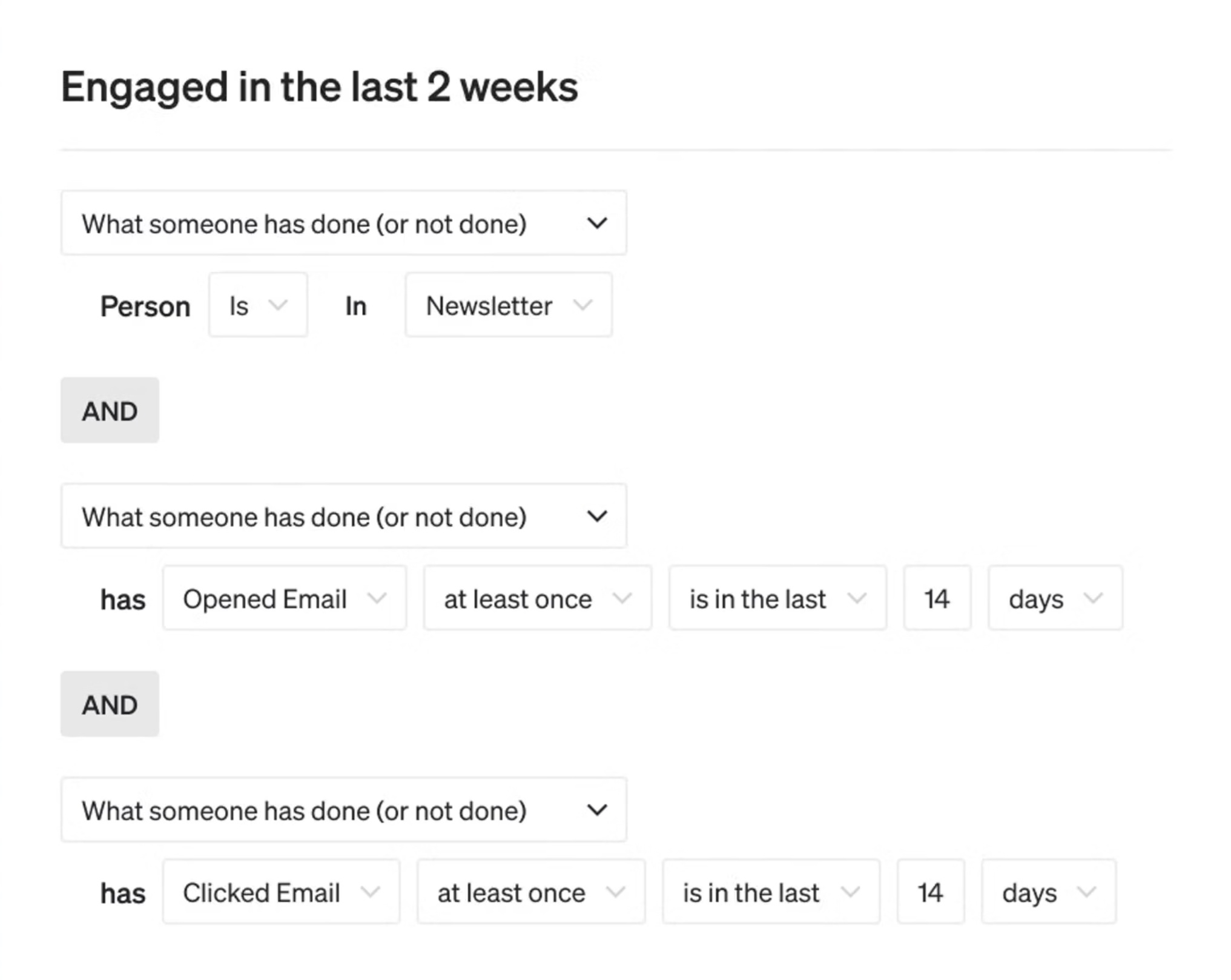
Its free plan allowance is 250 active profiles and 500 monthly sends. Its has $45 per month starting plan, which is not a universal first tier. You should audit your own active profiles and suppress ineligible contacts before projecting cost. You must remember that authentication, engagement segments, Smart Sending, frequency control, and deliverability views help operations, but none guarantees inbox placement. We praise flow depth, Shopify fit, segmentation, and revenue reporting. At the same time, we have concerns about rising cost, navigation friction, and a learning curve also recur, so our Klaviyo versus Mailchimp comparison is a useful second benchmark before you commit.
| Pros | Cons |
|---|---|
| Granular event journeys; strong ecommerce catalog content; broad app ecosystem | Cost grows with active profiles; clean event design is essential; advanced timing has package limits |
Verdict: Klaviyo earns a Sprout Score of 9.1/10. We would start here when ecommerce behavior is central and someone owns event quality, flow QA, suppression, and reporting. A smaller team using only basic fields may pay for depth it cannot operate. Compare Klaviyo alternatives as list size and workflow effort grow.
Where Drip keeps B2C lifecycle automation focused
Drip is more focused choice if you are a small or mid-size B2C seller looking for behavior-based customer journeys without the broader scope of an enterprise platform. You can use purchases, cart activity, location, tags, custom fields, and engagement data to update dynamic segments automatically. From there, you can build visual workflows with triggers, goals, splits, and ecommerce playbooks, using your customer and product data to shape each message path.
You also get more than 50 integrations, including Shopify, WooCommerce, BigCommerce, Zapier, Stripe, and Typeform. Your data can move from these systems into customer profiles and events, through your workflows, and into campaign, workflow, and revenue reports. We see this narrower approach as a way to reduce unnecessary overlap and complexity, as long as Drip covers the systems you rely on every day.
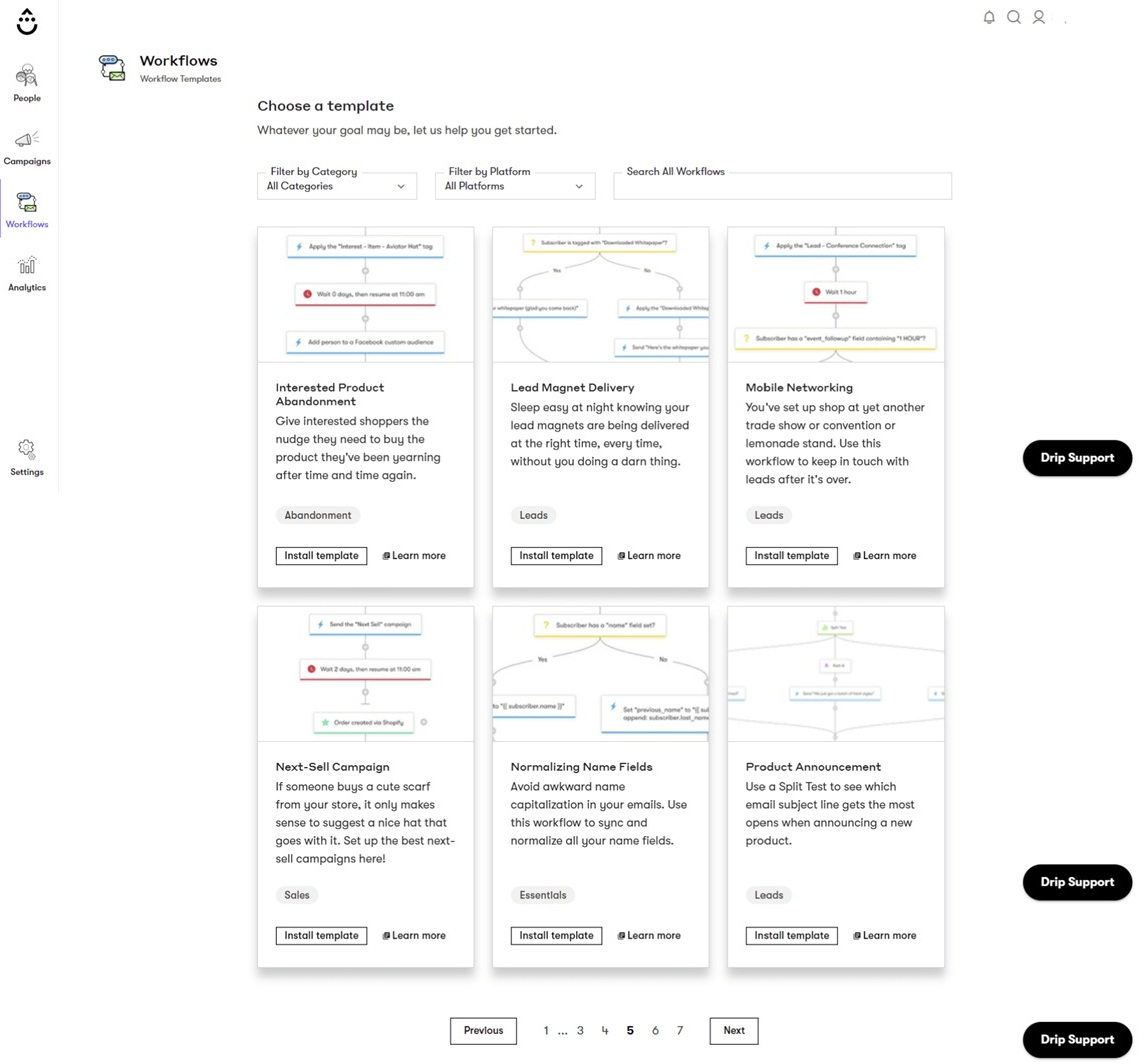
Pricing starts at $39 monthly for 1 to 2,500 people with unlimited email sends, with a 14-day trial and no permanent free plan. A custom sending domain and aligned DNS records support reputation ownership. Drip also isolates bot clicks so scanners do not falsely advance automations or unsubscribe people, though filtering can change attribution. We value behavioral segmentation, visual workflows, ecommerce focus, and support. Limits include complex workflow maintenance, contact cost, narrower integrations, and gaps that can prompt API exports for deeper analysis. See our full Drip review.
| Pros | Cons |
|---|---|
| Focused ecommerce lifecycle builder; unlimited sends at starting price; useful bot-click handling | No free plan; fewer integrations than Klaviyo; deeper reporting may need external work |
Verdict: Drip has a Sprout Score of 9/10. It is a practical middle choice when a B2C team needs more behavioral depth than a newsletter platform but does not need Braze-scale orchestration. You should validate contact growth, reporting questions, and integration coverage during your own trial because those three factors decide whether its focused scope feels efficient or restrictive.
When MailerLite keeps personalization manageable
For a lean program, MailerLite offers lowest operating overhead in this comparison for fields, groups, preference data, rule-based segments, and dynamic blocks. Segment, date, and ecommerce triggers start visual workflows; Power plan supports up to three triggers, while other automation, branching, webhook, and reporting capability varies by plan. Connected store or subscriber activity updates a segment, which controls workflow entry and visible content. You get more than 100 integrations, ecommerce plugins, an API, and webhooks cover common small-business data flows. A practical test is whether those limits still cover the journeys you expect to maintain six months from now.
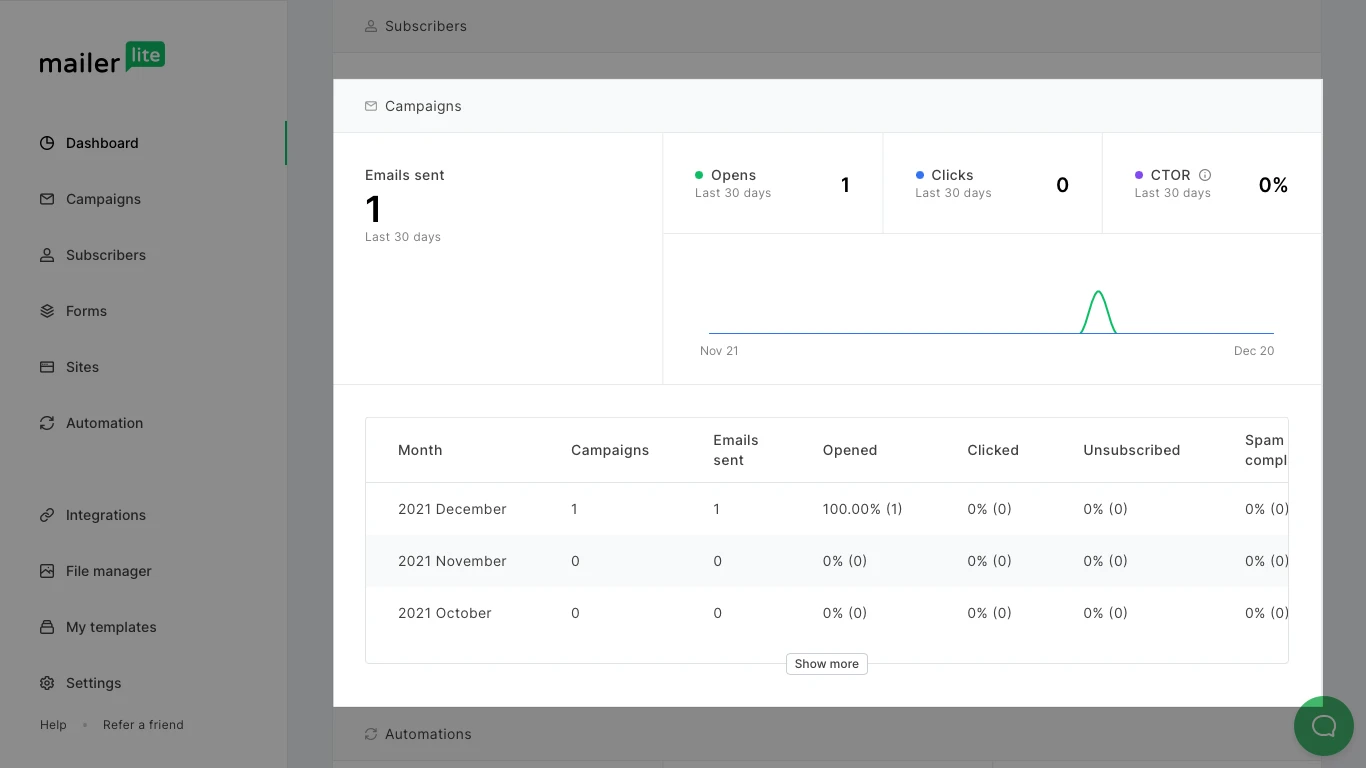
Latest free plan now supports 250 subscribers, 2,500 monthly emails, and three automations. Comfort plan starts at $12 and Power plan at $25. Older comparisons citing larger free limits are now stale. You can use reports covering campaigns, automations, engagement, deliverability, and ecommerce to see how your emails are performing. Keep in mind that automated clicks can sometimes inflate your engagement numbers. We recommend using double opt-in where it makes sense, authenticating your domain, and regularly removing inactive contacts. When you review your results, look at clicks alongside conversions and complaints so you get a more realistic picture of how your campaigns are performing. We praise its clean interface, quick campaign creation, segmentation, and support; deeper automation, reporting ceilings, tier jumps, and the reduced free limits are our concerns. Compare MailerLite pricing and newsletter platforms.
| Pros | Cons |
|---|---|
| Low starting cost; easy segments and editor; useful preference-driven content | Free limit fell in 2026; advanced triggers and reports vary by plan; lighter journey depth |
Verdict: MailerLite carries a Sprout Score of 9.1/10. We recommend that you choose it for a lean program that values speed and maintainability more than intricate event logic. Confirm automation count, triggers, seats, and report access first. If those limits are already tight, review MailerLite alternatives before migrating twice.
When ActiveCampaign connects CRM and email work
A decision change when CRM and email activity must share a single automation layer. ActiveCampaign use stages, deals, scores, tags, contact fields, ecommerce events, and email behavior in the same workflow. Multiple triggers, waits, branches, goals, splits, and CRM actions can coordinate marketing and sales follow-up. You can use conditional content with contact, deal, account, ecommerce, event, or location data, although the rules and features available to you will depend on your plan. When your integrations or CRM activity add information to a contact record, that data can update scores or segments, trigger automation, and feed back into your campaign and automation reports. We find this logic valuable when someone on your team takes ownership of how it is structured and maintained.
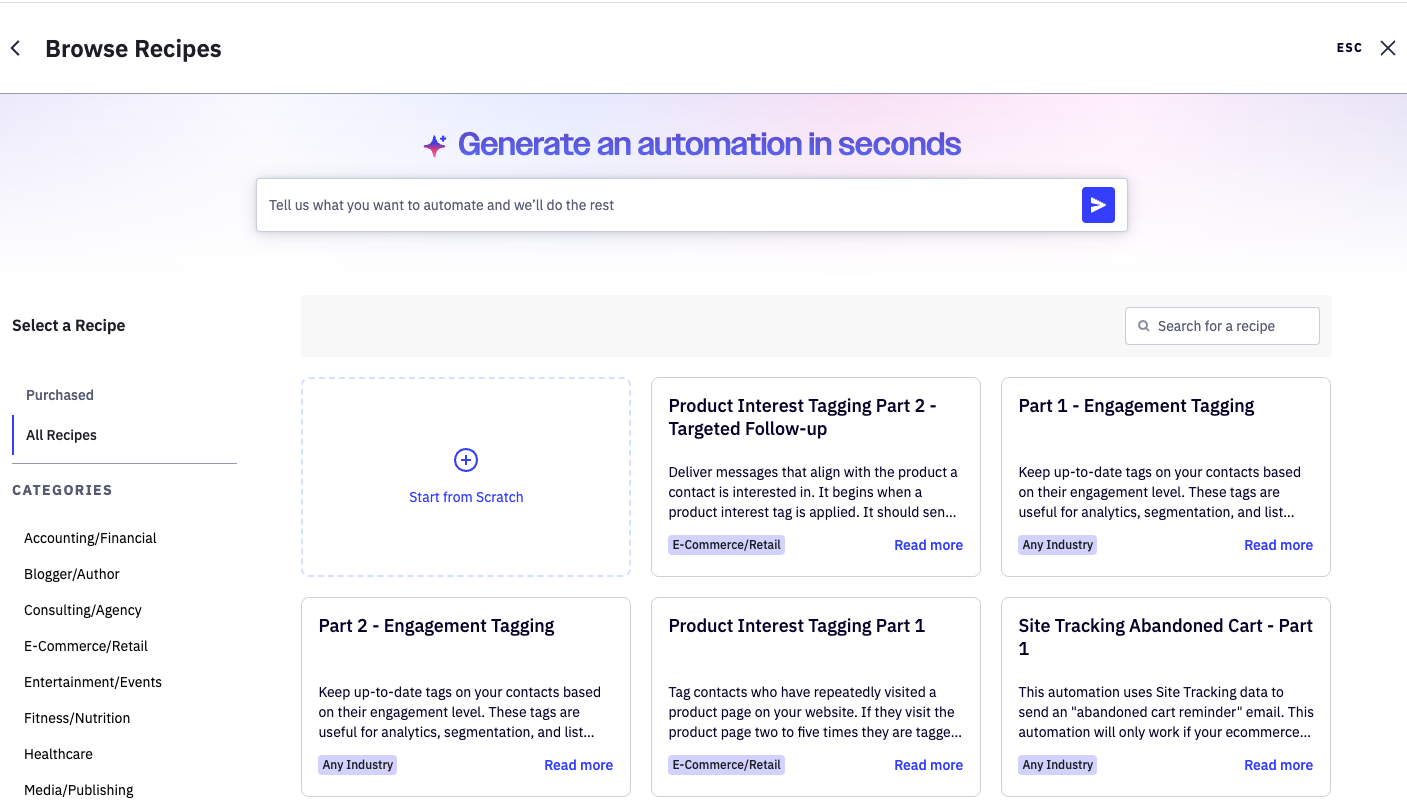
Pricing starts at $15 for accounts under 1,000 contacts, with a 14-day trial. Starter plan limits automation depth, including a five-action ceiling, and more capable segmentation, content, attribution, and testing depend on tier. Authentication, consent, suppression, engaged-recipient targeting, subject/content tests, and send checks support delivery practice. We regularly praise automation, segmentation, CRM, and lead scoring, while often have concern of learning time, performance, reporting, and price complexity recur. Our ActiveCampaign review and ActiveCampaign alternatives provides more information.
| Pros | Cons |
|---|---|
| Deep CRM-aware rules; broad journey pathways; strong sales and marketing alignment | starting plan understates useful depth; taxonomy and QA take time; reporting friction is reported |
Verdict: ActiveCampaign has a Sprout Score of 6.8/10, which we preserve without substituting marketplace ratings. Start here when sales and marketing data genuinely need a shared automation and an owner can govern fields, tags, scores, and tests. Avoid it when your team wants a lightweight newsletter workflow or cannot maintain complex rule paths.
When Braze makes sense for enterprise orchestration
At enterprise plan scale, Braze makes the most sense when you have product teams coordinating email, push, and other channels around real-time customer behavior. You can bring data in through SDKs, APIs, CDPs, warehouses, and zero-copy access to build customer profiles, live segments, and Canvas journeys. Liquid lets you personalize messages with variables and reusable content blocks, while Connected Content can call an external API at send time, process the response, and bring current data into your message.
That flexibility gives you more control, but it also means more work behind the scenes. You will need to account for latency, authentication, fallback behavior, and thorough QA. With Canvas, you can set event-based entry points, branches, experiments, control groups, channel choices, and frequency rules. We see this as one of Braze biggest strengths and challenges at the same time: you get much greater control over your customer journeys, but your team also takes on more responsibility for building and maintaining them.
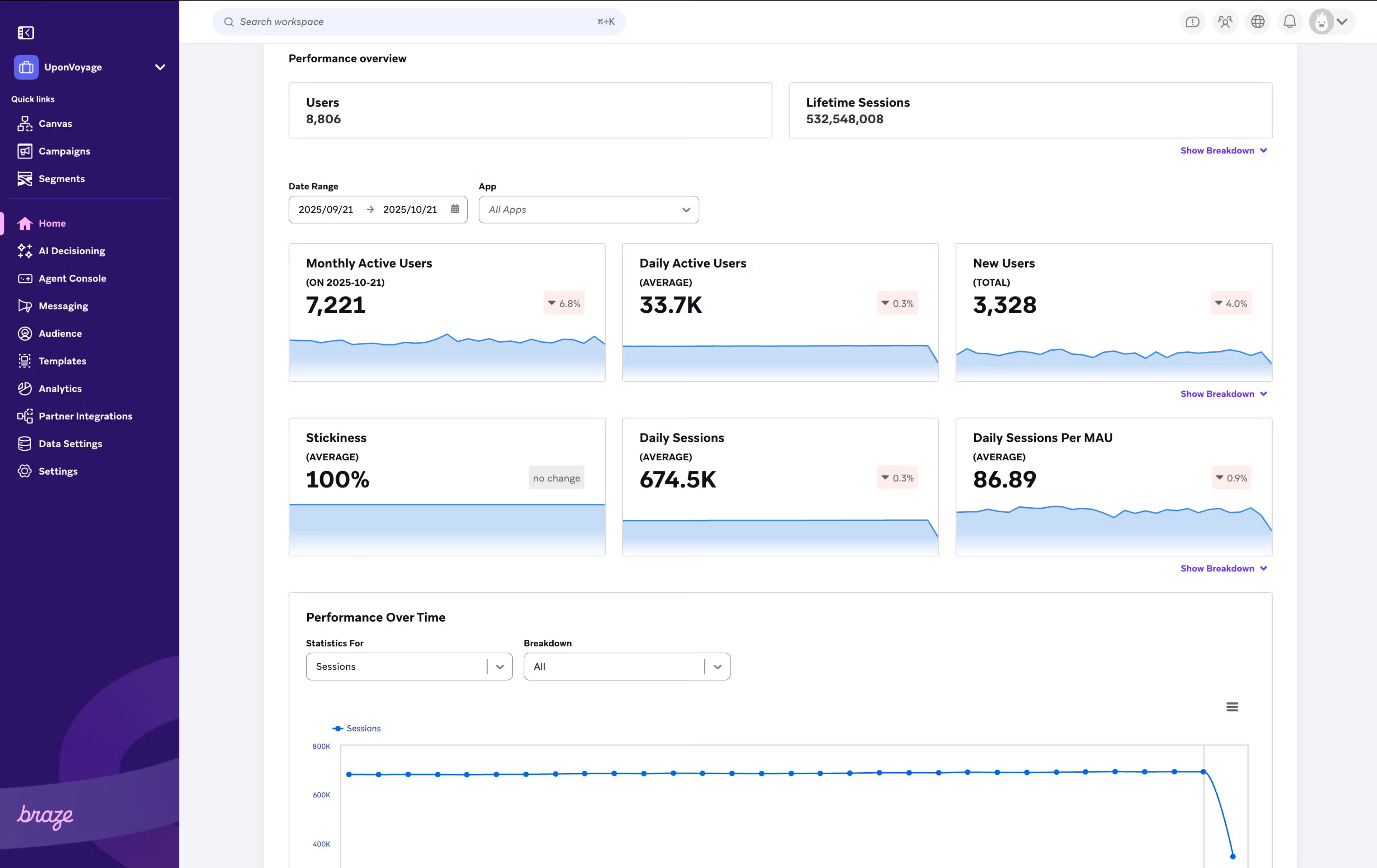
Select plan, Pro plan, and Enterprise plan pricing is quote-based around monthly active users and contracted entitlements. Implementation, data engineering, Currents exports, external analytics, IP warming, and optional deliverability services may materially change cost. We praise cross-channel journeys, segmentation, scale, and real-time triggers; technical setup, reporting, workflow complexity, while concerns about price uncertainty recur. Use our omnichannel marketing comparison to test whether channel scope warrants this effort.
| Pros | Cons |
|---|---|
| Deep real-time orchestration; flexible external content; strong channel coordination | Quote-only cost; engineering dependence; complex reporting and implementation |
Verdict: Braze has a Sprout Score of 7.7/10. It is the clearest fit here for high-volume, real-time, multi-channel lifecycle programs with data and engineering support. We would not make it a small-team default. First prove that event velocity, channel coordination, experimentation, and governance requirements exceed what an ecommerce or CRM-focused platform can handle.
Where Omnisend speeds up ecommerce automation
For a small ecommerce team, Omnisend shorten setup through store connections, prebuilt journeys, behavior segments, product blocks, email, and push. Store catalog, browse, cart, order, and customer data feed segments and automations. Its personalized recommender can use views and purchase relationships at send time, but needs a supported store or API plus enough returning-customer data. Personalized content and send-time features are Standard plan add-ons and included in Pro plan. Preview and click-map limits should be checked from your own account. Faster setup therefore depends on staying within plan and data conditions.
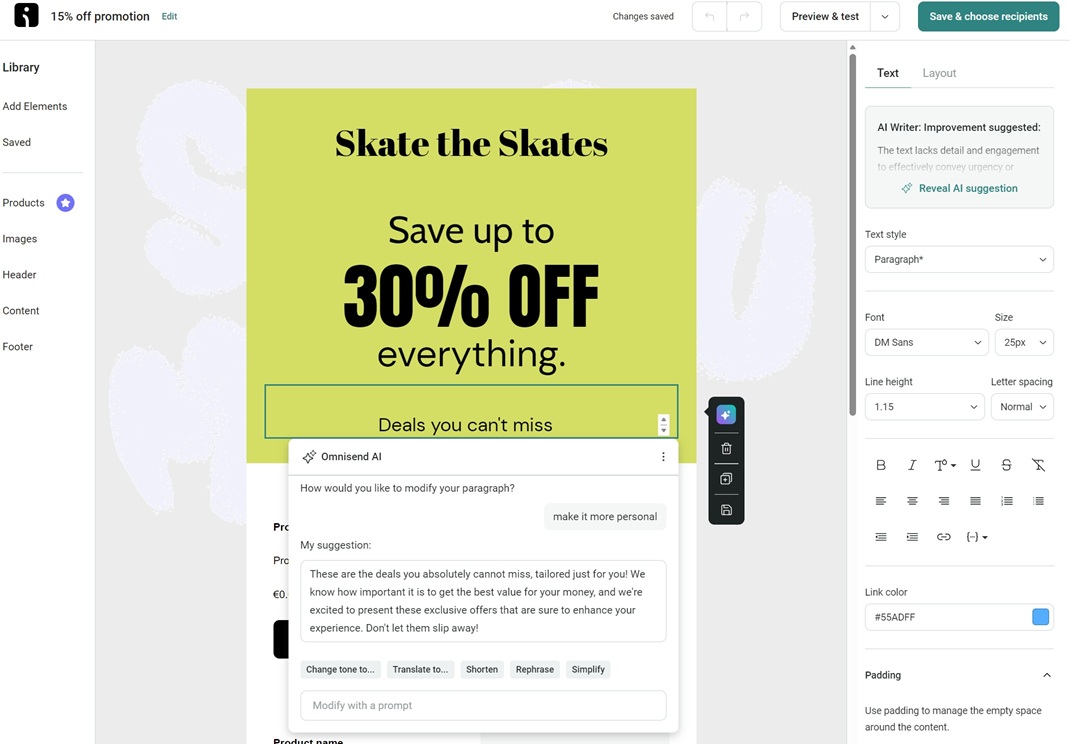
Free plan includes 250 contacts and 500 emails. Standard plan starts at $16; Pro starts at $59, and billing adjusts with billable contacts. For customers joining on or after May 4, 2026, Standard plan no longer supports SMS; SMS is a Pro plan add-on from $0.007 per message. That verified change matters more than outdated included-credit descriptions. Authentication, hygiene, frequency controls, and a deliverability report help identify sender, list, and engagement risk, but do not assure inbox placement. We praise its Shopify fit, ease, support, and prebuilt automation at the same time have concerns regarding design limits, contact-tier cost, and possible excess complexity recur. Check Omnisend pricing and our Omnisend review.
| Pros | Cons |
|---|---|
| Fast ecommerce setup; useful product automation; email and push notification in one workflow | Contact-based tier growth; advanced personalization may cost extra; new Standard plan accounts lack SMS |
Verdict: Omnisend earns an Sprout Score of 8.8/10. Start here if you have a small store that needs practical behavior automation quickly and accepts its channel and add-on rules. Compare it with Klaviyo for data depth and Drip for focused lifecycle control. Our ecommerce email platform comparison helps keep that shortlist consistent.
Choose periodic or continuous list cleaning

MailerCheck fits batch uploads, API checks, and occasional validation of email lists. It provides 10 trial credits; the 1,000-credit minimum costs $0.01 per verification, credits do not expire, and inbox-placement or content checks consume separate amounts. Its Sprout Score is 8.9/10.

Mailfloss is a good fit if you want to keep your email list clean continuously rather than handling one-off cleanups. You can connect your accounts through OAuth and run scheduled or real-time checks, with configurable write-back options that reduce the need for manual exports and imports. Lite plan costs $29 per month for 10,000 credits and one ESP connection. Business plan costs $59 for 25,000 credits and 10 connections, while Pro plan costs $209 for 125,000 credits and unlimited connections. Its Sprout Score is 8.8/10. You can use email verification to remove invalid addresses and help protect your sending reputation, but it will not create consent or guarantee delivery. We recommend including regular list cleaning when you plan your costs and growth with an email list growth forecast.
When transactional and notification email need a separate service?
Receipts, password resets, and account alerts should not be forced through a lifecycle platform when a dedicated API or SMTP service offers better operational separation. MailerSend provides 500 free emails monthly; Hobby plan costs $7 monthly or $5.60 effective monthly with annual billing for 5,000 emails, one domain, API/SMTP, templates, analytics, and one-day activity retention.
Amazon SES offers more infrastructure control through API/SMTP, bounce and complaint metrics, CloudWatch, receiving, and mailbox simulation. New Essentials plan pricing is $0.16 per 1,000 emails for the first 10 million with no fixed platform fee. Pro plan is $0.22 per 1,000 plus $105 per account-region monthly; Enterprise plan is $0.23 plus $500. Legacy a-la-carte pricing may remain $0.10 per 1,000 where applicable. Sandbox accounts can send 200 messages per 24 hours until production access is approved. Compare volume costs with our transactional email API calculator, then add developer time, monitoring, templates, and incident ownership.
Which delivery controls support personalization work?
We recommend using permission-based acquisition, authenticating SPF/DKIM/DMARC, suppressing hard bounces and invalid addresses, segmenting by recent engagement, and controlling frequency across campaigns and flows. You can test subject lines, preheaders, content, and timing against a defined success metric.
We observe, Privacy protections and bot activity distorting opens and clicks, so we recommend reading them alongside conversions, complaints, unsubscribes, and attributable gross profit. You will also want to separate promotional and transactional streams where reputation or operational risk requires it. No personalization feature can guarantee an open-rate lift.
Frequently asked questions
What is personalized email marketing software?
It uses profile, preference, behavior, transaction, or event data to change audience selection, timing, journey, or content. Advanced capability begins beyond a simple name field and still depends on clean usable data.
Which email personalization tool is best for a small business?
MailerLite suits low-overhead programs; Omnisend and Drip suit ecommerce behavior; Klaviyo fits richer established ecommerce data. Use the selection guide to match capacity before price.
How is dynamic content different from basic merge tags?
A merge tag inserts one stored value. Dynamic content can show or repeat blocks under rules, profile conditions, event arrays, catalog data, or recommendations, with fallbacks needed when data is missing.
Is Klaviyo or Omnisend better for ecommerce personalization?
Klaviyo offers deeper profile, event, and flow control; Omnisend emphasizes quicker prebuilt ecommerce setup. Compare data governance, contact cost, add-ons, and channel needs rather than assuming one universal winner.
When does a team need Braze instead of an SMB email platform?
Consider Braze when real-time events must coordinate several channels at enterprise scale and data, engineering, analytics, and contract ownership already exist. Otherwise its implementation burden can exceed the need.
Do email lists need cleaning before advanced personalization?
Yes, invalid and stale addresses waste budget damage reputation signals. Cleaning supports list quality but cannot replace permission, authentication, engagement targeting, or relevant content.
Should transactional email use MailerSend or Amazon SES?
MailerSend is easier for a small team wanting templates and managed API/SMTP. SES favors technical teams wanting infrastructure control and usage pricing. Postal advanced direct mail personalization platforms are outside this email-focused comparison.
How to calculate fit before choosing a platform?
Useful question is not which personalized email software has the longest feature list. Ask which option can use your current data, support the journeys that matter, and remain operable at your expected list size. Start by writing four numbers: addressable monthly contacts, required sends per contact, setup hours, and recurring workflow/reporting hours. Then record ecommerce, CRM, and real-time cross-channel requirements as yes or no. This prevents an attractive demo from hiding missing data or staff capacity.
Read left to right for greater operating complexity and bottom to top for deeper personalization and data use.
| Platform | Operating complexity | Personalization and data depth |
|---|---|---|
| MailerLite | 1.5 | 2.5 |
| Omnisend | 2.2 | 3.3 |
| Drip | 2.8 | 3.8 |
| Klaviyo | 3.6 | 4.5 |
| ActiveCampaign | 4.0 | 4.1 |
| Braze | 5.0 | 5.0 |
These qualitative coordinates summarize validated workflow and implementation data. They are not Sprout Scores and cannot prove performance or ROI.
Use above quadrant to narrow an operating category. MailerLite sits at lower complexity and depth; Omnisend and Drip add ecommerce behavior; Klaviyo adds richer profiles, catalogs, and events; ActiveCampaign combines deep CRM rules with governance effort; Braze occupies the highest depth and complexity. A position does not measure deliverability, value, or results. It shows the tradeoff your team must be ready to operate.
| Platform | Starting price | Basis |
|---|---|---|
| MailerLite | $12/month | Starting price |
| ActiveCampaign | $15/month | Starting price |
| Omnisend | $16/month | Starting price |
| Drip | $39/month | Starting price |
| Klaviyo | $45/month | Current page default displayed configuration |
| Braze | Quote-based | Outside the numeric scale |
Contacts, sends, MAU, entitlements, add-ons, taxes, and contracts are excluded. This chart cannot prove total cost or value.
Next calculate monthly sending requirement as addressable contacts x sends per contact. Calculate direct monthly cost as platform fee + add-ons + transactional sending + list cleaning. Calculate operating cost as (setup hours spread across the comparison period + monthly workflow/reporting hours) x internal hourly cost. Your total monthly cost is direct cost plus operating cost. This makes a $12 starting plan comparable with a quote-based platform without pretending their capabilities are equal.
Estimate contribution separately: gross profit from retained or recovered orders reasonably attributable to email - total monthly cost. Run low, base, and high cases across 6 to 12 months. Keep attribution conservative because seasonality, promotions, other channels, privacy effects, and customer demand can influence results. Our email marketing ROI calculator organize contact list scenarios.
For a lean list-and-preference program, begin with MailerLite and verify automation limits. For small ecommerce behavior, compare Omnisend, Drip, and Klaviyo using the same contact forecast and event-quality checklist. For shared sales and marketing logic, test ActiveCampaign only after assigning taxonomy and QA ownership. For real-time multi-channel work, scope Braze only when engineering, data, analytics, and procurement capacity are already budgeted. Add MailerCheck or mailfloss according to whether hygiene is periodic or continuous, then price MailerSend or SES separately for notifications.
Finally, verify the winning category in a trial or scoped call using your own sample fields, events, catalog structure, suppression rules, and reporting questions. Recheck prices immediately before purchase of your subscription. A suitable email personalization platform is one your team can keep accurate, measurable, compliant, and affordable after initial setup. That operating fit is more useful than any universal winner claim.
- 11 Feb 2026 – Sprout Score scale refined
- 14 Oct 2025 – Updated screenshots
How do we evaluate email marketing tool?
Manual testing is the process that goes beyond just ticking boxes. Our team start by defining clear testing objectives based on the intended use of email marketing tools and platforms. Each tools undergoes a rigorous user experience analysis, where we simulate real-world scenarios to gauge performance, usability, and reliability.
We pay special attention to the integration capabilities, data security, and compliance standards of the MarTech vendor. This hands-on 25 test-point approach allows us to uncover nuances that automated testing might miss, providing a more holistic understanding of the tools.
How do we evaluate and benchmark email marketing service effectively?
Our evaluation process is data-driven and multi-dimensional. Our team analyze tool performance metrics against industry standards and similar product platforms.
Key performance indicators (KPIs) are meticulously examined, including ease of use, customization options, scalability, customer support effectiveness, and innovation. We also incorporate user feedback to ensure our benchmarks reflect actual user experiences and expectations.
This comprehensive method ensures a fair and effective comparison of the email marketing services.
How accurate are these comparisons and alternative suggestions of the email marketing tools?
We pride ourselves on the accuracy of our comparisons and suggestions. Our team expertise, combined with advanced analytics tools, ensures that our data is both current and relevant. We constantly update our database with the latest market trends and user feedback, which helps us provide accurate and timely recommendations.
However, it’s important to remember that each business has unique needs, and our suggestions are a starting point for their decision-making process.
Why email marketing tool buyers trust Sprout24 reports and analysis?
Our reputation for trustworthiness stems from our commitment to impartiality and depth of research. We do not just skim the surface; we go deep into each email marketing tools and service capabilities and shortcomings.
Our reports are comprehensive, easy to understand, and transparent, explaining not just what we recommend but why. This transparency and thoroughness are why email marketing tool buyers trust our reports.
Our FTC Disclosure explains the sources of funding and revenue of Sprout24 platform; this enables us to curate straightforward and unbiased reviews.
How these reports help in reducing the time to purchase a email marketing platform?
Our reports and guides significantly reduce the time to purchase by providing clear, concise, and comparative information. Email marketing tool buyers don’t have to spend countless hours researching; they can find all the necessary information in one place.
Our Sprout scoring system, user reviews, and feature comparisons simplify the decision-making process, enabling buyers to make informed choices quickly.
How effective is the scoring system and help email marketing service buyers in making fast decision?
Sprout Score Scale of 0–10 rating is crafted to provide a quick, yet detailed view of a platform overall standing in various categories.
This scoring system, backed by in-depth contextual data analysis, allows email marketing service buyers to immediately gauge suitability of the tool / service for their needs. It simplifies complexity and enables fast, informed decisions, which is crucial in the fast-paced world of business.


