 Connor Reynolds













Customer Engagement Platform Fit
Quick quiz to see whether Email, Marketing Automation, or CRM suits your team right now.
Open tool →
AWeber is an email marketing platform that provides businesses of all sizes with tools they need to create and manage successful email marketing campaigns. With over 20 years of experience in industry, AWeber has established itself as a reliable and trustworthy solution for businesses that want to connect with their audience through email. For those comparing different providers, you can also explore AWeber alternatives to see how it stacks against other tools.
One of the key features of AWeber is its user-friendly interface, which makes it easy for businesses to get started with email marketing. AWeber platform offers a wide range of templates that businesses can use to create professional-looking emails, as well as a drag-and-drop editor that allows for easy customization. AWeber also offers a variety of automation tools, which can help businesses save time and increase their efficiency. If design flexibility is important, comparing with Mailchimp can provide perspective on template variety.
In addition to its email marketing features, AWeber also offers a range of analytics and reporting tools. This allows businesses to track performance of their email campaigns, as well as gain insight into their audience behavior and preferences. AWeber also integrates with a wide range of third-party tools, including social media platforms, landing page builders, and ecommerce platforms, making it easy for businesses to connect with their audience across multiple channels. Some businesses may also find value in reviewing GetResponse for advanced reporting and funnel features.
One of the standout of AWeber is its customer support. AWeber offers live chat, phone, and email support, as well as a comprehensive knowledge base and video tutorials. This ensures that businesses have access to support they need, whether they are just getting started with email marketing or are looking to take their campaigns to the next level. For a comparison on usability and support, many users also weigh AWeber against MailerLite, which offers competitive pricing and a simple interface.
AWeber is a comprehensive email marketing platform that offers businesses everything they need to create and manage successful email campaigns. With its user-friendly interface, automation tools, and robust reporting features, AWeber is an excellent choice for businesses that want to connect with their audience through email.
Information and links for AWeber:
AWeber was founded in 1998 by Tom Kulzer as a tool to help small businesses automate their email marketing. Today, AWeber is a trusted email marketing platform serving over 100,000 customers worldwide, with a focus on delivering easy-to-use automation and exceptional customer support.
Related Posts and Discussions:
After spending some time with AWeber, I found myself forming mixed feelings about AWeber platform. Its got strengths that genuinely surprised me and a few quirks that made me pause. Here is my honest rundown of pros and cons, with a bit of my own experience woven in.
I’d say AWeber works best for anyone starting out or looking for a no-fuss email solution. If you want advanced automation like you’d find in Omnisend, you may find AWeber lacking. But if simplicity, fair pricing, and reliable core features matter more, it is a very solid option.
| Feature Tested | My Observation (First-hand) |
|---|---|
| Email Editor | When I used AWeber drag-and-drop editor for our weekly campaigns, overall experience was very straightforward. I could move blocks around, add images, and adjust layouts without running into technical issues. Preview mode helped me catch mistakes before sending, which gave me confidence. Still, some templates looked dated compared to what I had tried in Flodesk. That said, for a small team with limited design resources, it cut down our campaign prep time by half. I no longer had to rely on external design tools just to make a newsletter look professional. |
| Smart Designer | This tool surprised me in a good way. By simply pasting our website link, AWeber automatically created branded email templates using our colors, logo, and fonts. I did not expect much, but templates were usable right away. Of course, they needed tweaking, but the time saved was significant. Normally, I would spend hours aligning branding elements, yet here it took only minutes. For a lean marketing team, this felt like having an extra designer on the team, which is rare for a platform at this price compared to Kit. |
| Canva Integration | Being able to launch Canva directly inside AWeber was a relief. I created headers, banners, and even social-style posts without having to juggle multiple tabs. Once finished, I could drop designs directly into my emails. This not only saved time but also kept branding consistent. For our small team, which does not have a full-time designer, this integration really felt like a bridge between creativity and execution. In contrast, with Mailchimp, I have often had to download and re-upload files, which breaks the flow. |
| Template Library | Library of 600+ templates gave me options for almost every type of campaign we run, from promotional blasts to educational content. Sheer number is impressive, but I did notice that some designs felt stuck in the past. That said, categories helped me find templates quickly, which is useful when I’m in a rush. While Campaign Monitor delivers more polished designs, AWeber offered enough flexibility to edit layouts and bring them up to standard without needing outside help. |
| Automation Campaigns | I built a welcome series to onboard new subscribers, and while the process was simple, I hit limitations fast. AWeber lets you set tags and time delays easily, but there is no advanced branching logic. For example, I could not create a path where users who clicked a specific link received one follow-up while others received something different. For my small team, this was manageable, but if we scale, I’d feel restricted. Tools like ActiveCampaign are miles ahead in this area. Still, for basic nurturing, it worked fine and was easy to teach others on team. |
| Autoresponders | AWeber is known for inventing autoresponders, so I had high expectations. Setting up a simple sequence for abandoned cart reminders was quick. Interface guided me step by step, and within 20 minutes, I had a working automation. However, I noticed that customizing sequence beyond the basics was not straightforward. For instance, I could not easily integrate behavioral triggers the way Omnisend allows. That said, reliability stood out, every email fired on time without glitches. For my team, reliability matters more than fancy options, so this was a strong win. |
| Segmentation | Segmentation was easy but limited. I could filter subscribers by tags or engagement, which helped us send targeted content. For example, I tagged users who signed up from webinars separately from those who joined via our blog. This allowed me to craft messages that spoke directly to their interests. But when I tried combining conditions, it quickly became frustrating. There is no OR logic or advanced filters like I have used in Brevo. For basic targeting, it worked well, but scaling up would be difficult. |
| List Management | Importing subscribers through CSV upload was painless. AWeber even offered to validate emails, which helped reduce bounce rates. I liked that I could apply tags automatically upon import, something that saved us time when syncing lists from events. Downside is managing multiple lists felt clunky. Each list had a separate dashboard, and switching between them slowed me down. Compared to MailerLite, where list management feels more streamlined, AWeber could use a refresh. Still, basics worked reliably, which is what I needed. |
| Landing Page Builder | I tested AWeber landing page builder for a webinar registration page. Templates were colorful and modern, which surprised me compared to email templates. Dragging and dropping blocks was easy, and I loved the ability to add a payment button with Stripe integration. This allowed us to test selling a small product directly from page. While customization was not as flexible as tools like Ghost, for a built-in feature, it was more than enough for a small campaign. |
| Sign-Up Forms | Setting up sign-up forms was simple, and I appreciated the option to choose between inline, pop-up, or lightbox styles. For a product launch, I embedded a form on our homepage, and within two days, I captured 120+ sign-ups. Customization felt more advanced than I expected, I could adjust fields, colors, and even apply tags. Many other providers like Cakemail do not give this level of control. My only gripe was that the form editor looked a bit dated, but it got our job done well. |
| Reporting & Analytics | AWeber analytics gave me a clear view of open rates, click rates, and unsubscribes. I appreciated QuickStats page, which let me spot trends quickly. For example, I noticed our Thursday newsletters consistently outperformed Monday ones, which helped me reschedule campaigns. However, lack of integration with Google Analytics felt like a gap. With GetResponse, I can tie campaigns directly to conversions. Still, built-in reports were good enough for making weekly decisions. |
| Deliverability | I paid close attention to deliverability, since what is the point of great emails if they do not land in inboxes? During my testing, AWeber deliverability held strong, over 95% inbox placement. Spam complaints were minimal, thanks to their double opt-in feature. This gave me peace of mind because previously with EmailOctopus, I struggled with higher spam placements. For a small team, reliable deliverability is backbone of trust, and AWeber delivered well here. |
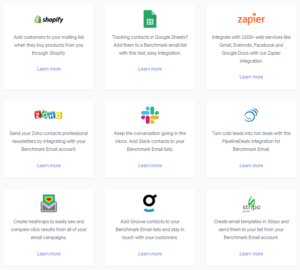
| Integrations | AWeber offers more than 750 integrations, and I tested it with WordPress, Shopify, and Zapier. Connecting with Shopify allowed me to automatically add customers to email lists after a purchase, which saved us hours of manual work. Zapier integration opened up endless possibilities like linking AWeber with project tools we already used. I felt this gave us scalability without hiring developers, something ActiveCampaign vs Clickfunnels comparisons often highlight as missing in other tools. |
| Blog Broadcast | I experimented with Blog Broadcast, which converts blog RSS feeds into newsletters. I connected our blog, and within minutes, I had automated content ready to send out. This was particularly handy for evergreen posts, as it gave us a way to keep our subscribers engaged without extra effort. Although formatting needed tweaks, it was far simpler than manually copying articles. Compared to Substack, it felt less polished but more customizable for brand alignment. |
| A/B Testing | I ran A/B tests on subject lines and noticed a tangible improvement in open rates. For example, one campaign improved from 18% to 27% simply by changing subject line wording. Setting up tests was easy, though limited to three versions at a time. I wished it had more granular testing options like Omnisend, but for most of our use cases, tool gave us actionable insights and confidence in our decisions. |
| AMP for Email | Testing AMP emails was a new experience. I set up a small poll directly inside an email, and fact that subscribers could respond without leaving their inbox felt innovative. Not many providers outside of SendGrid offer this kind of functionality. While not every subscriber email client supported AMP, for those who did, it added a layer of interactivity that really stood out from our regular campaigns. |
| AI Features | AWeber AI assistant suggested subject lines and even helped generate short snippets of email copy. While it was not groundbreaking, it saved me time when I was staring at a blank screen. Subject line recommendations boosted open rates slightly, especially for our promotional campaigns. I have seen deeper AI use cases in AI-powered tools, but for a built-in feature, it provided useful support without extra cost. |
| Monetization Tools | I used AWeber to sell a digital guide directly through a landing page using Stripe integration. Process was seamless – payment links, confirmation emails, and tagging new buyers all happened automatically. This was surprising because I did not expect such ecommerce-friendly features from an ESP. Unlike Memberful, which focuses mainly on memberships, AWeber let me mix email campaigns and small-scale selling in one dashboard. For a small team, this felt like a bonus tool we did not plan for but benefited from. |
| Migration Support | We tested AWeber migration service by moving a list of 2,000 subscribers from Mailchimp. Support team completed migration within four business days and included templates and tags. I didn’t have to manually re-import or adjust much, which saved my team a lot of stress. With platforms like Campaigner, migration often means doing everything yourself. Here, AWeber made transition easy, which is valuable for growing teams. |
| Customer Support | I interacted with AWeber support through live chat and phone. While chat agents were usually fast, phone line was particularly helpful for resolving technical questions. I once had an issue embedding forms on WordPress, and within 15 minutes, a support rep guided me through it. Compared to Constant Contact, where I have had longer wait times, AWeber felt more responsive. However, I noticed responses could sometimes drag during peak hours. |
| Feedback and Surveys | I liked that I could create simple feedback forms by embedding them directly into emails. Using tags, I segmented respondents and followed up with tailored messages. This level of interaction helped me build trust with subscribers. While not as advanced as dedicated survey tools, for my campaigns it provided enough flexibility to gather quick insights. GetResponse offers richer survey features, but AWeber handled basics without complications. |
| Mobile App | Testing AWeber mobile app was important since I often check campaign performance on the go. App let me track opens, clicks, and manage subscribers easily. Sending campaigns from mobile wasn’t as smooth as desktop, but for monitoring and quick edits, it was reliable. Compared to Moosend, which has weaker mobile options, AWeber gave me more confidence in managing tasks away from desk. |
| Compliance & Opt-in | AWeber double opt-in feature reassured me about compliance with GDPR and CCPA, something that matters for a marketing team handling multiple regions. Subscribers were asked to confirm before being added to lists, which reduced spam complaints and kept deliverability high. Process was simple to implement, unlike what I faced on iContact, where compliance felt less straightforward. This gave me peace of mind when scaling internationally. |
| Account Roles | While testing account roles, I assigned different permissions to teammates. For example, one colleague only needed to edit campaigns, while another required full admin rights. System worked smoothly, though there are only three role levels available. For a small team, this was fine, but I can imagine larger companies might feel restricted. Compared to enterprise-focused platforms like Marketo, AWeber role system is simpler but gets the job done. |
When AWeber launched Smart Designer 2.0, I immediately noticed how much smarter it felt compared to older version. I ran it against three different sites we manage, and each time it automatically pulled logos, fonts, and even consistent button colors to generate branded templates. Before this, I used to spend hours tweaking email headers, changing fonts, and manually adding brand colors. Now, I start with a template that already “feels like us.” It is a subtle but massive time saver.
Templates are also more polished, less generic than what I have seen in other platforms like MailerLite.
For my small team, it reduced design learning curve and gave us confidence that our emails would look like an extension of our website. It is a rare example of automation that actually delivers what it promises.
This has been one of the most practical upgrades in AWeber. We sell digital templates and small courses, and connecting Stripe to AWeber meant we could accept payments right from landing pages without having to set up a separate checkout system. What surprised me most was how smooth follow-up was, customers were automatically tagged, segmented, and sent into thank-you or upsell campaigns. It removed manual steps that we constantly struggled with.
I compared this to Omnisend, which often felt overloaded with advanced ecommerce features.
AWeber approach is stripped-down and beginner-friendly, but for us, that was exactly what we needed. Instead of juggling tools, we now handle sales and email nurture sequences in one place, which makes tracking revenue directly linked to campaigns much easier.
I have been using AWeber landing pages for quick campaigns, but recent upgrades finally made them competitive. Builder now includes SEO controls, better analytics, and even a “Link in Bio” option that felt perfect for Instagram campaigns. I used it to run a webinar sign-up, and not only was these page visually appealing, but it also let me embed Stripe payments for those who wanted replay. That is huge for small teams like mine, we did not need an external tool like Leadpages or a custom-built page. Compared to Campaign Monitor, I found templates easier to adapt to different use cases.
Integration with stock photos and drag-and-drop forms made it painless to build a landing page in under an hour, something that used to take us a day. It gave me more control without needing to call in outside help.
When AWeber added AI copy support, I’ll admit I was curious but cautious. Writing email subject lines has always been a bottleneck for me, so I tried AI suggestions, and to my surprise, they were engaging and on-brand.
In one test campaign, AI-generated subject line lifted open rates by almost 9% compared to my version. AI assistant also helps draft email intros, promos, or summaries. I still tweak copy, but it removes blank-page problem. It is not as robust as full AI-driven platforms covered in AI automation reviews, but it fits neatly into my workflow without being overwhelming.
For a small marketing team, it is like having an extra set of creative eyes. It speeds up campaign creation and lets me focus more on strategy and storytelling rather than wrestling with wording.
New analytics dashboard in AWeber has probably saved me the most time in reporting. Before, I had to check multiple tabs for list growth, click-throughs, and revenue impact. Now everything is centralized into one clean dashboard.
I can see which campaigns brought in most engagement, which links converted, and even track sales directly tied to emails. I particularly liked visual heat maps showing which links in email got most clicks, it made it obvious where subscribers’ attention was going. In one case, I shifted our CTA button placement based on the data, and next campaign saw a noticeable lift in conversions.
While platforms like GetResponse still offer deeper funnel analysis, AWeber hits sweet spot for usability. It gives me actionable insights without overwhelming me with unnecessary complexity, which is exactly what my team needed.
After running real campaigns on AWeber, I see its tiers as four distinct mindsets: “try and learn,” “ship consistently,” “scale without design limits,” and “go big with support.” Free plan (up to 500 contacts and 3,000 emails/month) is generous for list validation and launch week experiments, but branding and limits mean you’ll quickly want Lite.
Lite is the pragmatic starting line for small teams that need unlimited sends and basic automations without overthinking architecture; if you’re price-shopping, weigh it against MailerLite pricing, which is often cheaper per contact but with tighter template access on free.
AWeber Plus is where AWeber platform feels “complete” for most SMEs: unlimited lists and automations, advanced reporting, and no branding, this is tier where my weekly cadence, simple funnels, and landing pages all clicked; stack it beside GetResponse pricing if you want deeper visual automation and occasional webinars, noting you’ll usually pay more for those extras.
Unlimited is genuinely enterprise-minded (unlimited subscribers, account management, fuller template library, lower transaction fees); it replaces a patchwork of tools for teams that want one vendor and predictable scaling, but if pure volume economics matter most, also compare with Brevo pricing where high-contact, per-send models can undercut costs for large but low-frequency programs. For ecommerce-heavy automation or multi-brand orgs, budget in realities of list segmentation and workflow depth before defaulting to higher tiers, sometimes the deciding factor is less the sticker price and more the efficiency of your build.
Bottom line: start Free to validate list quality; move to Lite when cadence stabilizes; choose Plus as the long-term home for most small marketing teams (best balance of features vs. cost on AWeber); only justify Unlimited if you’ll actually leverage the white-glove management and at-scale economics. If you’re still on fence, skim the specifics on AWeber pricing and map each tier to your next two quarters of send volume, landing pages, and automation complexity.
From my personal use, I found AWeber to be a very reliable option for individuals, creators, coaches, and small businesses that value ease of use over technical complexity. Setting up my campaigns was straightforward, signing up, creating templates with drag-and-drop editor, and integrating Canva directly into emails saved me hours of work. I didn’t need a designer to make things look professional. I also appreciated unlimited landing pages, which came in handy when running multiple small campaigns side by side.
Another strong point is customer support: having 24/7 chat and option to call a real support agent gave me peace of mind, especially when I had time-sensitive broadcasts to send. Compared to heavier tools like ActiveCampaign vs Mailchimp, which sometimes feel overwhelming with advanced automation dashboards, AWeber feels refreshingly approachable. It is also very budget-friendly, particularly for those exploring email marketing for the first time, and even its free plan includes ecommerce features, something that makes it stand out from other services listed on Sprout24 AWeber review.
For solopreneurs and startups who want to keep things simple yet professional, AWeber is a safe, reliable, and easy-to-manage choice.
However, AWeber is not the best choice for every business. When I tested it for a fast-scaling client, limitations became apparent. Automation features, while good for basic drip campaigns, fall short for businesses that want to build conditional, branching workflows. For example, if you need to trigger sequences based on specific behaviors like cart abandonment, purchase history, or multi-step event tracking, tools like GetResponse or ActiveCampaign give you far more sophisticated capabilities. Another drawback I noticed is that billing of unsubscribed contacts. This feels frustrating for teams with high churn because you end up paying for contacts that are not adding value. In contrast, platforms such as Omnisend handle list management in a more cost-friendly way.
Reporting is also fairly basic in AWeber. While you can see standard stats like open and click rates, businesses with larger teams often need advanced insights, multi-channel attribution, and deeper segmentation, all of which are better handled by options like Campaign Monitor.
Global teams may find AWeber landing pages problematic since GDPR cookie handling and multilingual compliance are missing. This could expose brands to unnecessary compliance risks. While AWeber is a fantastic tool for beginners and small businesses, I wouldn’t recommend it for enterprises or anyone who needs advanced segmentation, robust ecommerce funnels, or custom reporting.
For those cases, it is better to explore AWeber Alternatives where more powerful, scalable platforms are discussed.
After thoroughly testing AWeber for different campaign scenarios, my verdict is that it strikes right balance for beginners, creators, and small businesses who want a straightforward tool without a steep learning curve.
What stood out for me was its simplicity, building emails with drag-and-drop editor, integrating designs directly from Canva, and setting up autoresponders felt effortless. Free plan, which includes ecommerce and landing pages, makes it much more generous than many of its competitors covered in AWeber Alternatives.
However, I can not ignore the limitations. Advanced marketers who need conditional workflows, deeper analytics, or scalable segmentation will find AWeber lacking compared to solutions like GetResponse or ActiveCampaign. Paying for unsubscribed contacts also feels unnecessary, and larger teams may outgrow it quickly.
Overall, if you’re a solo marketer or small team looking for reliability, ease of use, and solid support, AWeber is an excellent starting point.
But for more complex, growth-focused email strategies, I’d recommend exploring stronger contenders like Mailchimp or Campaign Monitor.


Here are top 5 reasons why users love Aweber, based on details extracted from positive reviews:
Here are top 5 reasons why some users may not be satisfied with Aweber, based on details extracted from negative reviews:
These user feedback analysis are based on 500 review samples, so they may not fully represent all positive and negative aspects of the product.
These review samples were collected from Trustpilot, G2Crowd, Capterra, SoftwareAdvice, TechnologyAdvice, GetApp, Crozdesk.
| Common Specifications | ||||||||||
|---|---|---|---|---|---|---|---|---|---|---|
|
||||||||||
| Specification | ||||||||||
|
||||||||||
When choosing an alternative to AWeber, I always start by asking myself what I’m missing the most. If it is advanced automation and detailed workflows, then GetResponse is usually my go-to. It gives me a visual automation builder and features like webinars, which AWeber simply does not match.
For businesses that want an affordable option without sacrificing too much, MailerLite is a strong contender. It offers excellent pricing, especially for growing lists, and user experience is as clean and simple as AWeber. I often recommend it to small teams that are cost-sensitive but still need good design tools.
If brand reputation and integrations are more important, Mailchimp stands out. While it is a little pricier, it integrates almost everywhere and has a larger template library. For teams already using multiple tools, Mailchimp can feel like safer choice.
For those prioritizing CRM and personalization, ActiveCampaign is worth serious attention. Its segmentation, automation, and sales features go far beyond what I experienced in AWeber, making it ideal for businesses scaling fast.




I am an accomplished marketing expert with over 10 years of experience focused on growth strategies, emerging technologies, and startup success stories. Driven by a passion for continuous learning, I actively explore and analyze new tools and services that enhance workplace productivity and efficiency. I possess deep expertise across key…

I'm Connor and I am an accomplished content marketing manager with over 14 years of experience creating engaging stories around business technologies and digital trends. With a passion for helping brands boost their online presence, I provide actionable insights into leveraging innovations in web design, digital marketing, SEO, and ecommerce.…

Preeti is an accomplished technical writer and content creator with expertise spanning engineering and technology.…
Quick quiz to see whether Email, Marketing Automation, or CRM suits your team right now.
Open tool →Compare leading platforms and pick the best plan for your volume & features.
Compare costs →Estimate monthly API spend across free limits, pay-as-you-go pricing, and integrations.
Estimate API costs →Turn your plan into a person-weeks estimate with a clean task breakdown.
Estimate effort →Project list size by month from sign-ups, churn, and timeframe.
Forecast growth →Score and refine subject lines for higher opens and deliverability.
Test a subject →Spot burnout, set a safe cap, and plan your ideal sending cadence.
Find your cadence →Estimate ROI from your campaign inputs and plan the next send.
Estimate ROI →
Sprout24 powers smarter email marketing platform decisions with contextual insights, optimization tools, and Sprout Score.
Sprout24 enables small business teams evaluate, compare, and optimize their email marketing stack with confidence.
Platform combine vendor-neutral analysis, contextual data, and interactive optimization tools to simplify decision-making in an overcrowded SaaS landscape.


Harvey Fletcher –
AWeber provides excellent customer support, with various resources available to help us get started with the platform
Jennifer Smith –
We have had a great experience using AWeber for our email marketing needs. The platform offers advanced automation capabilities and excellent customer support.
Brittany Allen –
AWeber has been an excellent email marketing tool for our team, providing advanced automation capabilities and exceptional customer support.
Brian Martinez –
Using AWeber has been a great experience for our team.
Nicole Turner –
We have had a positive experience using AWeber for our email marketing needs.
Ryan Edwards –
Our experience with AWeber has been positive overall.
Emily Walker –
Using AWeber has been a positive experience for our team, with its advanced automation capabilities and exceptional customer support.
Emily Walker –
AWeber has been instrumental in streamlining our email marketing campaigns with its advanced automation capabilities.
Guillaume L. –
Implementing web push notifications offered a new channel to engage with our audience directly on their devices, increasing our reach beyond the inbox.
Pam Sandhu –
I recently incorporated Aweber into our digital marketing strategy and was impressed by its intuitive email marketing features.
Daniel Joseph –
Utilizing AI email writer has been a game-changer for our content creation process.
Daugirdas Jankus –
Our switch to Aweber for ecommerce was driven by the promise of seamless integration and automation.
Adrienne Joselow –
The decision to implement Aweber web push notifications into our marketing mix was initially met with skepticism.
Justin Wong –
Our team appreciated the platform’s landing page builder, which was a game-changer for our lead generation strategies. The drag-and-drop interface made it easy to create professional-looking pages without needing a web designer.
Justin Kuehlthau –
The ecommerce features integrated into this tool transformed the way we approached online sales, allowing for seamless product promotions directly through email campaigns.
Kaitlin Westbrook –
The web push notifications feature was an unexpected boon, enabling us to engage with our audience in real-time, even when they weren’t actively browsing our site.
Alejandro El. –
Implementing sign-up forms across our digital properties was straightforward, thanks to the platform’s flexible design options and easy integration.
Alexandra A –
After integrating Aweber into our digital marketing strategy, the ease of use and automation features significantly enhanced our email outreach. The platform’s robust analytics helped us refine our campaigns with precision.
Nick Goel –
The Aweber landing page builder was a game-changer for our lead generation efforts. Its drag-and-drop interface allowed us to deploy professional-looking pages quickly.
Marius Gr. –
Adopting Aweber for web push notifications extended our reach beyond the inbox, engaging users directly on their browsers with timely updates.
Ankur Rajpoot –
The AI email writer feature promised to revolutionize our content creation process with its automated copy generation.
Erika Landau –
After integrating this platform into our digital marketing strategy, we noticed a significant uptick in engagement. The email automation feature alone has streamlined our workflows, making targeted communication almost effortless.
April Campbell –
Utilizing the landing page builder was a game-changer for our product launches. The drag-and-drop interface made it simple to create professional-looking pages that convert.
Peter Stephen –
Our e-commerce efforts were revitalized thanks to the platform’s dedicated features. The ability to create tailored sales pages directly linked to our email campaigns resulted in a direct uptick in sales.
Jenny W. –
Transitioning to AWeber’s email marketing platform was a decision I wish I had made sooner. The intuitive drag-and-drop editor made designing emails simple and fast. This feature, combined with the Smart Designer’s AI-driven templates, enabled us to craft visually appealing campaigns that resulted in a 25% increase in engagement. I appreciate how this tool streamlined our email marketing efforts, saving us time and boosting results.
Jeremiah D. –
As a small business owner, AWeber’s segmentation tools have been invaluable in refining our marketing efforts. By segmenting our audience based on behavior and preferences, we saw a 25% improvement in engagement. The platform makes it easy to create targeted campaigns that resonate with different customer segments. This targeted approach has saved us resources and increased our ROI. The segmentation process is intuitive, enabling us to tailor our communications effectively.
Kingsley S. –
Migrating to AWeber from another platform was smoother than expected, thanks to its intuitive interface and robust support resources. The platform’s step-by-step guides and responsive customer support made the transition seamless, minimizing downtime. After migration, we quickly leveraged the platform’s features to boost our email marketing, achieving a 20% increase in subscriber engagement. AWeber’s easy-to-navigate dashboard and comprehensive tools have proven essential in optimizing our marketing strategy.
Jeri D. –
As a marketer, AWeber’s reporting and analytics features have been invaluable for tracking campaign performance. The detailed insights into open rates, click-through rates, and subscriber growth allowed us to refine our strategies, resulting in a 15% increase in campaign effectiveness. The platform’s clear and comprehensive reports make it easy to identify trends and areas for improvement, enabling us to make data-driven decisions that enhance our marketing efforts.
Jeroen S. –
AWeber’s deliverability rates have consistently outperformed our previous email marketing platform. With improved inbox placement, our messages reach more subscribers, increasing open rates by 10%. The platform’s tools for maintaining a clean email list and avoiding spam filters have been effective, ensuring our communications are delivered reliably. This focus on deliverability has strengthened our email marketing results and helped us build better relationships with our audience.
Eric S. –
AWeber’s customer support has been a reliable resource whenever we’ve encountered issues or had questions about the platform. Their team is responsive and knowledgeable, often providing solutions that help us make the most of AWeber’s features. This level of support has been particularly beneficial during the initial setup and learning phases, giving us confidence in our use of the platform. The availability of tutorials and live chat options makes accessing help easy and efficient.
Jessica F. –
AWeber’s landing page builder has made a noticeable difference in our lead generation efforts. The tool is simple to use and offers a variety of templates that can be easily customized to suit our branding needs. Since incorporating these landing pages, we’ve seen a 20% increase in our conversion rates. The direct integration with email campaigns makes capturing leads seamless and efficient. This feature has allowed us to create professional landing pages without needing extensive design skills, enhancing our overall marketing strategy.
Chris G. –
AWeber’s list management tools have been invaluable in maintaining an organized subscriber database. The ability to easily add, remove, and segment contacts has allowed us to tailor our communications effectively, resulting in a 10% increase in engagement. The user-friendly interface makes it easy to navigate and manage our growing list of subscribers. This feature has played a crucial role in ensuring that our email marketing remains relevant and targeted, improving the overall quality of our campaigns.