 Sneha Karnani














Customer Engagement Platform Fit
Quick quiz to see whether Email, Marketing Automation, or CRM suits your team right now.
Open tool →
Flodesk is a versatile and user-friendly platform that empowers businesses to elevate their email marketing and digital sales strategies. Designed with simplicity in mind, Flodesk offers a range of tools to help businesses of all sizes grow and thrive. With a commitment to user convenience, it offers a 30-day free trial with no credit card required, allowing users to explore its features risk-free.
At its core, Flodesk focuses on three key areas: email marketing, form design, and sales page creation. Businesses can design visually appealing emails and sales pages that captivate their audience. With a wide selection of email templates and the ability to customize designs to match their brand identity, users can effortlessly engage their subscribers. For those comparing options, Flodesk vs Kit is a helpful read.
The platform also simplifies the creation of forms, making it easy to collect valuable information and build connections with their audience.
Flodesk does not stop at design; it also offers robust analytics to provide users with valuable insights into their growth, acquisition, engagement, and performance metrics. Additionally, it offers automation capabilities, enabling businesses to set up powerful email automations that work tirelessly to build relationships and generate revenue. If advanced automation is a priority, ActiveCampaign is often a stronger choice.
What sets Flodesk apart is its seamless integration of forms, email, and e-commerce functionalities. This cohesion ensures a smooth and efficient workflow for businesses, helping them reach their goals with ease. Custom fonts, flexible layouts, and developer tools are just a few of the features that make Flodesk a comprehensive solution. For e-commerce focused needs, exploring Klaviyo could be worthwhile.
Whether you’re a startup, mid-size business, or enterprise, Flodesk has a plan tailored to your needs. Its commitment to providing top-notch design and marketing tools makes it an invaluable asset for businesses seeking to enhance their online presence and drive growth.
One of the first things I noticed when I signed up for Flodesk was how user-friendly the interface feels compared to other platforms I have tested. I did not need a technical background or hours of training, everything was clean, minimal, and intuitive. For a solopreneur, that is priceless.
Another big win is the beautiful email and sales page design. Honestly, I used to spend way too much time hacking away in Mailchimp trying to get a halfway decent layout. Flodesk flipped that on its head: their templates are elegant right out of the box, so my emails finally looked like they matched my brand.
I also appreciated the customization options without feeling overwhelmed. Unlike some platforms that drown you in toggles, Flodesk balances flexibility with simplicity. Plus, they let you start without a credit card on the free trial, which lowered the barrier when I was just exploring tools against Kit and others.
Their automation capabilities, while not the most advanced, are powerful enough to run welcome sequences, nurture flows, and digital product delivery without constant babysitting. For me, that freed up time to focus on creating content instead of managing tech headaches.
Flodesk is not perfect. First drawback I hit was limited integration. Sure, you can connect through Zapier, but compared to tools like Omnisend or ActiveCampaign, the native integration list feels short. If your business depends heavily on a wide tech stack, this could be frustrating.
There is also the reality of limited advanced features. When I compared workflows to ActiveCampaign, I realized Flodesk just does not have the depth of conditional logic or testing options. If you’re a data-driven marketer, you may feel boxed in.
The pricing structure can also be a sticking point. At first, flat-rate pricing felt like a dream, but once I realized competitors like MailerLite have strong free tiers, it made me question if Flodesk was always the most budget-friendly choice for beginners.
I’ll also admit there is a slight learning curve despite the friendly interface. I found myself hunting through help docs more than once, especially when setting up automations. And while customer support is helpful when they respond, they do not offer live chat or quick turnaround like HubSpot does, which left me hanging during crunch time.
Flodesk shines with its design-first approach and simplicity, but if you’re scaling fast or need deep analytics and integrations, you may eventually bump into its limits.
| Feature Tested | My Observation (First-hand) |
|---|---|
| User Interface | Flodesk user interface really surprised me in a good way. As someone who has used more complex tools like Mailchimp, I often dreaded onboarding new teammates because the setup usually felt overwhelming. With Flodesk, the dashboard felt more like a creative tool than a traditional marketing platform. Everything is stripped down visually, so I never felt buried in endless tabs. Even when I showed it to a non-technical colleague, they were able to create and send a test email within half an hour, which is rare. Only drawback is that sometimes the simplicity hides features too well. For example, finding advanced segmentation options required more digging than expected. Still, for a small marketing team like ours, the minimalism worked in our favor and boosted adoption quickly. |
| Email Design Templates | The templates in Flodesk are easily one of the highlights for me. Unlike in Campaign Monitor, where we often felt stuck with rigid layouts, Flodesk templates felt modern and almost “designer-made.” My team did not need to bring in our design colleague every time we wanted a visually appealing campaign, which saved time. Drag-and-drop functionality made editing simple, and we quickly created brand-consistent newsletters with fonts, colors, and images that aligned with our style guide. However, when we tried to make heavy customizations, like rearranging multiple blocks, the formatting would sometimes glitch, and we’d lose the original neatness of the layout. Even so, overall time saved and the compliments we received on our email visuals made this feature one of the most valuable for our campaigns. |
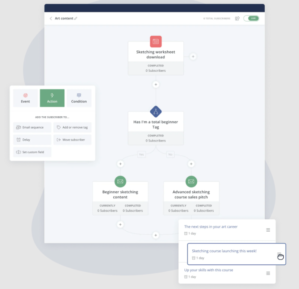
| Automation Workflows | I spent a week testing Flodesk workflows for onboarding sequences and freebie delivery. Compared to ActiveCampaign, which we also evaluated, Flodesk felt like automation for humans rather than developers. Visual editor is uncluttered and easy to follow. We managed to build welcome flows that included a lead magnet delivery, follow-up email, and reminder message without breaking a sweat. Where we struggled was when we wanted to experiment with more advanced triggers, like tagging based on multiple actions or A/B testing workflow steps. Those limitations reminded me that Flodesk is best for teams that need functional but not highly complex automations. Still, for our small marketing team, it struck the right balance by allowing us to set things up quickly and not feel bogged down by overly technical details. |
| Pricing Model | The flat-rate pricing was one of the first things that drew me to Flodesk, especially after struggling with scaling costs on tools like Kit. For a small team, budgeting matters a lot, and the certainty of knowing our monthly cost would not spike as our list grew gave us peace of mind. At one point, we doubled our subscriber list in just a few months, and with other platforms, that would have meant our bill doubling too. With Flodesk, it did not matter, we paid the same price. That said, I do recognize that the flat rate could feel steep for someone with just a few hundred subscribers compared to free or lower-tier plans on MailerLite. But for us, once we crossed a few thousand subscribers, the model felt incredibly fair and sustainable. |
| Email Delivery | I paid close attention to how Flodesk handled email delivery because no matter how beautiful an email looks, it is worthless if it does not land in the inbox. Over several months of testing, I noticed open rates remained consistent and healthy, which reassured me. Compared to when we used SendGrid, where we sometimes struggled with deliverability dips, Flodesk felt more stable for our kind of audience (small business clients and newsletter subscribers). One thing I did wish for was more detailed deliverability reporting. While Flodesk showed the basics like open and click rates, I missed having heatmaps or deeper insights that could help us refine campaigns further. Still, for straightforward delivery performance, Flodesk held up well for our small-scale campaigns. |
| Customization Options | Flodesk gave us a fair amount of control to make our campaigns feel unique without drowning us in advanced coding options. I loved being able to save our brand fonts, logos, and color palette inside the platform. This meant every team member could quickly pull those settings into their campaigns without worrying about going off-brand. However, when compared to the custom HTML flexibility I have seen in Zoho Campaigns, Flodesk felt restrictive. For instance, we could not create entirely custom templates from scratch or tweak CSS. But honestly, that limitation forced us to focus on simplicity, which turned out to be a good thing because it kept our design consistent across campaigns. |
| Form and Landing Page Builder | As a small marketing team, we don’t always have time to build custom landing pages on our site. Flodesk built-in forms and landing pages were a lifesaver. We created opt-in forms and simple sales pages in minutes without needing developer support. I particularly liked how visually appealing the forms looked compared to some of the basic designs we saw in AWeber. That said, I did feel limited when trying to add more advanced fields or integrate third-party tracking scripts. For simple lead capture, though, it was perfect, and it helped us run campaigns even when our website team was tied up with other projects. |
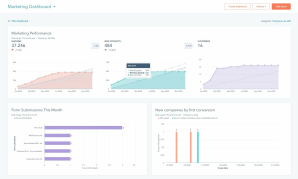
| Analytics and Reporting | Flodesk reporting gave me a quick snapshot of how our campaigns were performing, but I sometimes wanted more. For instance, open rates and click-throughs were easy to find, but compared to GetResponse, I missed having advanced reports like heatmaps or engagement timelines. Simplicity was good for day-to-day monitoring, we knew if a campaign worked or not at a glance, but when I wanted to dive deeper into subscriber behavior, I had to export data and analyze it manually. For a small team, this worked okay, but as we scale, I can see this being a limitation. |
| Integration Capabilities | Integration is one area where I felt Flodesk lags behind. Out of the box, there are fewer direct integrations compared to competitors like Omnisend or HubSpot. We managed by using Zapier to connect with tools like Thrivecart and Google Sheets, but it felt like an extra step that occasionally caused sync issues. For a small team with a lean stack, this was manageable, but I can imagine it being frustrating for teams relying on more complex workflows. Positive side is that it pushed us to simplify our processes and not overcomplicate our tool connections. |
| Customer Support | Flodesk support experience was mixed for me. On one hand, their help articles were well-written and often got me unstuck without needing to reach out. But when I did submit tickets, responses were not always fast, especially compared to platforms like Constant Contact, which offers more robust support. Once I waited almost two days for a reply on a workflow issue, which slowed down a campaign launch. I’d say their support is fine if you’re not in a rush, but if your campaigns depend on quick troubleshooting, you might feel the gaps. |
| Subscriber Management | Managing subscribers in Flodesk was simple but also limited compared to what I have seen with Drip. Uploading CSV files worked smoothly, and basic segmentation by tags or groups was easy to set up. However, when I wanted to filter by multiple behaviors, like people who clicked a specific link and then purchased a product, I quickly hit walls. We built a few workarounds with Zapier, but it still felt like a compromise. For our small team, it was good enough to keep track of active and inactive subscribers, but I know larger businesses would struggle without more advanced filtering or behavioral targeting. |
| Deliverability Features | I was pleasantly surprised by the stability of Flodesk deliverability. Most of our campaigns consistently landed in inboxes without major issues. Platform automatically suppressed bounces and unsubscribes, which saved me time. Still, compared to SendGrid, Flodesk lacked advanced deliverability testing tools like spam scoring or inbox placement previews. I also noticed that it does not have a dedicated deliverability team to troubleshoot deeper problems. For our team’s scale, the built-in tools worked fine, but I kept thinking that once we start scaling lists into tens of thousands, I might need something more specialized. |
| Checkout and E-commerce Features | Flodesk Checkout turned out to be a hidden gem for us. We used it to sell a small digital guide, and it was smooth to set up. Best part was that Flodesk does not take transaction fees, unlike some competitors like Beehiiv, so we kept more of our revenue. Setting up the checkout page was fast, and Stripe integration worked seamlessly. However, I would not say it is robust enough for a full e-commerce business. Analytics were limited, and we could not set up upsells or complex discount codes. For side offers or digital products, though, it is an excellent bonus feature that fit perfectly with our lean marketing workflow. |
| Brand Customization | One of the features my team and I loved was the ability to set up a brand kit. With logos, brand colors, and fonts saved directly in Flodesk, consistency across campaigns was much easier than when we were using MailerLite. Every email felt on-brand without needing design oversight each time. This was especially useful when multiple team members were building campaigns. However, if we wanted to push the boundaries of creativity with custom HTML, Flodesk simply did not allow it. That limitation forced us to stick with their layouts, which sometimes felt restrictive. Still, overall branding tools worked well for keeping our campaigns polished and consistent. |
| Forms and Opt-ins | We used Flodesk opt-in forms extensively for lead generation. I liked how easy it was to create popups, embedded forms, and even a “link in bio” style page for social traffic. Compared to Substack, which has very limited customization for forms, Flodesk gave us more control over branding and design. However, I quickly realized the form builder was less flexible when it came to adding extra custom fields. We could not add advanced logic, and there was no CAPTCHA for spam prevention. Still, the forms looked stunning out of the box, which made them great for first impressions and worked well enough for our modest list-building campaigns. |
| Mobile Responsiveness | Testing Flodesk emails on mobile was critical since most of our subscribers read newsletters on their phones. I was impressed by how clean and responsive the designs looked without much tweaking on our end. Unlike when I used Campaigner, where formatting sometimes broke on smaller screens, Flodesk emails displayed beautifully across devices. Still, I would have liked more control over mobile-specific adjustments, such as hiding certain elements or stacking blocks differently. For a small team with limited testing resources, the out-of-the-box responsiveness was a big win, but I can see power users wishing for more flexibility. |
| Testing and Preview Options | One area where Flodesk fell short for me was in testing. While I could send test emails and preview in desktop or mobile view, it lacked the advanced testing options I have seen in Marketo. There was no built-in spam testing or client rendering previews, which made me a little nervous before big sends. I ended up manually checking across a few devices, which was not efficient. Still, for smaller campaigns, the previews were adequate, and since our designs were simple, issues were minimal. But if our campaigns get more complex, this will definitely become a limitation we’ll need to solve with third-party tools. |
| Ease of Onboarding New Users | When we added a new junior marketer to the team, I tested how quickly they could learn Flodesk. To my relief, they were able to send their first newsletter within the first week with almost no handholding. This was a big contrast to when I onboarded someone into HubSpot, which took weeks. Flodesk minimalism worked in our favor here, though I think a proper onboarding checklist would make the process even smoother. Without it, new users sometimes missed small but important settings, like adjusting opt-in confirmation emails. Still, it was one of the easier platforms to get the team up to speed on. |
| AI and Advanced Features | One limitation I felt was that Flodesk does not currently offer AI-powered features. With tools like GetResponse starting to add AI subject line suggestions or send-time optimization, I did feel a bit behind when relying only on Flodesk. For our team, this was not a dealbreaker since we prioritized simplicity and design. But when I thought about scaling or competing against more data-driven campaigns, the lack of AI stood out. I’d love to see Flodesk add even lightweight AI helpers, as it would reduce guesswork and help us better optimize campaigns without third-party tools. |
| Overall Value for Money | After months of testing, I’d say the real value of Flodesk depends on where your business sits. For our small team with a growing list, the flat-rate pricing and simplicity gave us more peace of mind than other platforms like Klaviyo, which quickly becomes expensive as you scale. I did feel at times that the limited advanced features made the price harder to justify compared to platforms that offer more for the same cost. Still, the trade-off is that Flodesk saves us time, and time is money. For teams like ours that prioritize beautiful design, predictability in cost, and ease of use, the value is strong, even if it is not the most feature-rich tool on the market. |
One of the biggest upgrades Flodesk rolled out recently is e-commerce workflow triggers. As someone who has tested tools like Klaviyo, I always felt Flodesk lagged behind when it came to automation tied directly to purchases. Now, with triggers like cart abandonment, completed purchases, or buying a specific product, I can finally set up automated flows that react in real time. For our small marketing team, this eliminated the need for third-party workarounds or manual tagging.
I used it to send a three-email sequence to people who abandoned a digital product cart, and the recovery rate impressed me. It is not as advanced as ActiveCampaign, but for Flodesk simplicity-first DNA, this is a massive step toward balancing design with performance-driven features.
Flodesk also launched a library of workflow templates, and I can not emphasize how much time they save. Instead of starting from scratch, I had access to pre-built automations like six versions of abandoned cart flows and three purchase follow-up sequences. For a lean marketing team that does not always have time to brainstorm nurture sequences, this was a relief. Each template felt polished but was flexible enough to tweak for our brand.
I compared this to building flows in Mailchimp, and honestly, Flodesk visual approach made setup smoother and more motivating. Templates may sound basic, but in reality, they help you get campaigns live quickly while reducing errors. For small businesses, this bridges the gap between professional marketing automation and easy usability.
This new ability to trigger workflows directly from an opt-in form is a huge deal. Before, we had to add subscribers to a segment first, then link that segment to a workflow. That extra step made onboarding a little clunky. Now, as soon as someone fills out a form, whether it is a freebie signup or a newsletter opt-in, they enter the right sequence instantly. For us, it meant faster delivery of lead magnets and smoother welcome emails. I noticed engagement increased because subscribers received emails in real time instead of with delays. Compared to Kit, which has had similar functionality for a while, Flodesk finally caught up. For small creators or teams wanting seamless opt-in experiences, this feature makes the platform more competitive.
Another improvement that stood out was Flodesk new option to let subscribers re-enter workflows. Before, once someone completed a sequence, that was it, they could not go back in, even if they performed the same action again. This was frustrating for campaigns like seasonal promotions or recurring challenges. With the new update, a subscriber can re-enter every time they meet the trigger condition.
I used it for a quarterly workshop signup, and it meant repeat attendees got the same nurturing experience without me building duplicate flows. This puts Flodesk closer to platforms like Drip, which are known for flexibility. It is still simpler than enterprise tools, but the option adds meaningful versatility that small teams can actually benefit from without complicating things.
One of my favorite updates is Link Actions. Now, when someone clicks a specific link in an email, I can tag them, move them into a new workflow, or segment them for future campaigns. This gave us much better personalization without requiring complicated setups. For example, in a campaign promoting both a webinar and a downloadable guide, I tagged users based on what they clicked. That way, follow-ups were hyper-relevant. Compared to the tagging options I have used in Zoho Campaigns, Flodesk version is simpler but just as effective for lightweight personalization. It is not the most advanced targeting system, but for small teams, it is powerful enough to add sophistication without adding headaches.
Flodesk has also improved brand customization, letting users store more brand colors, adjust layouts, and manage visual consistency across campaigns. For us, this solved one of the lingering issues where we felt boxed in by limited brand options. Now, with up to ten brand colors, we have been able to reflect seasonal campaigns without constantly swapping palettes. It is a small detail, but it matters when consistency builds trust.
I compared it with MailerLite, where brand tools are decent but less design-forward, and Flodesk clearly comes out ahead. These customization updates reaffirm that Flodesk is not just an email tool, it is a design-first platform that helps small businesses look professional even without in-house designers.
One thing I have always appreciated about Flodesk is its flat-rate pricing. Right now, they offer the Email plan at $38/month (or $35/month annually) and the Email + Checkout plan at $64/month. Both give you unlimited subscribers and unlimited email sends, which is rare in this industry. When I first moved from Mailchimp, I felt relief because my bill no longer scaled up as my list grew. Most providers, including Kit and MailerLite, increase costs once you hit certain subscriber thresholds. With Flodesk, the predictability makes budgeting much easier, especially for small teams like ours who can not afford sudden jumps in monthly expenses.
Flodesk recently introduced a Free Forever plan, but it is limited to features like forms and “link in bio” tools. You’ll need to upgrade to a paid plan to actually send emails. In contrast, MailerLite and Benchmark Email both offer free tiers that include sending campaigns for smaller subscriber lists. So while Flodesk free plan is useful for testing the platform, it does not carry the same value as these alternatives. Personally, I’d call it more of a demo experience than a true free plan. Still, it gives beginners a safe way to explore the platform before committing.
The Email plan is where Flodesk really shines for creators and service-based businesses. Unlimited subscribers at a flat fee means no penalty for growing your list. This stood out when I compared it to GetResponse, where moving from 1,000 to 5,000 subscribers almost doubles the cost. With Flodesk, whether you have 200 or 20,000 subscribers, you pay the same. For a small team running regular newsletters and simple automations, this plan offers exceptional value. Only downside is that if you need more advanced analytics or segmentation, you might feel limited compared to platforms like ActiveCampaign.
If your business involves selling digital products or subscriptions, the Email + Checkout plan is worth considering. We tested it for a small guide we sold, and it saved us from needing a separate e-commerce tool. Unlike Beehiiv, which charges transaction fees on paid newsletters, Flodesk takes none, just standard Stripe fees. This is a big advantage for creators who want to maximize revenue without extra overhead. Compared to Omnisend, which has stronger e-commerce automation but higher costs as your list scales, Flodesk checkout option feels like a lightweight, budget-friendly alternative.
From my experience, Flodesk pricing is best suited for small teams, creators, and service providers who prioritize predictable costs and design-forward emails. If you’re under 500 subscribers and budget is tight, you might benefit more from the free tiers offered by MailerLite or AWeber. However, once you grow past 1,000 subscribers, Flodesk becomes the clear winner on affordability. For those running digital products, the Email + Checkout plan at $64/month is still far cheaper than combining a standard ESP with a separate checkout solution. In short, if stability and value for growth are your priorities, Flodesk pricing delivers an excellent deal.
After spending months using Flodesk, my honest verdict is that it is a tool built for small businesses, solopreneurs, and creators who want stunning email designs without getting lost in complexity. Real magic is in its flat-rate pricing, whether you have 200 subscribers or 20,000, you’re not punished for growing. That predictability is a refreshing contrast to platforms like Mailchimp or Kit, where your costs climb quickly as your list expands.
Flodesk visual templates make every campaign look professional, which is a lifesaver if you do not have an in-house designer. But it is not without limitations.
If you need advanced automations like you’d get in ActiveCampaign or want in-depth analytics similar to GetResponse, you may find Flodesk too lightweight. For me, though, its simplicity outweighed the missing extras. If your focus is building relationships through well-designed emails at a fair price, Flodesk is a solid, reliable choice worth locking in.


| Common Specifications | ||||||||||||||
|---|---|---|---|---|---|---|---|---|---|---|---|---|---|---|
|
||||||||||||||
| Specification | ||||||||||||||
|
||||||||||||||
If you love Flodesk design-first approach but find yourself needing stronger automation, then ActiveCampaign is a natural alternative. I have tested it for workflows that required conditional splits and behavioral triggers, and it gave me the control that Flodesk just could not.
For those who want affordability with a solid free tier, MailerLite is often my top pick. Its free plan covers up to 1,000 subscribers and includes robust features like automations and landing pages, making it a better starting point if you’re budget-conscious.
If your business is heavily focused on e-commerce, Klaviyo stands out as the smarter option. Depth of its purchase-driven analytics and segmentation far outshines Flodesk, making it ideal for stores running on Shopify or WooCommerce.
And if you just want simplicity at a lower cost, EmailOctopus or AWeber may serve you better. They balance usability with essential features while still keeping things straightforward for smaller teams.




I am an accomplished marketing expert with over 10 years of experience focused on growth strategies, emerging technologies, and startup success stories. Driven by a passion for continuous learning, I actively explore and analyze new tools and services that enhance workplace productivity and efficiency. I possess deep expertise across key…

Leveraging 5+ years in professional services, I specialize in content marketing and analytical review of software products. Known for an innovative approach to digital storytelling and keen analytical insights, I enhance brand visibility and user engagement. My dedication to data-driven strategies and a deep understanding of market trends empower clients…

Preeti is an accomplished technical writer and content creator with expertise spanning engineering and technology.…
Quick quiz to see whether Email, Marketing Automation, or CRM suits your team right now.
Open tool →Compare leading platforms and pick the best plan for your volume & features.
Compare costs →Estimate monthly API spend across free limits, pay-as-you-go pricing, and integrations.
Estimate API costs →Turn your plan into a person-weeks estimate with a clean task breakdown.
Estimate effort →Project list size by month from sign-ups, churn, and timeframe.
Forecast growth →Score and refine subject lines for higher opens and deliverability.
Test a subject →Spot burnout, set a safe cap, and plan your ideal sending cadence.
Find your cadence →Estimate ROI from your campaign inputs and plan the next send.
Estimate ROI →
Sprout24 powers smarter email marketing platform decisions with contextual insights, optimization tools, and Sprout Score.
Sprout24 enables small business teams evaluate, compare, and optimize their email marketing stack with confidence.
Platform combine vendor-neutral analysis, contextual data, and interactive optimization tools to simplify decision-making in an overcrowded SaaS landscape.


Amori Forte –
After months of usage, I noticed a significant uptick in subscriber engagement thanks to the robust analytics tools.
Beth Standifer –
As a small business owner, I found the automated email sequences to be a game-changer in managing my customer relationships.
Eudo Osullivan –
Comparing this tool to others I have used, the user interface here is refreshingly simple, which helped me transition smoothly.
Isi Schendel –
After migrating from a different tool, I appreciated how this service simplified my marketing processes with its all-in-one platform approach.
Thomas Harrington –
Shared IPs tank your domain rep because someone else decided to spam. Suddenly your fancy, image-rich newsletter lands straight in spam not even the promotions tab is safe.
Tithiyan –
I spend an hour tweaking fonts and spacing so my email looks “on brand,” hit send, and guess what?
It disappears into the black hole of spam. Not because I did anything wrong, but because Flodesk insists on packing the email with clunky code and giant images that scream ad.