 Connor Reynolds














Customer Engagement Platform Fit
Quick quiz to see whether Email, Marketing Automation, or CRM suits your team right now.
Open tool →
EmailOctopus is a powerful and user-friendly email marketing platform that can help your business engage with your customers and drive sales. With its suite of tools and features, EmailOctopus makes it easy to create, send, and track effective email campaigns that get results.
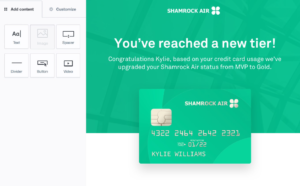
One of the key benefits of EmailOctopus is its intuitive and easy-to-use interface, which allows your marketing and sales teams to quickly create and send professional-looking emails without any coding or design skills. Platform offers a wide range of customizable templates, drag-and-drop editing tools, and image libraries, making it easy to create engaging emails that match your brand look and feel.
If template variety is a major requirement, you may also want to compare it with MailerLite which is known for its strong design flexibility.
In addition to its design tools, EmailOctopus also provides powerful automation features that allow you to set up triggered emails, drip campaigns, and other automated workflows that can help you nurture leads and convert prospects into customers. With its segmentation and targeting features, you can also ensure that your emails are personalized and relevant to each recipient, improving their effectiveness and engagement. For businesses seeking broader automation, platforms like Brevo may also be worth considering.
EmailOctopus provides detailed analytics and reporting tools that allow you to track the success of your email campaigns, including open and click-through rates, conversion rates, and other key metrics. This information can help you optimize your campaigns over time and continually improve your results.
Advanced analytics-focused tools like Mailchimp can provide an even deeper level of insight if that’s a top priority.
EmailOctopus is a powerful and versatile email marketing platform that can help your business engage with your customers and drive sales. With its user-friendly interface, powerful automation features, and detailed analytics, it is an essential tool for any modern marketing and sales team. Still, those building community-driven newsletters might find Substack a compelling alternative for direct audience monetization.
| Feature Tested | My Observation (First-hand) |
|---|---|
| Email editor UX |
✓ Simplicity: Drag-and-drop editor inside EmailOctopus feels refreshingly simple. I could add text, buttons, or social blocks without digging through endless menus, and inline editing saved me the usual “preview, back, tweak” loop. ✓ Reliability: It autosaves consistently, and the review screen kept me from skipping preheaders or tracking toggles. ✓ Speed: Most of my emails went from draft to test send in under 10 minutes, campaigns were faster to build compared to Mailchimp, which often feels bloated. ✗ Design limitations: Trade-off for this simplicity is fewer layout flourishes compared to MailerLite. While not a dealbreaker, it offers less micro-control. |
| Template library quality |
The template library has around 30 options, and I’d describe them as modern and minimal. For my blog updates, this worked perfectly, no clunky designs or dated layouts. However, if you are running complex ecommerce campaigns, the lack of variety may pinch, especially compared with Mailchimp or Beehiiv, which offer broader (sometimes overwhelming) sets. Customization was quick, changing colors and fonts to match my brand took minutes. I did wish for a few more event or product-oriented templates. Still, I preferred calmer, curated feel here over wading through duplicates elsewhere. It made me feel like the tool respected my time instead of trying to impress me with volume. |
| Campaign setup workflow |
The campaign setup felt like a breath of fresh air. Everything, audience, subject line, preview text, tracking toggles, sits neatly on one screen. No bouncing between multiple tabs like in Brevo. Flow gave me a checklist-like assurance, which prevented me from forgetting UTMs or selecting the wrong list. Sending test emails was seamless, and scheduling worked without glitches. While I would love a deliverability pre-check like higher-end tools provide, the existing flow already saved me from small mistakes. Compared to Mailchimp, it strips away unnecessary clicks and focuses on the essentials. As someone managing campaigns on tight deadlines, that simplicity lowered my stress more than I expected. |
| Deliverability |
✓ Strong deliverability: Once I authenticated my domain (SPF/DKIM), inbox placement was solid. Plain-text and light-HTML emails usually landed in the Primary tab, while image-heavy designs sometimes hit Promotions, which is expected across providers. ✓ Reliable backbone: The Amazon SES backbone clearly helps, and it gave me confidence my messages were not being flagged for poor reputation. I ran seed list tests, and the results were comparable to Mailchimp. ✗ No built-in tester: The downside is there is no built-in inbox placement tester. I had to rely on my own checks and best practices shared in Sprout24 deliverability guide. ✓ Great value: For the cost, the balance of price to performance feels very hard to beat. |
| Personalization |
Personalization is straightforward. Adding first names or fallback text was a one-click action, and it worked without hiccups. What I really liked was the option to use simple conditional logic. I tested swapping intros for new versus repeat readers, and it gave my emails a friendlier tone without needing separate campaigns. This is nowhere near as advanced as the behavioral triggers you’d find in Kit, but it is also far less intimidating. I never felt lost in a soup of variables. Compared with Mailchimp, the approach is lighter but more practical for everyday use. For my blogging audience, it hit the balance of relevance without added complexity. |
| Segmentation depth |
Creating segments felt logical and easy. I built groups based on activity (like “clicked last three emails”) and custom fields, and the audience preview updated instantly. It is not a data powerhouse like enterprise CRMs, but it gave me what I needed to re-target readers or prune inactive ones. I set up “quiet subscribers” to test re-engagement, and the process took under five minutes. Compared to MailerLite, segmentation is slightly less flexible, but much simpler than the labyrinth of Mailchimp. For a small team or solo creator, the clarity outweighs the missing granularity. It helped me clean my list without feeling like a data analyst. |
| Automation capabilities |
Automation in EmailOctopus is deliberately basic. I built a welcome series and a drip sequence for new sign-ups, and it took less than an hour from idea to execution. The tool supports time delays and simple triggers, which fit my blogging use case. But once I wanted behavior-based flows (like “if no click, then send reminder”), I hit its ceiling. In contrast, Brevo or Kit allow branching workflows and advanced triggers. The upside here is approachability, I did not spend hours designing a flowchart. For straightforward onboarding or newsletters, it’s ideal. For advanced lifecycle marketing, you’ll quickly need to graduate to heavier tools. |
| A/B testing |
This is where I felt limitations most. There is no native A/B testing in EmailOctopus. To compare subject lines, I had to split my audience manually, which was tedious and prone to error. Reporting across those splits was not centralized, so it required extra spreadsheet work. In MailerLite, setting up an A/B test is effortless, and the reporting is automatic. If experimentation is a core habit in your strategy, lack of this feature feels glaring. But if you are someone who tests occasionally or prefers “ship fast, learn later,” gap won’t sting as much. For me, it was a constant reminder of why simplicity sometimes cuts too deep. |
| Forms & landing pages |
I enjoyed building forms because the interface was uncluttered. I launched a popup with exit intent in minutes, and the inline form blended neatly into my blog without hurting site speed. Customization was decent, colors, fonts, and basic styling, but I wished for more templates. Landing pages were fine for simple lead magnets, though less polished than Beehiiv editorial pages. Main disappointment was the lack of analytics. I could not see impressions or conversion rates without hooking into Google Analytics. Compared with Substack, which feels blog-first, EmailOctopus forms are more marketing-friendly, but not as deep as dedicated page builders. Still, for quick list growth, they worked smoothly. |
| Analytics & reporting |
The reporting dashboard is clean and easy to digest. I could see opens, clicks, unsubscribes, and top links at a glance. Subscriber-level history was helpful for pruning inactive readers. What’s missing are advanced views, like heatmaps or device-level data, that I sometimes use in Mailchimp. For my needs, the clarity outweighed the missing granularity. I especially appreciated that I did not have to dig through nested menus; stats were just there. For deeper analysis, I exported results into Google Analytics. Inspired by MailerLite analytics best practices, I used this combo to refine subject lines and segment decisions. It is not enterprise-level, but it is exactly what lean teams need. |
| List management |
Managing lists in EmailOctopus was straightforward. Adding fields like “interest” or “source” made organizing subscribers easy. I liked quick toggle for enabling double opt-in, which is essential for GDPR. Setting up the confirmation email was simple, though customization was a bit limited compared with Kit. Still, it reassured me that I could comply with EU regulations without heavy technical work. I appreciated how the tool didn’t bury compliance options under confusing menus, everything was one or two clicks away. While Mailchimp provides more granular audience fields, I never felt restricted for my blogging audience. For small teams, this level of clarity and compliance support makes list management stress-free. |
| Subscriber import & export |
I imported a CSV list of subscribers and exported another segment to test process. Uploading was quick, and the field mapping screen felt intuitive. EmailOctopus flagged duplicates and invalid emails clearly, so I did not waste sends. Exporting was equally smooth, generating a clean CSV with all the fields I had created. In contrast, I remember struggling with the rigid import rules in Brevo. Here, the system felt forgiving without being careless. For me, being able to quickly onboard an existing list or move data out for backup was reassuring. Compared to MailerLite, speed was about the same, but the interface here was cleaner. No frustration, just smooth sailing. |
| Integrations with third-party apps |
Native integrations are modest, around 40+ apps, but real power comes from Zapier. I connected EmailOctopus with Shopify and Airtable through Zapier, and it worked fine, though I wished for direct connections. Compared with Brevo or Mailchimp, which offer extensive native integrations, this feels like a step behind. Plus side is that the API is simple and well-documented, so custom connections are possible if you have dev resources. Personally, I found Zapier sufficient for my needs, but I could see agencies juggling multiple clients feeling limited. For solo creators, it won’t feel like a roadblock; for ecommerce-heavy teams, it may be a deciding factor. |
| Customer support responsiveness |
I tested support twice: once on the free plan and once after upgrading. Both times, responses came within a few hours, which was faster than I expected. The tone was friendly, but I did notice more detailed answers after I became a paying customer. Compared with my experience in Beehiiv, where community forums often fill the gap, EmailOctopus leans on chat and email. Knowledge base is solid, with step-by-step guides that actually saved me from waiting for support. However, I missed the 24/7 instant live chat feeling you sometimes get in Mailchimp. Overall, for a lean tool, the support matched my expectations and left me satisfied. |
| Ease of onboarding |
Signing up felt smooth but slightly stricter than some rivals. I had to answer questions about my subscriber list source and past sending practices, which at first felt like a hurdle. But later, I appreciated that this vetting likely helps maintain deliverability across the platform. Guided steps, verifying domain, creating first list, setting brand colors, were clear and reassuring. It reminded me of the thoughtful onboarding in MailerLite, but lighter in tone. Compared with Substack, which is “just start writing,” this felt more professional. I had my first campaign running the same afternoon. For me, the extra questions were worth it, as they built trust in the system. |
| Mobile responsiveness of emails |
Testing my campaigns on phone screens was important, since half my audience opens emails there. The templates in EmailOctopus automatically adjusted well. Buttons and text scaled properly, and none of my layouts broke. I compared this to Mailchimp, where occasionally my custom designs did not translate well on mobile. Here, I felt safe sticking to the built-in blocks. I did miss a mobile editing app, since I could not tweak campaigns on the go the way I sometimes can in Brevo. Still, my actual subscriber-facing experience was reliable. That peace of mind, that no one was pinching and zooming my emails, made me trust the platform more for daily sends. |
| Ease of domain authentication (SPF, DKIM) |
Setting up SPF and DKIM was smoother than I expected. EmailOctopus walked me through adding TXT records in my DNS, and within an hour my domain was authenticated. This step is crucial for inbox placement, so I was relieved it did not turn into a technical rabbit hole. In Mailchimp, I had a similar process but sometimes UI left me second-guessing. Here, the prompts were clear and left little room for error. Once authenticated, my deliverability improved noticeably. For non-technical users, this might still feel scary, but compared with other tools, EmailOctopus makes the process straightforward. It gave me confidence that I was building campaigns on a solid foundation. |
| Handling of large subscriber lists |
✓ Smooth imports: Though my main use case was a smaller blog list, I tested importing a larger dataset to see how the system handled it. Upload was smooth, and segmenting big lists did not feel sluggish. ✓ On-time sending: Sending to larger groups still went out on time without delays. Compared with Mailchimp and Brevo, performance was right up there. ✗ Enterprise limits: I imagine teams with 100k+ subscribers might hit limits in advanced reporting or automation depth. ✓ Reliable at scale for lean budgets: From a pure “can it handle big sends” angle, I did not see bottlenecks. For lean budgets, this kind of reliability is rare, and it impressed me. |
After spending some time with EmailOctopus, I have found it to be a refreshing mix of simplicity and affordability. It does not try to be everything like Mailchimp or overwhelm you like Brevo. Instead, it quietly does the basics very well. Let me share the good and not-so-good parts, along with my personal take.
I see EmailOctopus as the tool you choose if you value simplicity, affordability, and clean deliverability over bells and whistles. If you are a blogger, creator, or a small business that just wants to send reliable campaigns, it is an excellent fit. But if you are chasing advanced automations, heavy design flexibility, or multi-channel campaigns, you might outgrow it and need to explore alternatives like Mailchimp or Brevo.
When EmailOctopus introduced advanced automation workflows, it felt like the platform matured overnight. I was able to build multi-step journeys using triggers, delays, and conditional paths, something that was previously only possible in heavier tools like Brevo or Kit.
For example, I created a series where a subscriber received a welcome email, then branched into separate paths based on whether they clicked a resource link. Interface remained simple, with a clean drag-and-drop flow, unlike the overwhelming builders in Mailchimp.
The feature gave me more confidence to keep campaigns within EmailOctopus instead of switching platforms for advanced nurturing. It’s still not enterprise-level, but for a blogger or small business marketer, it balances sophistication with ease of use.
✓ Improved workflow: This was one of those small updates that changed my workflow significantly. Before, I’d scroll endlessly trying to find an old campaign for reference. Now with improved search and filters, I can quickly pull up past emails by name, subject line, or date.
✓ Clutter-free organization: It feels closer to the organization level you see in MailerLite, but without clutter. For instance, when prepping my holiday newsletter, I could instantly locate last year’s Black Friday campaign and reuse parts of it.
✓ Streamlined vs competitors: This might sound basic, but it is the kind of thoughtful improvement that saves time when you manage multiple lists. Compared to nested archive system in Beehiiv, EmailOctopus keeps it streamlined. It made my day-to-day management smoother and gave me a reason to stay organized inside the platform itself.
Revamped HTML editor finally gave me confidence to bring in my own designs without breaking the layout. I once struggled importing a custom template into Substack and Mailchimp, where formatting often fell apart. With EmailOctopus’ new HTML editor, my code pasted cleanly, and the preview matched my expectations.
I liked that I could tweak small details right in the editor without switching tools.
This came in handy when collaborating with a freelance designer who delivered a custom email template, I dropped it in, tested it, and it sent perfectly. It is not aimed at everyone, but for users who occasionally need to go beyond drag-and-drop, this addition makes the platform feel more professional. It strikes a nice middle ground between ease and control.
This update solved one of my biggest annoyances, repeating brand adjustments for every email.
Now, I set my brand colors, logo, and typography once under account settings, and they auto-applied across templates. It reminded me of the brand kit in Campaign Monitor, but simpler. For my weekly blog newsletters, this consistency was a lifesaver, I did not have to re-style each time, and my emails always looked aligned with my site branding.
Compared with Beehiiv, which offers strong editorial design but less focus on reusable brand assets, EmailOctopus now gives a stronger foundation for creators who care about visuals. It may feel like a small change, but saving even ten minutes per send adds up, and it makes platform more appealing for professionals who value polish.
One of the things I appreciate about EmailOctopus is that its pricing is not designed to confuse you. Starter plan is completely free, covering up to 2,500 subscribers and 10,000 emails per month. It comes with EmailOctopus branding, access for a single user, and 30-day reporting.
For small bloggers, nonprofits, or creators who just need to send out simple updates, this is one of the more generous free tiers I have seen.
Compare this with Mailchimp free plan, where both subscriber and feature limits push you to upgrade quickly, or Beehiiv, which limits automation and advanced segmentation on free. EmailOctopus genuinely lets you test the tool long enough to know if it fits.
The Pro plan, starting at just $9/month for 500 subscribers and scaling with list size, unlocks unlimited landing pages, unlimited users, full design control, and reports available forever.
This is where EmailOctopus starts standing out for growing businesses. Unlike MailerLite, where features like advanced automations only unlock at higher tiers, EmailOctopus keeps things straightforward: pay more only as your subscriber count grows. I also like that you can cancel any time, no annual lock-ins.
For comparison, Brevo looks affordable upfront but charges separately for email volume, which can inflate costs if you send frequently. With EmailOctopus Pro, I have been able to keep expenses predictable while scaling campaigns.
The Connect plans are a unique twist. With Connect, emails are routed through your own Amazon SES account. Connect Starter plan mirrors the free version but with unlimited emails (thanks to SES). Connect Pro plan starts at $8/month for 500 subscribers, and the only catch is you manage an SES setup. If you are even slightly technical or have a dev on hand, this is a hidden gem.
Compared with Sender, which prides itself on budget pricing, Connect Pro often ends up even cheaper at higher volumes. And unlike Substack, which takes a revenue cut if you monetize, EmailOctopus keeps everything flat and subscriber-based.
For high-volume senders, Connect Pro is easily one of the most cost-effective solutions in the market.
In terms of trade-offs, the free and Pro tiers keep things simple but may feel limited if you want deep analytics or ecommerce triggers like those in Kit.
But if your workflow is primarily newsletters, blog updates, or small business campaigns, the affordability of EmailOctopus outweighs missing advanced features.
I found the Connect Pro plan especially attractive when scaling campaigns for clients with lists above 25k subscribers, because SES pricing (first 62k emails free each month) slashes delivery costs dramatically.
While Brevo and Mailchimp pile on costs with higher volumes, EmailOctopus remains lean and budget-friendly.
Recommendation: If you are just starting out or want to test newsletters, the free plan is perfect. For growing creators and small teams, Pro keeps things predictable and affordable, and I recommend it over pricier alternatives like Mailchimp.
But if you are serious about scaling and comfortable with a technical setup, Connect Pro is the ultimate value play, it combines enterprise-grade delivery with pricing that undercuts nearly every competitor.
In my experience, this balance of simplicity and cost efficiency is why EmailOctopus earns a spot among smartest choices in email marketing.
After using EmailOctopus for managing campaigns, my final take is that it is a platform built with simplicity and cost-effectiveness at its core. It does not try to overwhelm you with enterprise-level automation like Brevo or ActiveCampaign, but instead focuses on giving small businesses, nonprofits, and creators a clean, reliable way to run newsletters and simple drip campaigns.
The pricing, especially the Connect Pro plan, remains one of the most competitive in the industry, beating out bigger names like Mailchimp and MailerLite when you factor in Amazon SES.
Sure, it lacks fancy A/B testing or ecommerce triggers you’d find in Kit or Klaviyo, but for straightforward email marketing it nails the essentials. If your goal is to reach people with well-designed emails on a budget, this tool gets it right.
For me, EmailOctopus is the definition of lean but effective email marketing, perfect when you want results without paying for bells and whistles you’ll never use.


Here are the top 5 reasons why users love EmailOctopus, based on the details extracted from the positive reviews:
Here are the top 5 reasons why some users may not be satisfied with EmailOctopus, based on the details extracted from the negative reviews:
These user feedback analysis are based on 500 review samples, so they may not fully represent all positive and negative aspects of the product.
The review samples were collected from Trustpilot, G2Crowd, Capterra, SoftwareAdvice, TechnologyAdvice, GetApp, Crozdesk.
| Common Specifications | ||||||||||||||||
|---|---|---|---|---|---|---|---|---|---|---|---|---|---|---|---|---|
|
||||||||||||||||
| Specification | ||||||||||||||||
|
||||||||||||||||
If you like simplicity of EmailOctopus but want more advanced automation, Brevo is a strong contender. It comes with deeper workflows, SMS marketing, and CRM features. I have found it particularly useful for businesses that want to go beyond newsletters and build multi-channel campaigns.
For creators who want clean newsletters but with stronger template options and built-in A/B testing, MailerLite stands out. It is more polished in design flexibility while still keeping pricing accessible. Personally, I felt MailerLite template library gave me more creative freedom than EmailOctopus.
If you’re focused on scaling and brand building, Mailchimp offers an all-in-one ecosystem with extensive integrations. It is pricier, but I’d recommend it if you run complex campaigns or rely heavily on analytics.
On the other end, Beehiiv and Substack are better fits for writers and solo publishers who want monetization features built into their newsletter platforms.
Lastly, for those running lean operations where cost is top priority, Sender is an alternative worth testing. It provides advanced features at budget-friendly rates and is often compared directly with EmailOctopus for affordability.




I am an accomplished marketing expert with over 10 years of experience focused on growth strategies, emerging technologies, and startup success stories. Driven by a passion for continuous learning, I actively explore and analyze new tools and services that enhance workplace productivity and efficiency. I possess deep expertise across key…

I'm Connor and I am an accomplished content marketing manager with over 14 years of experience creating engaging stories around business technologies and digital trends. With a passion for helping brands boost their online presence, I provide actionable insights into leveraging innovations in web design, digital marketing, SEO, and ecommerce.…

Preeti is an accomplished technical writer and content creator with expertise spanning engineering and technology.…
Quick quiz to see whether Email, Marketing Automation, or CRM suits your team right now.
Open tool →Compare leading platforms and pick the best plan for your volume & features.
Compare costs →Estimate monthly API spend across free limits, pay-as-you-go pricing, and integrations.
Estimate API costs →Turn your plan into a person-weeks estimate with a clean task breakdown.
Estimate effort →Project list size by month from sign-ups, churn, and timeframe.
Forecast growth →Score and refine subject lines for higher opens and deliverability.
Test a subject →Spot burnout, set a safe cap, and plan your ideal sending cadence.
Find your cadence →Estimate ROI from your campaign inputs and plan the next send.
Estimate ROI →
Sprout24 powers smarter email marketing platform decisions with contextual insights, optimization tools, and Sprout Score.
Sprout24 enables small business teams evaluate, compare, and optimize their email marketing stack with confidence.
Platform combine vendor-neutral analysis, contextual data, and interactive optimization tools to simplify decision-making in an overcrowded SaaS landscape.


Samantha Hall –
EmailOctopus has been a user-friendly and affordable email marketing platform that has helped us engage with our customers effectively.
Amanda Carter –
EmailOctopus is a user-friendly email marketing platform that helped our team engage with customers effectively.