
 Bipasha Sonowal
Your email platform can send a campaign in minutes. But can your team quickly explain who should receive it, how each address entered your list, where permission records live, and whether an unsubscribe status reaches every connected tool? Signup forms, online stores, customer database imports, ad audiences, and sales lists can all create separate contact records. A single “subscribed” field rarely tells the full story.
This is why GDPR and CCPA affect daily marketing work. GDPR requires more than adding a consent checkbox, while CCPA is not a blanket email opt-in law. Your answer can change based on where a recipient lives, whether that person is an individual or a business contact, how you obtained the address, why you use it, and which tracking tools you enable. Your platform helps only when your team sets up these controls and tests that they work.
We compare MailerLite, Omnisend, Klaviyo, Drip, and Mailchimp using the same questions about privacy controls, integrations, deliverability, and cost. We also explain smaller roles of MailerCheck and MailerSend. Use this guide with our broader email marketing overview. If you are unsure which law applies or how to use a lawful basis, ask a qualified privacy professional.
Know Which Privacy Question Each Law Answers
GDPR asks whether your use of personal data is lawful, fair, clear, and accountable. In practical terms, collect only what you need, keep it accurate and secure, and do not retain it without a reason. If you rely on consent, keep a record of it and make withdrawal as easy as signup. People can object to direct marketing at any time. National ePrivacy rules also affect whether you can send a message, so one permission rule does not cover every European campaign.

UK PECR guidance generally requires consent before you email an individual subscriber, unless the soft opt-in conditions apply. Rules differ for corporate subscribers, but you must still identify the sender and offer an opt-out. Sole traders and some partnerships count as individuals. Legitimate interests may support some business-to-business data use after a documented assessment, but it does not automatically permit cold email.
CCPA/CPRA focuses on what you tell people about data use and how you handle their privacy rights. These rights include access, correction, deletion, and opting out of the sale or sharing of personal data. CCPA generally does not require opt-in for every marketing email. However, a valid privacy signal such as Global Privacy Control must reach the relevant tools that receive the data. An email unsubscribe does not complete that separate job.

For 2026, the California revenue threshold is $26,625,000. Maximum administrative fines are $2,663 per violation and $7,988 for intentional violations or violations involving known consumers under 16. There is no automatic 30-day cure period. A 2026 Disney settlement highlights the risk of opt-out choices failing across devices, although it was not an email-specific penalty.
| Question | GDPR and European email rules | CCPA/CPRA |
|---|---|---|
| Can we send? | Identify a lawful basis and follow the national email rule that applies | No general email opt-in rule, but other US email laws still apply |
| What should we document? | Purpose, lawful basis, consent record when used, and marketing objections | Privacy notice, purpose, request handling, sale or sharing opt-outs, and Global Privacy Control |
| Which requests should we handle? | Access, correction, deletion, restriction, portability, and objection | Requests to know, delete, correct, opt out, limit use, and avoid discrimination |
| How quickly should we respond? | Timing depends on the right and legal context | Generally confirm certain requests in 10 business days and respond in 45 calendar days; honor opt-out or limit requests in 15 business days |
Build a Permission Record Your Team Can Explain
Start with the basics. Identify relevant country or state, the type of recipient, where the email address came from, your relationship with that person, the sending rule that applies, your lawful basis, your purpose, and channel you plan to use.

For a GDPR consent record, keep the source and time of signup, the form or policy version, the wording shown to the person, the stated purpose and channel, current consent status, and withdrawal time. Double opt-in can strengthen this record and improve address quality, although GDPR does not require it in every situation.

Many risky campaigns begin with the source of the address. A public or scraped address is not permission. For a purchased list, confirm who collected consent, which sender and channel it covered, and whether consent was required. A soft opt-in does not automatically transfer when you buy or acquire a list. For B2B campaigns under GDPR, separate named employees from general role addresses and corporate subscribers from sole traders. Record your decision instead of labeling the entire database “B2B.”
Make Privacy Requests Work Across Every Tool
Draw the path your contact data follows. It may move from a form or store into your customer relationship management system (CRM) and email service provider (ESP), then into SMS tools, ad audiences, a data warehouse, support software, and outside processors. For an access or correction request, your team must find the same person across those identifiers. For deletion, remember that archiving is different from erasing data. Mailchimp, for example, archive keeps the data. If someone objects to direct marketing, stop using the address for that purpose. Keep only the minimum do-not-email, or suppression, record needed to avoid contacting that person again.

Set separate retention rules for active subscribers, inactive prospects, consent records, suppression records, transactional logs, and records held for legal reasons. GDPR does not give every record one universal retention period, so connect each timeframe to a clear purpose. Assign an owner and a response deadline for requests. Test whether deletion reaches all connected tools. Also review your data processing agreement (DPA), outside service providers that process data, international data transfers, user access, and incident process.
Review Tracking Separately From Permission to Send
Permission to send an email does not automatically cover tracking pixels, redirected links, or website cookies. Review each form of tracking separately and set it up for the relevant region and purpose. Apple Mail Privacy Protection and automated bots also make open rates less reliable. Give more weight to clicks, purchases, conversions, bounces, complaints, and unsubscribes when you measure campaign performance.
Gmail requires SPF or DKIM for all senders. Bulk senders to personal Gmail accounts need SPF, DKIM, and DMARC. These are email authentication methods that help inbox providers verify a sender. Yahoo and Outlook also set authentication requirements for bulk senders. Yahoo requires an easy unsubscribe process and complaint-rate controls. Authentication can support identity and delivery, but it never creates consent. See our SMTP and email deliverability guide for a closer look.
Compare Platforms by the Work Your Team Must Do
A compliance label tells you very little about daily work. We compared how each platform records consent, blocks future marketing after an objection, deletes profiles, syncs customer activity, controls tracking, authenticates sending domains, and charges as your list grows. These tasks show how much manual privacy work remains after you buy the platform.
| Product | Best fit | Permission and privacy tools | Connections and tracking | Starting paid plan* | Sprout Score |
|---|---|---|---|---|---|
| MailerLite | Lean newsletters and automation | GDPR fields, double opt-in, preferences, and unsubscribe | Ecommerce, API, Zapier, and campaign tracking | $12 | 9.1/10 |
| Omnisend | Ecommerce email, SMS, and push notifications | Forms, segments, and separate status for each channel | Detailed store activity and configurable cookie settings | $16 | 8.8/10 |
| Klaviyo | Detailed ecommerce lifecycle campaigns | Consent records by channel, preferences, and suppression | Detailed customer activity and open-tracking controls | $45 | 9.1/10 |
| Drip | Focused B2C automation | EU consent options, subscription forms, and deletion | Store activity, Segment, API, and website tracking | $39 | 9/10 |
| Mailchimp | Familiar general email marketing | Optional GDPR fields and status stored by audience | More than 300 reported integrations and tracking controls | $13 | 7.7/10 |
*We checked these monthly starting prices on September 17, 2026. They exclude temporary discounts, tax, add-ons, and overages. Each plan includes a different number of contacts and email sends.
Compare the starting prices in USD, then read the plan assumptions below. A shorter bar does not automatically mean a lower total cost for your team.
| Platform | Monthly price | Starting plan used for this comparison |
|---|---|---|
| MailerLite | $12 | 500 active subscribers; 5,000 email sends |
| Mailchimp | $13 | 500 contacts; email sends equal to 10 times the contact limit |
| Omnisend | $16 | Up to 500 billable contacts; 6,000 email sends |
| Drip | $39 | Starting plan; check the current live tier |
| Klaviyo | $45 | 251-500 active profiles; 5,000 email sends; email only |
Monthly billing only. Prices exclude temporary and annual discounts, tax, SMS, add-ons, and overages. Each bundle is different.
Use these bars to check starting prices, not to rank overall value. Estimate the cost for your own list with our email marketing cost calculator and list growth forecast calculator.
Read from left to right to see a shift from general email marketing to ecommerce-focused workflows. Read from bottom to top to see increasing data, automation, and privacy-management work.
| Platform | Workflow focus | Setup and management effort |
|---|---|---|
| MailerLite | General email marketing | Lighter |
| Mailchimp | General email marketing | Medium |
| Omnisend | Ecommerce-focused | Medium |
| Drip | Ecommerce-focused | Medium to high |
| Klaviyo | Ecommerce-focused | High |
This placement is only for guidance. It does not measure performance, compliance, or Sprout Score.
Use above quadrant to choose a workflow direction before you compare individual features. Moving right means a stronger ecommerce focus. Moving up means more data and automation options, but also more setup and ongoing management. Above chart cannot prove performance or compliance.
MailerLite: Clear Controls for Lean Teams
MailerLite gives a smaller team a relatively simple starting point. Comfort plan starts at $12 monthly for up to 500 active subscribers and 5,000 email sends. Free plan covers 250 subscribers and 2,500 email sends. MailerLite platform covers GDPR fields, double opt-in, a preference center, unsubscribe controls, a data processing agreement, EU hosting, and international data-transfer measures. You can also connect ecommerce platforms, an application programming interface (API), Zapier, and MailerCheck without creating an unusually complex data flow.
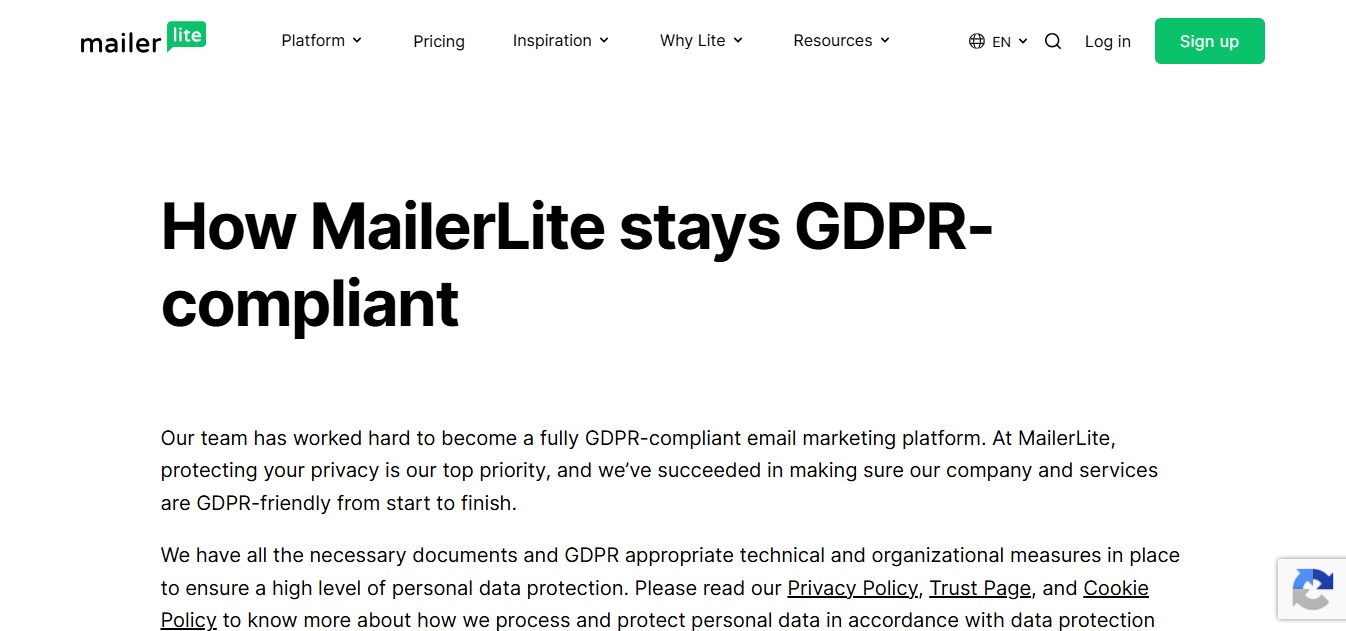
Your team still needs its own rules for data retention, deletion, and the lawful basis for tracking.
We praise ease of use, support, and value. We also praise MailerLite feature depth, transparent price changes, and support response times.
| Pros | Cons |
|---|---|
| Clear forms and editor; preference center and automation; low starting price | Small free tier; active-subscriber forecasting needed; lighter customer management features |
Verdict: Shortlist MailerLite if your small team values clear consent capture and straightforward campaign work more than a complex customer-data system. It has a Sprout Score of 9.1/10, and the $12 starting price supports that fit. Those numbers do not answer every support or privacy-management question. Before moving a live list, test deletion, preference updates, tracking, domain authentication, and support response. See our MailerLite pricing analysis or MailerLite versus Mailchimp.
Omnisend: Coordinated Ecommerce Channels
Omnisend becomes more useful when email shares a workflow with SMS, push notifications, and online store activity. Standard plan starts at $16 monthly for up to 500 billable contacts and 6,000 emails. Both subscribed and non-subscribed contacts count toward billing, while unsubscribed contacts are excluded. Shopify or WooCommerce activity can help you coordinate messages across channels, but your team must still decide how to handle cookies.
Omnisend can wait for a signal from an outside consent management platform (CMP) before it starts tracking. You can also configure tracking to begin before consent. Your team should make that choice deliberately and test that Omnisend receives correct CMP signal.
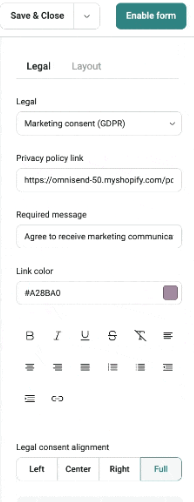
We praise quick ecommerce setup, automation, and support. Customization limits, complexity, cost, and reply handling are useful areas to test yourself during a trial.
| Pros | Cons |
|---|---|
| Connected ecommerce channels; quick store-triggered workflows; separate status for each channel | Less suited to B2B; non-subscribers may be billable; consent syncing needs careful setup |
Verdict: Choose Omnisend when your campaigns will actively use coordinated channels and purchase behavior. It is harder to justify if you only need a basic newsletter. Omnisend has a Sprout Score of 8.8/10, which supports its place on an ecommerce shortlist. Its main tradeoffs are cost and the work required to manage consent across channels. Test consent timing, store activity, deletion, unsubscribe syncing, tracking, and authentication. Compare Omnisend pricing and omnichannel tools.
Klaviyo: Detailed Customer Data for Prepared Teams
Klaviyo makes sense when your team use detailed ecommerce activity and customer segments every week. Our email-only scenario costs $45 monthly for 251-500 active profiles and 5,000 email sends. Klaviyo records consent by channel, including how and when a person gave it and which form version they used. It keeps consent status separate from suppression status, which blocks future messages. Hosted preference pages, account and list suppression, profile deletion, hundreds of integrations, and detailed store tracking give your team more control. They also create more setup and management work.
You can control open tracking at both account and recipient level. Because requirements can differ by region, decide how email open tracking should work in each region before you launch a campaign.
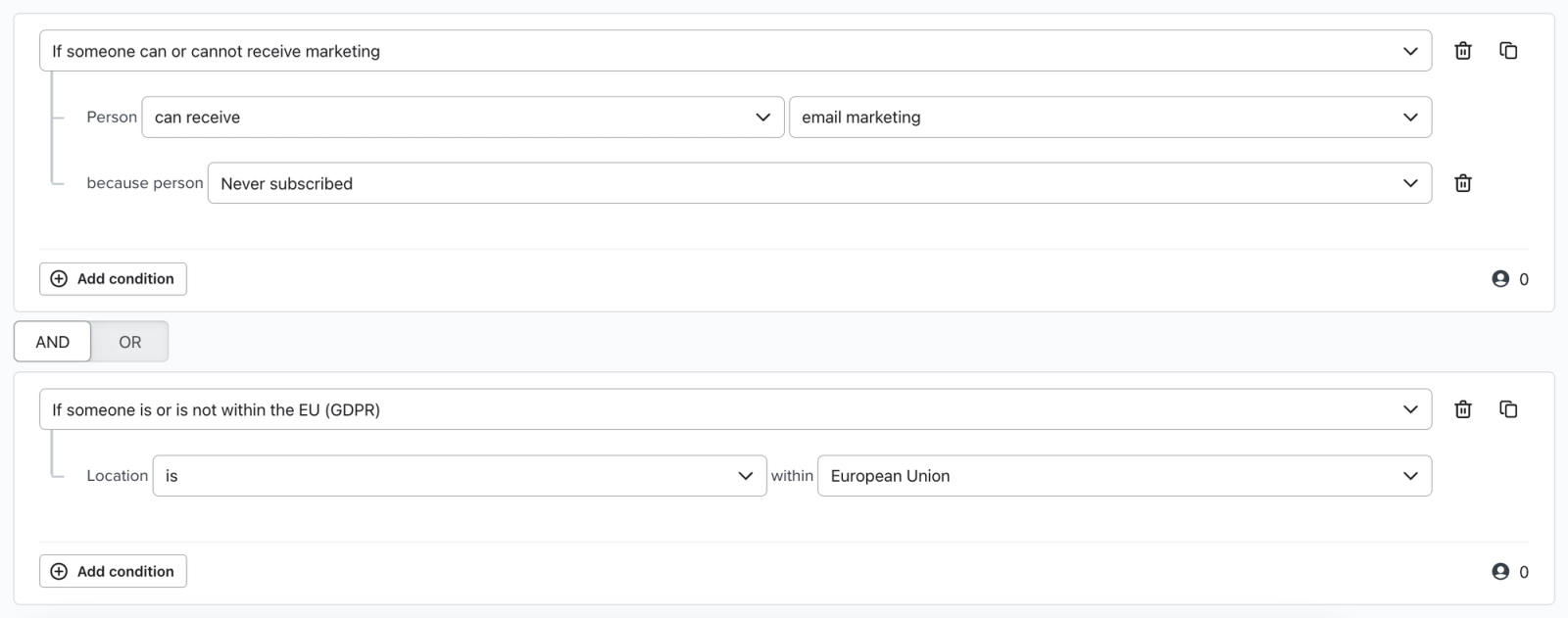
We praise behavioral segments, Shopify data, automated flows, and analytics. Price, learning curve, support, and active-profile management remain common concerns for some of our customer accounts.
| Pros | Cons |
|---|---|
| Detailed customer and activity data; strong lifecycle automation; consent records by channel | Active-profile cost; more privacy-management work; easy to underuse |
Verdict: Klaviyo is a strong candidate when detailed store activity and lifecycle segments can repay the setup work. It has a Sprout Score of 9.1/10, but you still need to manage active-profile cost and tracking choices. If your team will not maintain profiles, events, segments, and automated flows, many capabilities may go unused. During a trial, reproduce your real consent, preference, deletion, authentication, and billing scenarios. Review Klaviyo alternatives and Klaviyo versus Mailchimp.
Drip: Focused B2C Automation With Fewer Integrations
Drip offers a more focused choice for business-to-consumer (B2C) automation. It starts at $39 monthly, includes a 14-day trial, and has no free plan. They cover EU consent patterns, subscription management, permanent contact deletion, Shopify, WooCommerce, BigCommerce, Segment, an API, and more than 50 integrations. Its website script identifies visitors and records their activity, so your setup must address notice and consent.
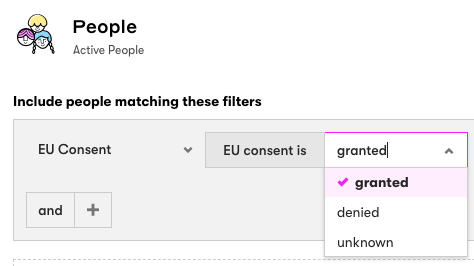
We favor Drip automation, ease of use, and support.
| Pros | Cons |
|---|---|
| Flexible visual workflows; useful store activity; documented deletion | No free plan; fewer integrations; migration and workflow-builder friction |
Verdict: Drip has a Sprout Score of 9/10. Add it to your shortlist if you are a B2C seller that wants behavior-based customer journeys without all of Klaviyo broader capabilities. Its smaller integration range and lack of a free plan may be less appealing if you need broader B2B customer management or want to test without a paid commitment.
Before you migrate, test reporting, consent for website activity, deletion controls, tracking, authentication, and any older automations you plan to move. These checks will show you where the workflow may break before you move your full list. Explore our Drip review and marketing automation platforms.
Mailchimp: Familiar Tools With Extra Audience Management
Mailchimp is familiar to many marketing teams, but separate audiences can create extra privacy work. Essentials plan starts at $13 monthly for 500 contacts and an email-send limit equal to 10 times the contact limit, excluding temporary discounts. GDPR fields and permission checkboxes are optional, and Mailchimp states that enabling them does not make an account compliant. Archiving keeps a contact record instead of permanently deleting it. Each audience can also have its own subscription and suppression status. That makes it harder to match one person across lists and may increase billing.
Mailchimp includes open and click tracking, bot filtering, broad integrations, and familiar templates. Older Classic Automations are available only to paid accounts that created them previously. Automation Flows are the current option.
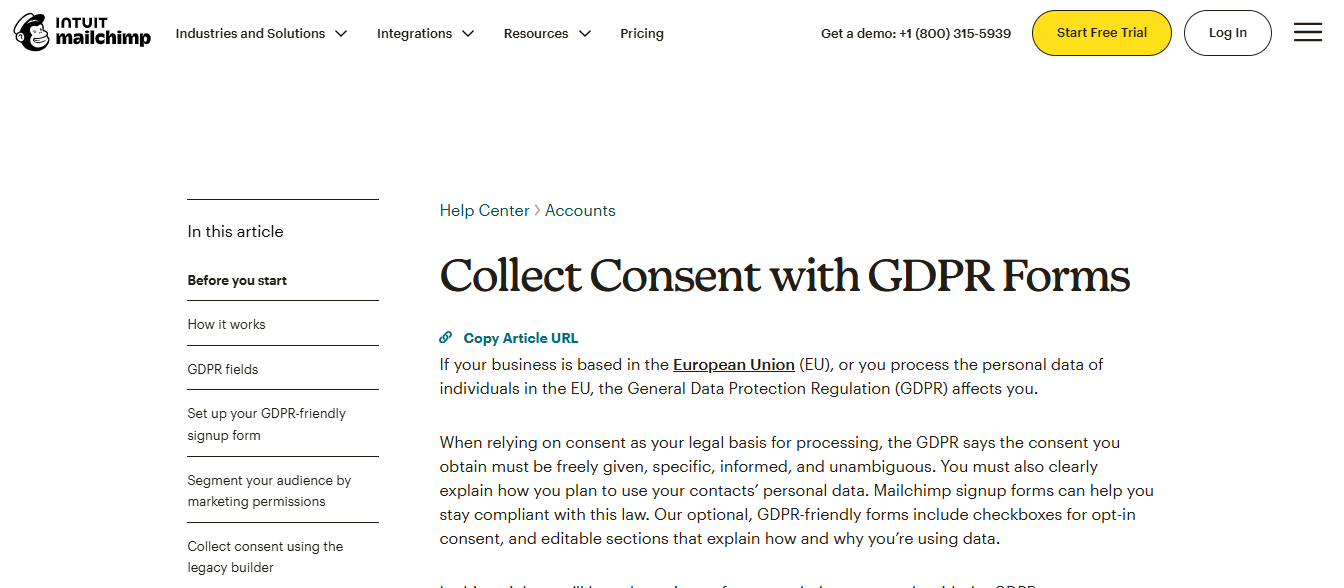
We praise its familiar editor and wide integration range. Some of our frequent concern include higher costs as lists grow, feature limits between plans, data cleanup, customer support, and overall complexity.
| Pros | Cons |
|---|---|
| Familiar editor and templates; broad integrations; flexible general use | Duplicate contacts across audiences; rising cost; plan restrictions and migration work |
Verdict: Mailchimp support GDPR-related work when your team actively manages permissions, audiences, suppression, and deletion. It has a Sprout Score of 7.7/10, so pricing and setup tests should deserve your close attention. For your setup, you should test tracking, authentication, audience cleanup, and deletion across every audience. If you already use Mailchimp, improve your account structure before you migrate based only on general opinions. Check Mailchimp pricing and Mailchimp alternatives.
Keep List Cleaning and Transactional Email in Their Proper Roles
MailerCheck helps you clean an email list. It does not run marketing campaigns. It charges $0.01 for each completed verification, with a 1,000-credit minimum. Ten credits are free, credits do not expire, and unknown results are not charged. It can label addresses as valid, catch-all, unknown, full mailbox, not found, incorrect format, likely typo, or disposable. You can submit emails through files, an API, Zapier, or MailerLite. Its Sprout Score of 8.9/10. Verification does not create consent, cancel a previous objection, or replace a suppression list.
MailerSend Email API delivers transactional messages such as receipts and account alerts. It does not replace a marketing platform. Your application can keep operational and marketing messages separate, but your developers must enforce that boundary. Hobby plan starts at $7 monthly for 5,000 emails and keeps activity data for one day. Free plan includes 500 emails, while Starter plan keeps activity data longer. Limited-access tokens, automatic notifications called webhooks, suppression controls, bounce holds, and optional tracking give developers more control. Your application remains responsible for purpose, privacy requests, retries, and consent where required.


Find the Next Privacy Controls to Check
Use above checklist to spot missing information and controls before you import a list. Review every relevant region, source, tracking method, and connected tool. Do not let one “consent” field hide other risks. The result tells you what to check next, not whether your campaign is legally compliant.
Score Your Shortlist, Then Test a Real Workflow
Give each platform a score from 0 to 5 in six areas: consent and privacy requests, integrations and data accuracy, automation fit, suppression and tracking controls, 12-month cost, and support and migration fit. Then use this calculation:
overall fit = consent × 25% + integrations × 20% + automation × 20% + controls × 15% + cost × 15% + support × 5%
This is your own decision score, not a Sprout Score. Before you calculate it, remove any platform that fails a required check. These checks may include controls for your region, an acceptable data processing agreement and subprocessor list, domain authentication, data export and deletion, and unsubscribe syncing. For the remaining tools, import a small sample with permission records. Change a preference, unsubscribe, delete and export a contact, inspect synced activity and webhooks, verify SPF, DKIM, and DMARC, and estimate the cost of your expected list growth. Our email marketing ROI calculator can help you decide whether deeper automation can justify a higher cost.

Conclusion: Make Privacy Part of Your Email Workflow
Choose your platform only after you understand your data. Identify the countries or states and recipient types involved. Trace where every address came from, define why you use it and which lawful basis applies, and decide which records you need to keep. Then follow preference changes, objections, deletion, correction, sale or sharing opt-outs, and tracking choices through every connected tool. This approach turns GDPR work into a clear marketing process instead of a checkbox on a contact record.
Your workflow will narrow the shortlist. MailerLite suits lean teams. Omnisend coordinates ecommerce channels. Klaviyo rewards teams that will use detailed profiles and lifecycle automation. Drip offers focused B2C automation. Mailchimp remains flexible when you can manage separate audiences and rising costs. MailerCheck helps clean a list but cannot provide permission. MailerSend separates transactional delivery, while your developer team remain responsible for purpose, security, suppression, and privacy requests.
Next, estimate active or billable contacts, email sends, channels, overages, seats, data retention, and growth over 12 months. A platform that starts at $12 can become more expensive as your list grows. A $45 platform may justify its higher price if deeper automation produces enough lifecycle revenue. Write down every assumption so a low starting price does not hide a poor fit.
Use above weighted calculation to structure a team discussion. First, reject any platform that fails a required legal, contract, authentication, export, deletion, or suppression check. Score the remaining tools from 0 to 5 and keep a short note explaining every score. A high total cannot make up for a failed requirement. When two totals are close, choose the platform your team can review and maintain consistently. Extra capabilities have little value if no one will use them.
Use a real setup test to make the final choice. Import a small sample with permission records, change a preference, unsubscribe, and test deletion and export in every connected tool. Check activity syncing, authenticate a domain, confirm tracking behavior, and calculate the price for the list you expect to have in 12 months.
Repeat these checks every quarter and after a major change to an integration, price, policy, or tracking setup. Sample your permission records, test unsubscribe and deletion syncing, review retention rules, check authentication and complaint signals, review subprocessors and data transfers, and update your growth forecast. Your data flow changes whenever you add a form, audience, channel, or vendor. Start with our email marketing tool selection guide or browse our email platform directory if your shortlist is still open.

FAQs About GDPR, CCPA, and Email Marketing
Does GDPR require consent for every marketing email?
No. GDPR requires a lawful basis for using personal data. Separate ePrivacy rules may determine whether you can send the email, and those rules can differ by country and situation.
Can I send B2B cold email under GDPR?
Sometimes. Check the recipient type, applicable ePrivacy rules, address source, required privacy notice, and lawful basis first. B2B is not a blanket exemption.
Does CCPA require opt-in consent for email marketing?
Generally, no. CCPA/CPRA focuses on privacy rights, collecting only necessary data, and sale or sharing controls. Other US laws govern commercial email.
Is double opt-in legally mandatory for GDPR email marketing?
No, not in every situation. Double opt-in can strengthen your consent record and improve address quality, but the legal answer depends on your situation.
Does Mailchimp make email marketing GDPR compliant?
No. Mailchimp provides configurable GDPR fields, but your organization remains responsible for lawful basis, permission records, privacy requests, and connected tools.
Should an unsubscribe request delete the entire customer record?
Not automatically. Stop direct marketing, keep only the minimum suppression data needed to avoid emailing the person again, and assess a full deletion request separately. See the GDPR rules on direct-marketing objections.
Does email verification prove marketing consent?
No. Verification checks whether an address appears usable. It does not prove permission, cancel an objection, or replace consent and suppression records.
- 09 Mar 2026 – Clarified custom HTML support
- 20 Oct 2025 – Updated deliverability section
How do we evaluate email marketing tool?
Manual testing is the process that goes beyond just ticking boxes. Our team start by defining clear testing objectives based on the intended use of email marketing tools and platforms. Each tools undergoes a rigorous user experience analysis, where we simulate real-world scenarios to gauge performance, usability, and reliability.
We pay special attention to the integration capabilities, data security, and compliance standards of the MarTech vendor. This hands-on 25 test-point approach allows us to uncover nuances that automated testing might miss, providing a more holistic understanding of the tools.
How do we evaluate and benchmark email marketing service effectively?
Our evaluation process is data-driven and multi-dimensional. Our team analyze tool performance metrics against industry standards and similar product platforms.
Key performance indicators (KPIs) are meticulously examined, including ease of use, customization options, scalability, customer support effectiveness, and innovation. We also incorporate user feedback to ensure our benchmarks reflect actual user experiences and expectations.
This comprehensive method ensures a fair and effective comparison of the email marketing services.
How accurate are these comparisons and alternative suggestions of the email marketing tools?
We pride ourselves on the accuracy of our comparisons and suggestions. Our team expertise, combined with advanced analytics tools, ensures that our data is both current and relevant. We constantly update our database with the latest market trends and user feedback, which helps us provide accurate and timely recommendations.
However, it’s important to remember that each business has unique needs, and our suggestions are a starting point for their decision-making process.
Why email marketing tool buyers trust Sprout24 reports and analysis?
Our reputation for trustworthiness stems from our commitment to impartiality and depth of research. We do not just skim the surface; we go deep into each email marketing tools and service capabilities and shortcomings.
Our reports are comprehensive, easy to understand, and transparent, explaining not just what we recommend but why. This transparency and thoroughness are why email marketing tool buyers trust our reports.
Our FTC Disclosure explains the sources of funding and revenue of Sprout24 platform; this enables us to curate straightforward and unbiased reviews.
How these reports help in reducing the time to purchase a email marketing platform?
Our reports and guides significantly reduce the time to purchase by providing clear, concise, and comparative information. Email marketing tool buyers don’t have to spend countless hours researching; they can find all the necessary information in one place.
Our Sprout scoring system, user reviews, and feature comparisons simplify the decision-making process, enabling buyers to make informed choices quickly.
How effective is the scoring system and help email marketing service buyers in making fast decision?
Sprout Score Scale of 0–10 rating is crafted to provide a quick, yet detailed view of a platform overall standing in various categories.
This scoring system, backed by in-depth contextual data analysis, allows email marketing service buyers to immediately gauge suitability of the tool / service for their needs. It simplifies complexity and enables fast, informed decisions, which is crucial in the fast-paced world of business.


