
 Pritha Bose

Choosing among Drip Email Marketing Tools gets confusing because “automation” can mean one welcome email or a branching journey. MailerLite and Mailercloud suit budget-conscious teams, Kit fits creators, Brevo handles multichannel value, while Drip, Klaviyo, and Omnisend suit ecommerce behavior. GetResponse offers broader funnels, and Zoho Campaigns fits Zoho teams.
Price alone will not identify suitable software. A free plan might store thousands of contacts but stop after one sequence. Another might allow 500 sends. We checked limits, automation gates, support, and pricing on July 21, 2026. Our email marketing tools selection guide help building a shortlist.
For free room, compare Kit, Zoho Campaigns, and Mailercloud. MailerLite suits simple sequences. Klaviyo, Drip, and Omnisend form our ecommerce shortlist. Constant Contact emphasizes live help. Mailchimp has a small free allowance. Recheck iContact pricing.
Drip Email Marketing Tools compared at a glance
Scores use six disclosed dimensions: automation 25%, value 20%, usability 15%, data/reporting 15%, ecosystem/channels 15%, and support/scale 10%. Usability is capped at 7 pending a uniform 2026 workflow run, making each result a reproducible buying signal rather than a universal verdict.
| Tool | Best fit | Free capacity | Paid entry, USD monthly | Automation reality | Sprout Score |
|---|---|---|---|---|---|
| MailerLite | Small teams and creators | 250 subscribers, 2,500 sends | $12 Comfort | Three free automations, five steps each | 9.1 |
| Mailchimp | General small businesses | 250 contacts, 500 sends | $13 Essentials, 500 contacts | Free welcome email; Essentials flows up to four steps | 6.8 |
| Brevo | Multichannel, send-led budgets | 100,000 stored contacts, 300 sends/day | $9 Starter, 5,000 sends | Free automation entry capped at 2,000 unique contacts | 7.3 |
| GetResponse | Funnels and broader marketing | 500 contacts, 2,500 sends* | $19 Starter, 1,000 contacts | One Starter workflow; unlimited automation on Marketer | 7.2 |
| Kit | Creators and newsletters | Up to 10,000 subscribers*, unlimited sends | $39 Creator, 1,000 subscribers | One basic visual automation and one sequence free | 7.2 |
| Omnisend | Ecommerce automation | 250 contacts, 500 sends | $16 Standard | Ecommerce workflows, but strict free send capacity | 7.6 |
| Constant Contact | Support-led small businesses | Trial, no permanent free plan | $12 Lite | One Lite automation template; three on Standard | 6.2 |
| Klaviyo | Data-rich B2C commerce | 250 profiles, 500 sends | Dynamic by profiles and channels | Strong behavioral flows, segmentation, reporting | 7.6 |
| Zoho Campaigns | Zoho stack and value | 2,000 contacts, 6,000 sends | Dynamic from 500 contacts | Basic workflows on Standard, advanced on Professional | 7.6 |
| Drip | Revenue-focused ecommerce | 14-day trial | $39 for 1 to 2,500 people | Behavioral ecommerce automation at entry | 7.4 |
| Mailercloud | High free send allowance | 1,000 contacts, 12,000 sends | $10 Premium table, 5,000 contacts | Basic free workflow; 25 advanced automations paid | 6.8 |
| iContact | Conventional SMB campaigns | 30-day trial* | $9 Standard, 500 contacts* | One Standard automation; Premium removes caps* | 5.8 |
*Compare details in our email marketing feature matrix.
Free drip campaign software: calculate usable runway
A free badge becomes useful only after one calculation:
Monthly sequence demand = active contacts entering workflow × messages per contact + broadcast sends
If 400 contacts enter five welcome emails plus one broadcast, demand is 2,400 emails. MailerLite covers sends but fails its 250-subscriber ceiling. Mailchimp, Omnisend, and Klaviyo fail both caps. Mailercloud and Zoho Campaigns fit capacity, although Zoho gates advanced components. Use our list growth forecast to test future fit.
For Shopify and WooCommerce stores, Emailwish provides another free-plan model built around ecommerce email automation. Its Seed plan includes 1,000 monthly email credits, with preconfigured workflows for welcome emails, abandoned carts, and review requests. Popups, customer reviews, and live chat are also included, allowing stores to connect subscriber capture with follow-up sequences. Tradeoff here is sending capacity: a store running several lifecycle workflows can exhaust 1,000 credits quickly, so expected monthly email volume matters more than the number of available automation templates.
| Free plan | Contact/profile ceiling | Send ceiling | Drip capability | First likely constraint |
|---|---|---|---|---|
| Kit | Up to 10,000* | Unlimited | One automation and one sequence | Workflow count |
| Zoho Campaigns | 2,000 | 6,000/month | Workflows available, advanced components gated | Advanced automation |
| Mailercloud | 1,000 | 12,000/month | Basic workflow, one advanced automation | Workflow depth |
| Brevo | 100,000 stored | 300/day | Up to 2,000 automation entrants | Daily send cap |
| MailerLite | 250 | 2,500/month | Three automations, five steps each | Contact ceiling |
| Mailchimp | 250 | 500/month, 250/day | One welcome automation | Automation and sends |
| Omnisend | 250 reached | 500/month | Ecommerce automation features | Send capacity |
| Klaviyo | 250 active profiles | 500/month | Flows, segments, reports | Send capacity |
| GetResponse | 500* | 2,500/month* | Limited free access | Branding and automation gates |
See our dedicated free email marketing service comparison before using a free plan as production infrastructure.
1. MailerLite: approachable workflows with a newly smaller free tier
Best fit: small teams that value a clean workflow model more than complex orchestration. MailerLite now allows 250 active subscribers and 2,500 monthly emails free. On June 16, 2026, it reduced those ceilings and announced tighter feature enforcement for August 13. Free users get three active automations with up to five steps each. Comfort begins at $12 per month and raises capacity to 50 automations with 100 steps.
Our evidence review puts MailerLite near the front for a welcome, lead-magnet, or re-engagement sequence. Ecommerce triggers exist through supported store integrations, but Power is the clearer fit when a team needs unlimited automations and multiple triggers. The key limitation is runway, not basic usability. A list can outgrow 250 contacts quickly, so model that point with our MailerLite alternatives guide.
Pros: approachable visual workflows, useful free testing capacity, A/B testing, and a $12 entry.
Cons: reduced free audience, five-step free workflows, and plan-specific send multipliers.
Decision cue: choose it for simple lifecycle work; skip free if growth is already predictable.
Sprout Score: 9.1/10. For a direct generalist comparison, see MailerLite vs Mailchimp.
2. Mailchimp: broad generalist with tight free capacity
Best fit: small businesses wanting familiar campaigns, templates, and broad integrations. Free supports 250 contacts, 500 monthly sends, and 250 sends daily. Essentials starts at $13 monthly for 500 contacts, allows sends equal to 10 times its contact tier, and limits flows to four steps. Standard starts at $20 and supports flows up to 200 steps with branching.
One Free welcome email is not automatic drip email software with behavioral routes. Mailchimp counts stored contacts across audiences, and one person in several audiences can count several times. Our Mailchimp alternatives analysis helps when that rule makes pricing awkward.
Pros: templates, 300-plus integrations, paid segmentation and reporting.
Cons: tiny free allowance, audience-counting complexity, paid overages, and deep automation reserved for Standard.
Decision cue: choose ecosystem breadth over lowest cost; skip it when audiences duplicate contacts.
Sprout Score: 6.8/10. Also try our Mailchimp alternative finder.

3. Brevo: strong send-led value and multichannel reach
Best fit: teams that want email, SMS, WhatsApp, chat, or transactional messaging without paying only by a large stored audience. Brevo Free stores up to 100,000 contacts and allows 300 sends a day. Up to 2,000 unique contacts can enter active automations. Starter begins at $9 per month for 5,000 sends and up to 500 stored contacts; Standard starts at $18.
Brevo stands out because contact storage and send capacity are separate constraints. That works for a large database contacted selectively, but the daily free cap can make a time-sensitive sequence awkward. Unused sends do not roll over, and a campaign above 300 recipients requires manual requeue. Review Brevo automation detail before treating its free tier as a high-volume drip email service.
Pros: low paid entry, broad channels, CRM and transactional options, webhooks, and a published AI assistant.
Cons: daily free cap, 2,000-contact automation-entry limit, and add-on/plan complexity.
Decision cue: choose Brevo when sends matter more than stored contacts.
Sprout Score: 7.3/10. Compare positioning in Brevo vs Mailchimp.
4. GetResponse: an all-in-one route from email to funnels
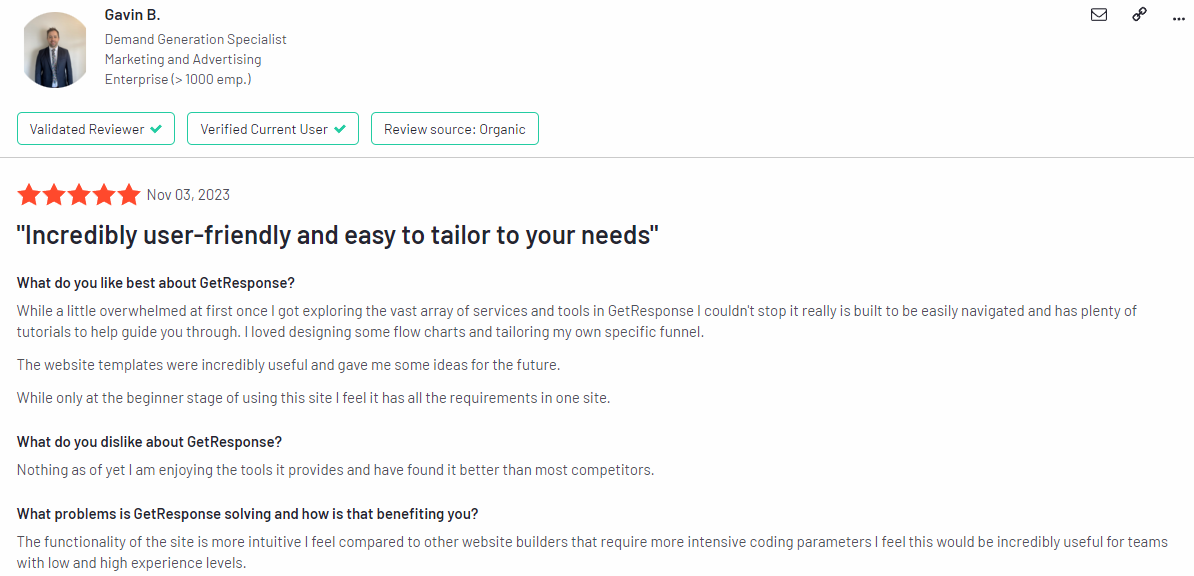
Best fit: teams that want landing pages, ecommerce integrations, automation, and creator or webinar options inside one platform. GetResponse Starter begins at $19 per month for 1,000 contacts with unlimited paid-plan messages, three users, and one automation workflow. Marketer begins at $59 for 1,000 contacts and unlocks unlimited marketing automation plus ecommerce tools. Creator begins at $69 and adds courses, paid newsletters, and webinars.
Starter is good email drip campaign software for a straightforward route, but Marketer is the real automation tier. That price jump should be in the budget before you design event-based branches, scoring, or deeper commerce journeys. The free account figures in current secondary verification are 500 contacts and 2,500 sends, so we will recheck them in the official account flow before publication. Our GetResponse vs Mailchimp comparison adds useful context.
Pros: broad marketing stack, unlimited sends on paid plans, AI email tools, landing pages, and higher-tier webinars.
Cons: one Starter workflow, advanced automation at $59, and faster price growth with list size.
Decision cue: choose it to consolidate tools, not merely for cheap sending.
Sprout Score: 7.2/10.
5. Kit: generous creator plan with one free automation route
Best fit: creators connecting newsletters, forms, landing pages, recommendations, and products. Newsletter documentation states up to 10,000 active unique subscribers, unlimited sends, unlimited forms and landing pages, one basic visual automation, and one sequence. Creator starts at $39 monthly for 1,000 subscribers and removes core automation limits.
Kit can nurture a sizable audience inside one free sequence, but unlimited sends do not mean unlimited workflow design. One route becomes restrictive when onboarding, education, and re-engagement need separation. A Kit-managed recommendation slot helps fund Free. Its pricing selector also showed a conflicting 1,000-subscriber figure, so confirm eligibility. Compare Kit vs Mailchimp.
Pros: creator-native products, tagging, segmentation, and generous documented capacity.
Cons: one free route, recommendation condition, and a jump to $39.
Decision cue: choose it when creator commerce is central.
Sprout Score: 7.2/10.
6. Omnisend: practical ecommerce automation with billing catches
Best fit: growing ecommerce stores that want behavior-led email, push, and higher-tier mobile messaging. Omnisend Free reaches up to 250 contacts and sends 500 emails monthly. Standard starts at $16 and provides monthly email credits equal to billable contacts multiplied by 12. Pro starts at $59 with unlimited email sends and mobile options priced by volume.
Automation is available for testing on Free, but 500 sends disappear quickly when abandoned-cart, browse, welcome, and post-purchase flows overlap. Omnisend also counts subscribers and non-subscribers as billable contacts. A shopper who abandons a cart can therefore affect price even without newsletter consent. If Standard runs out of credits, campaign sends stop and workflow entrants can be cancelled until renewal or upgrade. Compare ecommerce factors in our Omnisend and Klaviyo guide.
Pros: commerce-oriented workflows, segmentation, push, and strong channel fit.
Cons: low free sends, non-subscriber billing, workflow impact when credits run out, and SMS changes for newer accounts.
Decision cue: choose it for an ecommerce lifecycle at a controlled contact tier.
Sprout Score: 7.6/10. Use our ecommerce email tool comparison for a wider shortlist.
7. Constant Contact: support-led choice with shallow entry automation
Best fit: small businesses valuing onboarding, phone/chat, templates, and conventional campaigns. No permanent free plan exists. Lite starts at $12 monthly, Standard at $35, and Premium at $80. Sends equal 10, 12, or 24 times contact count. Lite includes one automation template; Standard includes three, scheduling, and segmentation.
Its distinction is service access, not maximum workflow depth. Live onboarding and phone/chat can matter more than another branch, although one or three templates restrict several lifecycle programs. Premium adds segmentation and dynamic content at a higher cost. Explore Constant Contact alternatives before buying mainly for support.
Pros: live help, onboarding, familiar editor, social tools, and integrations.
Cons: no free plan, send multipliers, few entry automations, and content gates.
Decision cue: choose support over automation density.
Sprout Score: 6.2/10. See Constant Contact as a Mailchimp alternative.

8. Klaviyo: deep B2C data and automation, with a small free sandbox
Best fit: ecommerce and B2C teams with rich customer, product, and event data. Klaviyo Free supports 250 active profiles and 500 monthly emails, plus flows, segments, reports, a basic customer hub, and mobile credits. Paid pricing changes with active profiles and selected channels, so a static entry figure can mislead more than help.
Klaviyo earns its 7.6 score through automation, data, reporting, and commerce ecosystem breadth. Its free plan is a sandbox, not a practical home for a multi-flow store. Five emails to 250 profiles already require 1,250 sends. Free email support also ends after 60 days, after which academy, community, and help resources remain. Our Klaviyo vs Mailchimp comparison shows why data model and use case should lead this decision.
Pros: behavioral segmentation, reporting, revenue attribution, ecommerce connectors, and multichannel direction.
Cons: low free capacity, profile/channel pricing, limited free support duration, and more setup burden.
Decision cue: choose it when data activation justifies complexity.
Sprout Score: 7.6/10. Teams sensitive to cost should also inspect Klaviyo alternatives.
9. Zoho Campaigns: high free value and a natural Zoho stack fit
Best fit: value-focused teams, especially those using Zoho CRM. Zoho Campaigns Free allows 2,000 contacts, 6,000 emails per month, five users, signup forms, and limited templates. Paid plans begin at 500 contacts and include unlimited emails. Standard provides basic drag-and-drop workflows, while Professional adds 25-plus workflow components, advanced segmentation, scoring, dynamic content, cart recovery, and optimal-time sending.
Zoho presents one of the best free operating allowances in this comparison, but workflow sophistication still determines the required plan. A simple welcome or list-entry sequence is different from a purchase-follow-up path with scoring and dynamic content. The optional pay-as-you-go model helps occasional campaigns, although automation is only available in Professional under that pricing guidance. Review broader email marketing automation tools if you are not already in the Zoho ecosystem.
Pros: 2,000-contact free tier, 6,000 sends, CRM alignment, five free users, and strong advanced workflow options.
Cons: dynamic plan prices and substantial Professional feature gating.
Decision cue: choose it for Zoho data flow or free value.
Sprout Score: 7.6/10.
10. Drip: focused behavioral automation for ecommerce revenue
Best fit: ecommerce teams that want purchase and browsing behavior at the center of every sequence. Drip begins at $39 per month for 1 to 2,500 people with unlimited email sends. It offers a 14-day trial rather than a permanent free plan. Entry is simple compared with many profile-and-channel calculators, although price rises with audience size.
Drip makes sense when a workflow needs product signals, customer segments, cart behavior, and revenue reporting rather than a basic timed newsletter sequence. Its starting price is higher than generalist tools, but unlimited sends reduce one variable for active programs. Do not interpret unlimited as unlimited contacts. Our detailed Drip review and Drip automation comparison add product context.
Pros: ecommerce focus, behavioral workflows, segmentation, revenue-oriented reporting, and clear entry capacity.
Cons: no free plan, $39 minimum, and less appeal for newsletter-only teams.
Decision cue: choose it when store behavior funds the investment.
Sprout Score: 7.4/10. See our guide to email marketing for ecommerce before comparing store integrations.

11. Mailercloud: generous free sends with a smaller ecosystem
Best fit: budget-conscious businesses needing high free send capacity. Free lists 1,000 contacts and 12,000 emails monthly. Its comparison table shows Premium at $10 monthly for 5,000 contacts, fair-use unlimited email, an advanced editor, and 25 advanced automations. Promotional sections show other amounts, so checkout remains final authority.
It offers enough room for a real sequence before payment, plus contact-based pricing, inbox tracking, AMP support, A/B testing, and separate SMTP/API options. Several advanced features require Premium, and native integrations are fewer than large generalists or commerce specialists. See our Mailercloud review.
Pros: 12,000 free sends, low paid entry, and fair-use unlimited sending.
Cons: conflicting price displays, feature gates, and smaller integration breadth.
Decision cue: choose it for send value after confirming integrations.
Sprout Score: 6.8/10.
12. iContact: simple SMB email, pending direct official recheck
Best fit: small businesses wanting a conventional editor and simple automation. I our analysis, iContact has Standard at $9 monthly for 500 contacts, Premium at $16, and a 30-day trial. They report one Standard automation, segment, and landing page, while Premium removes caps and adds AI and social posting.
Official iContact pages did not load in our research client, so price, send multipliers, contact counting, and support need direct confirmation. Supplied observations support simple-campaign positioning but not every current detail. Read our iContact review, then verify inside signup.
Pros: low reported entry, trial, and Premium automation.
Cons: limited Standard automation, and unclear restrictions.
Decision cue: treat it as a trial candidate, not a price-led purchase.
Sprout Score: 5.8/10.

Automation and billing traps to check before subscribing
First, define depth. A welcome email is level one. A timed sequence adds messages. A visual workflow adds actions and conditions. A behavioral journey branches on browsing, purchases, engagement, or score. If you need level four, a cheap “automation” plan may force an immediate upgrade. Our omnichannel feature comparison helps when SMS, push, or WhatsApp belongs in the journey.
Second, identify billing unit. Mailchimp may count one person in several audiences repeatedly. Omnisend includes certain non-subscribers. Klaviyo prices active profiles and channels. Brevo emphasizes volume. Mailercloud applies fair use to unlimited sends, while Drip limits people. These are different economic models.
Third, model failure at a cap. Ask whether campaigns pause, new contacts stop entering, triggered messages cancel, or the account auto-upgrades. Add answers to a procurement checklist with support, migration, and data ownership. Our independent platform selection service can help with higher-risk moves.
Which drip email campaign software should you choose?
- Creators: Kit fits products and one core sequence; MailerLite fits several small workflows. Compare our newsletter tool feature matrix.
- Ecommerce: Klaviyo leads data depth, Drip offers clear entry and unlimited sends, while Omnisend balances commerce workflows with lower entry.
- Multichannel: Brevo combines email, SMS, WhatsApp, chat, and transactional communication. Verify regional access.
- Free-plan operators: Zoho Campaigns and Mailercloud offer conventional capacity. Kit provides more contacts but one automation route.
- Support-led businesses: Constant Contact emphasizes phone/chat and onboarding. iContact needs direct verification.
- Consolidation: GetResponse can replace landing-page, funnel, creator, or webinar subscriptions. Compare total stack cost.
Conclusion: Use these details for a defensible shortlist
See, best Drip Email Marketing Tools are not one ladder. Use graph one to eliminate plans that cannot carry your sequence, then graph two to choose an operating model for trial.
Graph 1: Free-plan contact and send capacity
| Tool | Contacts | Monthly sends used for plot | Automation label |
|---|---|---|---|
| Mailchimp | 250 | 500 | Welcome only |
| Omnisend | 250 | 500 | Commerce features, low capacity |
| Klaviyo | 250 | 500 | Flows and segments |
| MailerLite | 250 | 2,500 | Three, five steps each |
| GetResponse | 500* | 2,500* | Limited free |
| Mailercloud | 1,000 | 12,000 | Basic plus one advanced |
| Zoho Campaigns | 2,000 | 6,000 | Advanced components gated |
| Brevo | 100,000 stored | 9,000 theoretical | 2,000 entrants, 300/day |
| Kit | Up to 10,000* | Unlimited | One automation and sequence |
How to choose: plot required contacts and sends. Any point left or below your need is a test account. Then inspect automation labels.
Graph 2: Buyer-fit grouped bars
| Profile | Tools | Selection signal |
|---|---|---|
| Creator | Kit, MailerLite, GetResponse | Kit for creator commerce, MailerLite for affordable workflows, GetResponse for consolidation |
| Ecommerce | Klaviyo, Omnisend, Drip | Klaviyo for data, Omnisend for balanced entry, Drip for focused behavioral email |
| Value | Zoho Campaigns, Brevo, Mailercloud | Zoho for free contacts, Brevo for send-led multichannel, Mailercloud for free monthly sends |
| Support-led | Constant Contact, Mailchimp, iContact | Constant Contact for live access, Mailchimp for ecosystem, iContact as recheck-required trial |
How to choose: weight one primary job twice. Ecommerce teams can double automation and data; lean local businesses may double support and usability.
Frequently asked questions about drip email marketing tools
What counts as a drip email tool?
A drip email tool sends an ordered series after signup, purchase, inactivity, or a date. Stronger software adds branches, segmentation, testing, and exits. A scheduled newsletter alone is not a drip campaign.
Which free drip email software offers most capacity?
Kit documents 10,000 subscribers and unlimited sends but one route. Mailercloud offers 1,000 contacts and 12,000 sends; Zoho offers 2,000 and 6,000. Brevo sends 300 daily.
How many emails should a drip sequence contain?
No universal number exists. Start with one job, include only messages that advance it, and calculate monthly demand. Longer sequences multiply consumption even when list size stays unchanged.
Is unlimited sending really unlimited?
Not in every dimension. A platform may allow unlimited email while charging by contacts, profiles, or people. Fair-use rules may apply. Record contacts, sends, workflows, steps, channels, and entrants.
Which is the best drip campaign software for ecommerce?
Klaviyo suits data-rich personalization, Omnisend offers commerce workflows at a lower start, and Drip provides behavioral email with clear entry capacity. Choose by store integration, profiles, and channels.
Do I need a paid plan for branching automation?
Often. Mailchimp reserves deep flows for Standard, GetResponse puts unlimited automation on Marketer, and Zoho keeps advanced components on Professional. Free plans validate logic, but branching often crosses a gate.
How often should pricing be checked?
Check during shortlisting, before a trial ends, and at renewal. Prices, contact definitions, credits, and free limits change independently. Research date is July 21, 2026.
- 03 Dec 2025 – Two-factor authentication launched
- 04 Oct 2025 – Added subaccount and workspace roles
How do we evaluate email marketing tool?
Manual testing is the process that goes beyond just ticking boxes. Our team start by defining clear testing objectives based on the intended use of email marketing tools and platforms. Each tools undergoes a rigorous user experience analysis, where we simulate real-world scenarios to gauge performance, usability, and reliability.
We pay special attention to the integration capabilities, data security, and compliance standards of the MarTech vendor. This hands-on 25 test-point approach allows us to uncover nuances that automated testing might miss, providing a more holistic understanding of the tools.
How do we evaluate and benchmark email marketing service effectively?
Our evaluation process is data-driven and multi-dimensional. Our team analyze tool performance metrics against industry standards and similar product platforms.
Key performance indicators (KPIs) are meticulously examined, including ease of use, customization options, scalability, customer support effectiveness, and innovation. We also incorporate user feedback to ensure our benchmarks reflect actual user experiences and expectations.
This comprehensive method ensures a fair and effective comparison of the email marketing services.
How accurate are these comparisons and alternative suggestions of the email marketing tools?
We pride ourselves on the accuracy of our comparisons and suggestions. Our team expertise, combined with advanced analytics tools, ensures that our data is both current and relevant. We constantly update our database with the latest market trends and user feedback, which helps us provide accurate and timely recommendations.
However, it’s important to remember that each business has unique needs, and our suggestions are a starting point for their decision-making process.
Why email marketing tool buyers trust Sprout24 reports and analysis?
Our reputation for trustworthiness stems from our commitment to impartiality and depth of research. We do not just skim the surface; we go deep into each email marketing tools and service capabilities and shortcomings.
Our reports are comprehensive, easy to understand, and transparent, explaining not just what we recommend but why. This transparency and thoroughness are why email marketing tool buyers trust our reports.
Our FTC Disclosure explains the sources of funding and revenue of Sprout24 platform; this enables us to curate straightforward and unbiased reviews.
How these reports help in reducing the time to purchase a email marketing platform?
Our reports and guides significantly reduce the time to purchase by providing clear, concise, and comparative information. Email marketing tool buyers don’t have to spend countless hours researching; they can find all the necessary information in one place.
Our Sprout scoring system, user reviews, and feature comparisons simplify the decision-making process, enabling buyers to make informed choices quickly.
How effective is the scoring system and help email marketing service buyers in making fast decision?
Sprout Score Scale of 0–10 rating is crafted to provide a quick, yet detailed view of a platform overall standing in various categories.
This scoring system, backed by in-depth contextual data analysis, allows email marketing service buyers to immediately gauge suitability of the tool / service for their needs. It simplifies complexity and enables fast, informed decisions, which is crucial in the fast-paced world of business.


