
 Pritha Bose

Choosing between Constant Contact alternatives gets difficult once a low starting price meets a contact tier, email send allowance, seat limit, or paid automation gate. You can save a few dollars on a subscription and still lose more through weak segmentation, broken consent data, or workflows your team cannot maintain. Switching also puts subscriber retention at risk because tags, suppression rules, forms, purchase events, and reporting definitions rarely move cleanly on their own.
We see another problem in most shortlists. Companies like Constant Contact are often compared by template count and starting price, while operational questions receive one sentence.
Does Shopify send order edits back? Does deleting a customer remove a billable profile? Is an abandoned checkout event the same as an abandoned cart?
These details decide whether a platform supports engagement ROI or creates more cleanup after migration.
For this 2026 guide, our team compared each plan, documentation, integration behavior, own Sprout Scores, and attributed community patterns. Our aim is to identify workflow fit without turning anecdotes into outcomes or promising inbox placement.
We separate free access from paid fit because list growth can make a campaign materially more costly or incomplete.

How did we verify this comparison?

Constant Contact starts at $12 monthly for Lite Plan, with a trial but no permanent free plan. Your contact volume, email sends, automation needs, number of users, SMS usage, and overage charges can affect which paid plan is the best fit for you. That is why we compare billing units and usable workflows before calling any option cheaper.
Quick comparison of eight Constant Contact competitors
Compare fit, billing basis, and constraints.
| Alternative | Sprout Score | Best fit | Free allowance | First paid plan, monthly | Billing basis | Main caveat |
|---|---|---|---|---|---|---|
| MailerLite | 9.1/10 | Budget general email | 250 active subscribers; 2,500 emails/month | $12 | Active subscribers | Cumulative active count during billing cycle |
| ActiveCampaign | 6.8/10 | Advanced lifecycle and CRM | 14-day trial | $19 | Contacts | Setup depth and contact-cost growth |
| Selzy | Unavailable | Very small lists | 100 contacts; 1,000 emails/month | $7 | Unique contacted subscribers | Limited information base; webhook direction |
| Drip | 9/10 | Ecommerce behavior journeys | 14-day trial | $39 | Active people | Imported profiles can affect billing |
| Kit | 7.9/10 | Creators and newsletters | Up to 10,000 active subscribers, with conditions | $39 | Active confirmed subscribers | Advanced tests and reporting require Pro Plan |
| Brevo | 6.8/10 | Send-volume and multichannel teams | 300 emails/day | $9 | Email volume | Add-ons, contacts, and sync governance |
| Klaviyo | 9.1/10 | Data-rich B2C ecommerce | Under 250 active profiles; 500 emails/month | $20 | Active profiles | Cost and logic grow with profile depth |
| Omnisend | 8.8/10 | Approachable ecommerce automation | 250 contacts; 500 emails/month | $16 | Contact tier | SMS removed from Standard Plan for new subscribers |
MailerLite: affordable email marketing with practical automation
MailerLite combines broadcasts, forms, segmentation, landing pages, and multi-step automation at a modest starting price. Comfort Plan includes 50 automations, 10 forms, 10 combined sites or landing pages, five products, and three seats. You can compare its limits in our MailerLite pricing guide.
When you connect Shopify, you can sync your customer and order data in real time, which lets you create ecommerce triggers based on customer activity. You will still need to follow consent rules when sending messages. It is also important to remember that an abandoned checkout is different from an abandoned cart, so we will want to set up the right trigger for your use case. For billing, Mailerlite platform counts your cumulative active subscribers during the billing cycle, so deleting subscribers later will not reduce the number counted for that cycle.

As of June 2026, Free Plan allows 250 active subscribers and 2,500 monthly emails. Comfort Plan starts at $12 monthly, or $10.80 annual effective, with a 10-times subscriber-tier send allowance. Transactional email sits in MailerSend.
| Pros | Cons |
|---|---|
| Low initial payment; useful forms and landing pages; approachable multi-step automation | Smaller free allowance since June 2026; cumulative active billing; transactional email separated |
| Shopify customer and order triggers; community patterns favor ease | Verification, support access, and interface speed appear in reported objections |
Segmentation can help you create more relevant campaigns, but you still need to pay attention to authentication, permissions, engagement, and list hygiene to improve inbox placement. Based on the account we reviewed, there is no universal guarantee that segmentation will give you higher open rates.
Verdict: We recommend MailerLite when your team values clear campaign building, modest staring cost, and enough automation for welcome, nurture, and basic store journeys. Skip it when you need deep CRM logic or want marketing and transactional mail in one product. Before switching, forecast cumulative active subscribers and use our MailerLite versus ActiveCampaign comparison to decide if lower cost is worth less automation depth.
2. ActiveCampaign: deeper lifecycle logic with added setup work
Automation depth is where we see the strongest case for ActiveCampaign. You can use branching, behavioral segments, goals, and CRM-connected journeys to build more advanced workflows. With Shopify, you can bring in purchase and abandoned-cart activity, along with revenue reporting. Salesforce can sync leads, contacts, opportunities, and fields in both directions, although you will need to account for mapping requirements and account limits. We also consider the time and effort required for mapping as part of the implementation.

Starter Plan is $19 month to month below 1,000 contacts, or $15 annual effective. A 14-day trial replaces a permanent free plan. Our users favor automation and segmentation, though objections include learning curve, load speed, and contact-cost growth. You must remember to include adoption time in your email marketing cost calculation.
| Pros | Cons |
|---|---|
| Advanced branching; behavior-based segments; Shopify purchase data | Steeper setup; contact-based cost growth; no permanent free plan |
| Two-way Salesforce capability; strong lifecycle fit; revenue reporting | Mapping and account limits; reported load-speed concerns; ongoing monitoring needed |
Segmentation can reduce irrelevant email sends, but it cannot repair poor consent or sender reputation. Workflows still need monitoring.
Verdict: We recommend ActiveCampaign as a stronger alternative choice when you have a lifecycle owner, complex branches, and a defined CRM integration plan. It is a weaker fit for a marketer who mainly sends newsletters or lacks time to maintain logic. Compare ActiveCampaign alternatives before accepting contact-cost growth, and document every field direction before migration.
Selzy: low initial payment for small lists
Selzy has the lowest monthly starting price in this comparison, so we think it is important to look closely at how its billing will work you. Its Free Plan gives you up to 100 contacts and 1,000 emails per month. They list the price at $7 per month for 1,000 contacts, while the annual pricing shows an effective rate of $5.25 per month. For a fair monthly comparison, we use the $7 monthly price.
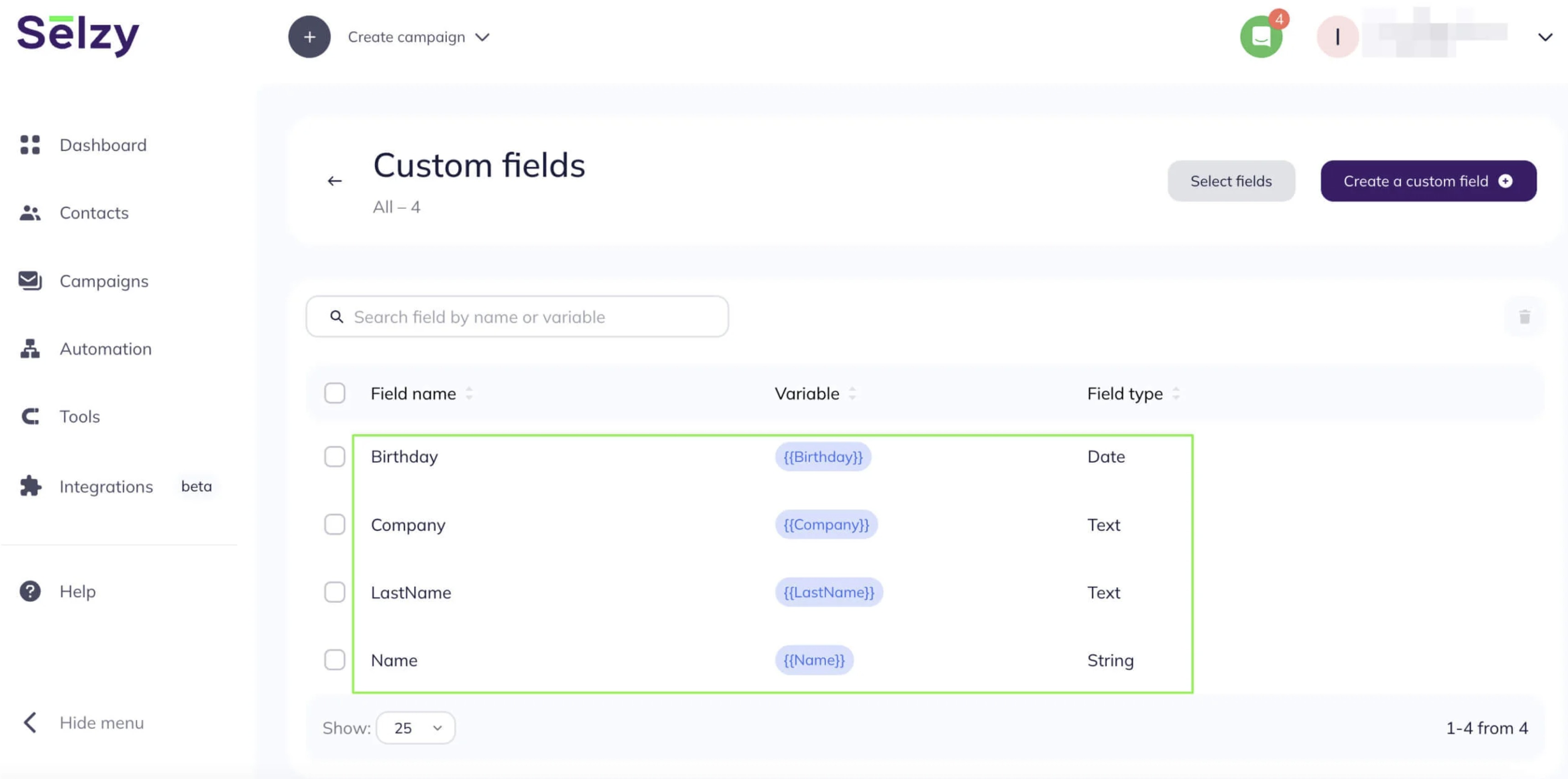
If you are running simpler campaigns, sequences and segmentation can cover your needs. You can also use the 14-day trial to work with up to 2,000 contacts and send 10,000 emails after verifying your card. For billing, you are charged based on the unique contacts you send emails to during the month. We also found that the webhooks focus on inbound triggers, so you should confirm the direction of data flow before you design workflows for updates or deletions.
| Pros | Cons |
|---|---|
| $7 monthly starting price; free allowance; support and onboarding praised in reported patterns | Small community sample; weaker native data-flow |
| Unique-contact billing can suit selective sends; sequences and segmentation included | Webhook direction limits some workflows; design and segmentation objections appear |
Low cost does not prove inbox placement. You should authenticate your domain, retain consent records, remove risky addresses, and treat conflicting community anecdotes cautiously.
Verdict: We recommend considering Selzy for a very small list that needs lower-cost broadcasts, simple sequences, and accessible support. We recommend skipping it for advanced lifecycle logic or a migration that depends on rich bidirectional data movement.
4. Drip: ecommerce journeys that justify a higher initial commitment
For stores ready to use behavior data, Drip starts at $39 monthly for one to 2,500 active people, with all features and unlimited sends under stated terms. Its 14-day no-card trial is not a permanent free plan. Starting cost makes sense only for maintained journeys.
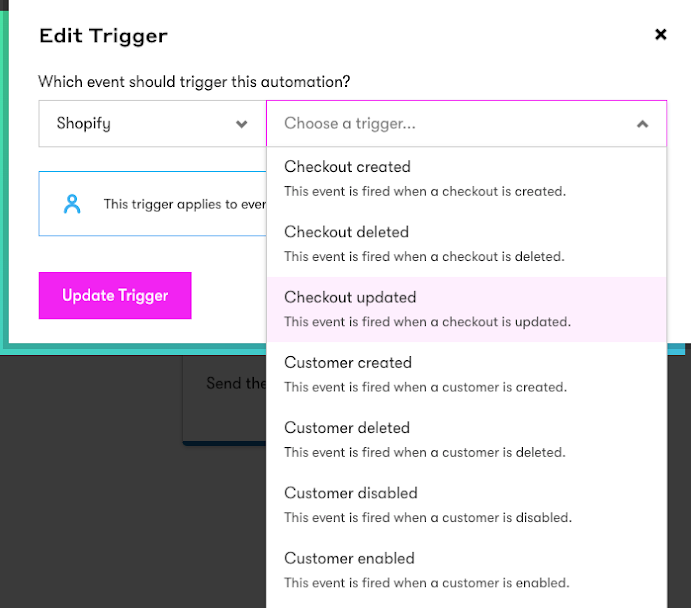
When you connect Shopify, you can bring customer, order, product, and subscription data into Drip, while onsite JavaScript can add browsing behavior. Keep in mind that existing customers with email addresses may create billable profiles, so you should assign someone to manage suppression and deletion. If you use WooCommerce, you can also bring in customer fields, events, and cart totals, giving you more data to use for your campaigns.
| Pros | Cons |
|---|---|
| Purchase and behavior events; all features at starting price; unlimited sends under stated terms | $39 minimum; active-person billing; imported profiles may raise cost |
| Shopify and WooCommerce depth; community patterns favor ecommerce automation | Learning, reporting, and integration gaps recur; smaller review pool |
Detailed events support relevance and timing, but do not guarantee inbox placement. Profile definitions and suppression still matter to keep your Drip account fresh and up to date.
Verdict: We recommend Drip when an ecommerce team can turn browse, cart, order, and product data into maintained revenue journeys. It is harder to justify for occasional newsletters or teams seeking a permanent free plan. Compare Drip versus Klaviyo and use our ecommerce email marketing comparison before choosing on initial pricing alone.
5. Kit: creator and newsletter workflows with plan conditions
Kit suits creators using tags, sequences, forms, landing pages, and visual automations. Its free Newsletter Plan covers up to 10,000 active subscribers, unlimited broadcasts, and one basic automation and sequence. A required Kit-managed recommendation slot qualifies that allowance.
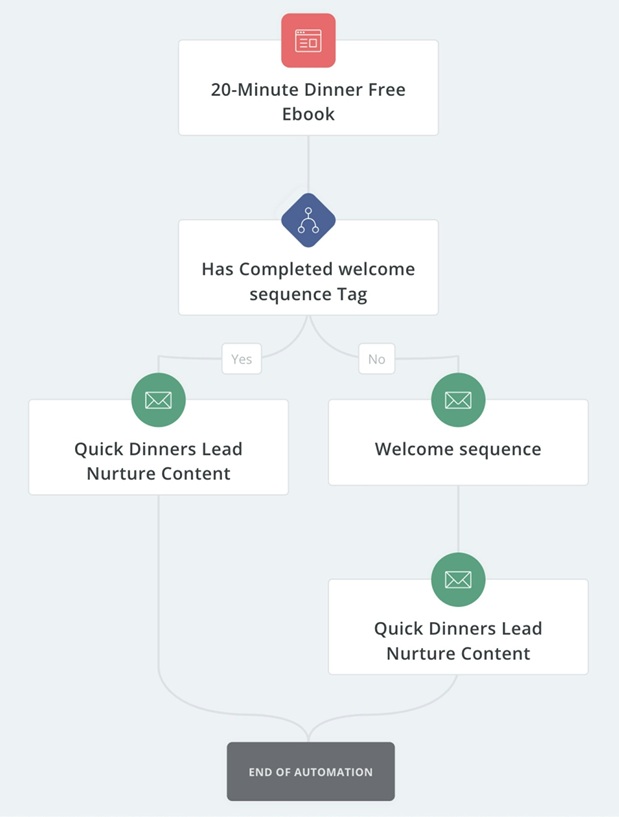
Creator Plan costs $39 monthly at 1,000 subscribers, or $33 annual effective. Creator Pro Plan is $79 monthly or $66 annual effective. Billing uses active confirmed subscribers and may be prorated as lists grow. Integration fields and direction vary, so we recommend mapping each connection.
| Pros | Cons |
|---|---|
| Large conditional free allowance; creator-focused tags and funnels; unlimited broadcasts | Recommendation slot condition; cost rises with active subscribers; Pro Plan gates advanced tests |
| Forms, landing pages, sequences, and app ecosystem | Integration direction varies; template and reporting limits recur in reviews |
One of our user found several default incentive emails in spam. That supports testing each form, incentive, and confirmation links, although this is not a platform-wide conclusion. Domain setup, permission, and engagement remain essential.
Verdict: We recommend Kit as a creator-focused alternative choice when a creator or newsletter team will use only tagging, sequences, forms, and audience products while accepting its plan conditions. It is less convincing for deep store-event analysis or advanced reporting. Use our newsletter tools comparison and MailerLite versus Kit comparison to price the subscriber tier.
6. Brevo: send-volume economics with multichannel governance
Brevo deserves attention when you store many contacts but send less frequently. Its Free Plan allows 300 emails per day. Starter Plan begins at $9 monthly for 5,000 monthly emails, or $8.08 as an annual effective rate. Contacts, users, and add-ons still affect cost, so compare its current pricing structure with your cadence.
Brevo gives you several communication options in one place, including marketing emails, transactional messages, SMS, and WhatsApp. If you connect WooCommerce, you can sync contacts, orders, and products, install tracking, send transactional messages through SMTP, and build journeys around store activity.

However, you should keep in mind that WordPress deletions or blocklisting may not always carry over, and only the default attributes are synced. If you need more flexibility, you can use APIs, Zapier, or Make to extend your data flow and handle more advanced governance requirements.
| Pros | Cons |
|---|---|
| $9 initial price; send-volume economics; community patterns favor value | Daily free cap; add-ons can change cost; advanced workflows add complexity |
| WooCommerce data and tracking; APIs and broad connectors; multichannel operations | Deletion does not always propagate; default-field limits; suspension clarity appears in objections |
Combining marketing and transactional work increases operational value and the need for consent separation, authentication, form security, and suspension response. Research shows no universal open-rate advantage.
Verdict: We recommend Brevo as a practical alternative choice when your team wants send-volume billing and coordinated marketing plus transactional messaging. It is a weaker fit if a complex store journey needs smoother native ecommerce logic. Price API or transactional usage with our transactional email calculator and document deletion behavior before moving contact data.
7. Klaviyo: data-rich B2C retention with profile discipline
Event depth defines the case for Klaviyo: event-rich segmentation, flows, purchase behavior, and cross-channel journeys. Its Free Plan covers fewer than 250 active profiles and 500 monthly emails. First paid Email Plan is $20 monthly for 251 to 500 active profiles and 5,000 sends. You should re-confirm these prices based on your geography, when you compare plans.
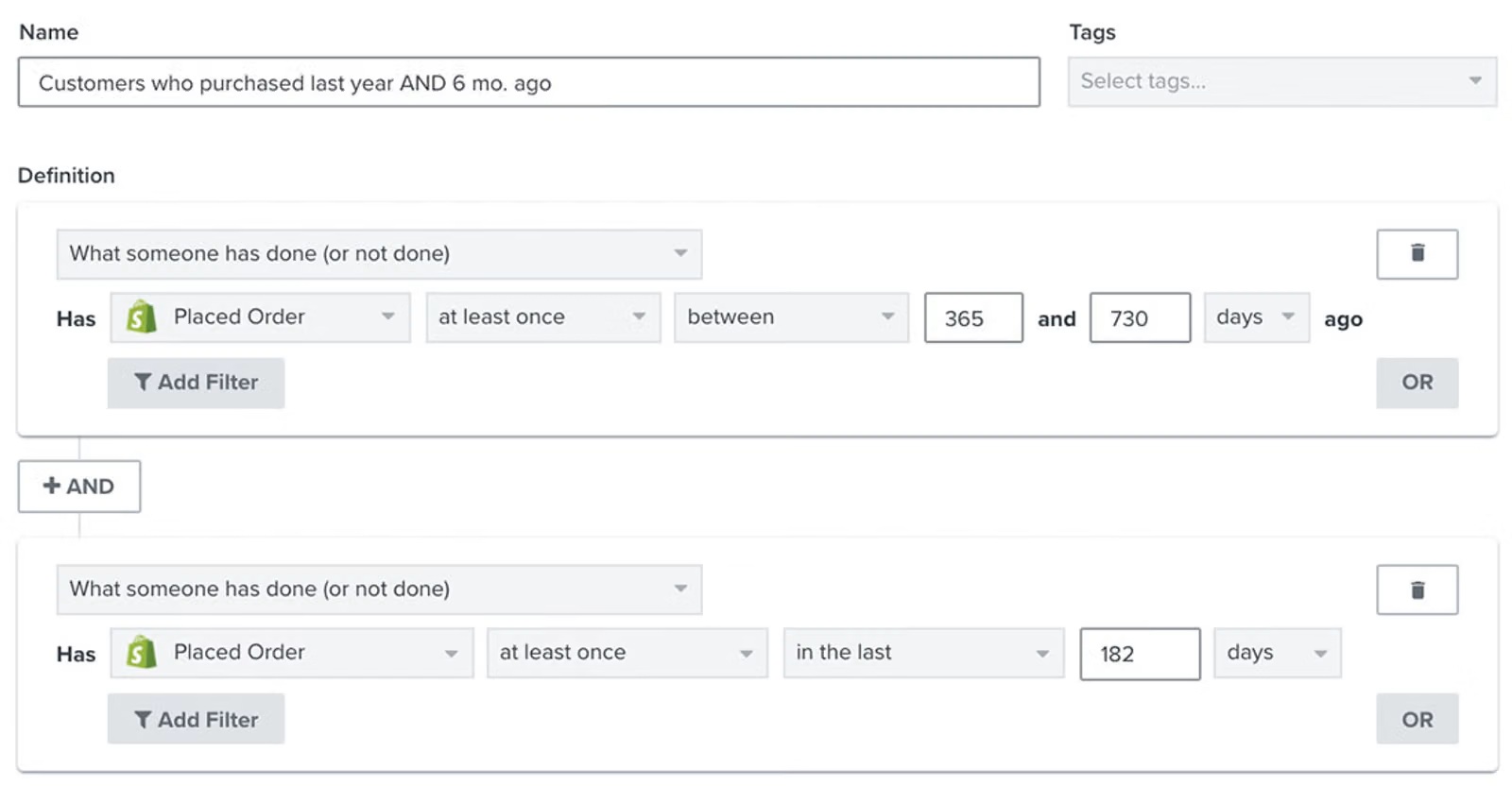
When you connect Shopify, you can sync events and profiles with Klaviyo in near real time. However, order edits do not always fully resync, and refunds or cancellations can affect your revenue reporting. You should also know that deleting a customer in Shopify does not automatically remove their Klaviyo profile. If you have reverse sync configured, Klaviyo can send selected properties and consent status back to Shopify. Because data can move in both directions, we recommend assigning clear ownership for managing profiles and keeping your data consistent.
| Pros | Cons |
|---|---|
| Rich event segmentation; advanced flows; reported Shopify strength | Profile-cost growth; setup and reporting complexity; dynamic pricing |
| Near-real-time events; reverse-sync options; retention depth | Order edits and deletion caveats; expertise required; support concerns recur |
Behavioral detail supports relevant sends, but engaged-segment discipline, authentication, consent, and profile hygiene still shape inbox outcomes. More events do not guarantee a engagement lift.
Verdict: We recommend Klaviyo as an advanced ecommerce alternative choice when a B2C team has enough customer and order data, plus staff who can maintain segments, attribution, and flows. It is easy to overbuy for low-frequency campaigns. Compare Klaviyo alternatives and ActiveCampaign versus Klaviyo if CRM lifecycle work matters as much as store behavior.
8. Omnisend: approachable ecommerce automation with channel limits
We selected Omnisend as the eighth alternative because its position itself between general email marketing tools and more advanced ecommerce platforms. You can use its prebuilt welcome, cart, and post-purchase workflows, as well as create custom no-code automations. This makes Omnisend a useful option for this shortlist, especially if you want ecommerce-focused automation without the complexity of a deeper suite.
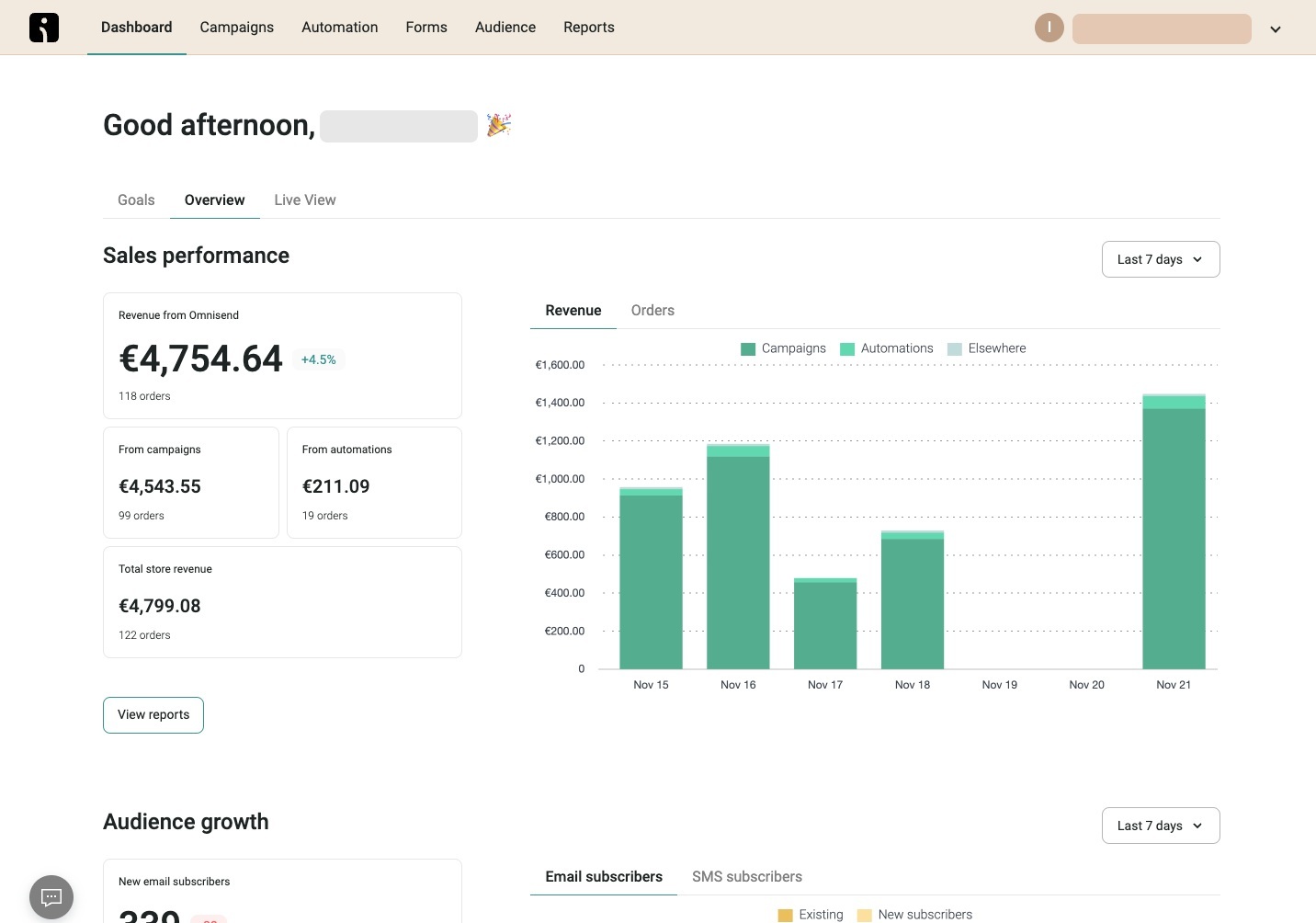
Free Plan allows 500 monthly emails to 250 contacts. Standard Plan starts at $16 with 12 monthly sends per contact tier; Pro Plan starts at $59 with unlimited email under stated terms. SMS left Standard Plan for new subscribers after May 4, 2026.
Shopify syncs customers, products, orders, and events. Initial and ongoing data have different latency windows, while onsite tracking needs the app embed. Only some Omnisend signup contacts sync back to Shopify; imports and tags also have direction or cadence limits.
| Pros | Cons |
|---|---|
| $16 ecommerce starting price; prebuilt store flows; approachable no-code workflows | Contact-tier send rule; SMS removed from Standard Plan for new subscribers; design limits |
| Shopify events and products; community patterns favor setup speed | Sync latency and direction caveats; can be excessive for simple stores; channel limits |
Prebuilt flows can reduce setup time, but permission, authentication, engagement, and list quality still govern deliverability. Templates do not guarantee open rates.
Verdict: We recommend Omnisend as a balanced ecommerce alternative choice when a store wants useful prebuilt journeys without immediately adopting deeper workflow complexity. Skip it when you only need occasional newsletters or when missing SMS on Standard Plan changes channel economics. Check Omnisend pricing and the Omnisend versus Klaviyo comparison at your contact tier.
List hygiene and inbox-placement tools support the platform
MailerCheck, Mailfloss, NeverBounce, and InboxAlly are not alternatives to Constant Contact. MailerCheck starts pay-as-you-go validation at 1,000 credits for $10; Email Insights and placement tests use 200 credits each. Mailfloss automates cleaning from $29 monthly for one integration. NeverBounce uses one credit per verification, but approved research lacks a publication-ready current price.
InboxAlly supports seed-based inbox-placement testing from $149 monthly for 100 seed emails a day and one sender. Validation, automated cleaning, and seed testing are separate workflows. Use our email list cleaning services guide to place them in sequence.

How should you read automation access and first paid price?
This chart section below compares automation depth and first payment. It does not normalize contacts, sends, users, or features.
Four-quadrant shortlist
Plot automation depth on X and entry access on Y from 1 to 5. These are not Sprout Scores. Automation spans basic sequences to advanced branching. Entry access maps monthly price: $0-$15 is 5, $16-$30 is 4, $31-$50 is 3, $51-$100 is 2, and over $100 is 1.
Budget starters
Selzy (2,5), MailerLite (3,5), Brevo (3,5)
Check whether contacts or sends define costAccessible automation
ActiveCampaign (5,4), Klaviyo (5,4), Omnisend (4,4)
Verify team capacity and data depthFocused workflow
Kit (3,3)
Confirm creator-specific adoptionAdvanced lifecycle/ecommerce
Drip (5,3)
Confirm event value can justify initial costVertical: lower to higher entry access. Horizontal: basic to deeper automation.
Read chart positions as a table
| Quadrant | Products and coordinates | Reader instruction |
|---|---|---|
| Budget starters | Selzy (2,5), MailerLite (3,5), Brevo (3,5) | Check whether contacts or sends define cost |
| Accessible automation | ActiveCampaign (5,4), Klaviyo (5,4), Omnisend (4,4) | Verify team capacity and data depth |
| Focused workflow | Kit (3,3) | Confirm creator-specific adoption |
| Advanced lifecycle/ecommerce | Drip (5,3) | Confirm event value can justify initial cost |
High X means deeper automation features; high Y means lower starting cost. Use above chart to find a tool, then validate billing and data flow. It cannot prove usability, deliverability, or return.
First-paid-plan price bars
| Alternative | Monthly starting price | Bar value |
|---|---|---|
| Selzy | $7 | 7 on a scale ending at 39 |
| Brevo | $9 | 9 on a scale ending at 39 |
| MailerLite | $12 | 12 on a scale ending at 39 |
| Omnisend | $16 | 16 on a scale ending at 39 |
| ActiveCampaign | $19 | 19 on a scale ending at 39 |
| Klaviyo | $20 | 20 on a scale ending at 39 |
| Drip | $39 | 39 on a scale ending at 39 |
| Kit | $39 | 39 on a scale ending at 39 |
This chart does not represent equal contacts, sends, users, or features. Annual effective figures are Selzy $5.25, Brevo $8.08, MailerLite $10.80, ActiveCampaign $15, and Kit $33. Klaviyo covers 251 to 500 profiles and 5,000 sends; refresh its selector when you compare plans. Lower bars mean lower starting price only. This chart does not identify a better fit.
How should you finalize your best alternative to Constant Contact?
After comparing all eight platforms, we would not name one universal best alternative to Constant Contact. Cost, adopted features, and data readiness vary. Calculate true monthly software cost as base plan plus contact or send overage, seats, SMS or transactional use, integrations, and hygiene or placement tools. Use our email marketing ROI calculator with your analytics, keeping annual discounts separate until fit is clear.
Calculate adopted-feature cost by dividing true monthly software cost by required features your team will operate. This exposes unused breadth. Run low, base, and high list-growth cases to include future profile tiers.
Then estimate expected monthly contribution with your own data:
delivered marketing emails x click rate x conversion rate x average order value x gross margin
Subtract software, migration, and operating cost for expected net contribution. Do not borrow universal performance assumptions. Use comparable reporting windows and test a lower delivery or conversion scenario. Our guide to email marketing explains operating context, while email marketing resources support implementation.
We recommend treating migration as a separate cost line so you can account for the full effort involved. Before you move out of Constant Contact, export your fields, tags, consent timestamps, suppressions, templates, forms, and automation logic. You should also define what counts as an active or billable profile on the new platform.
For each integration, map how data moves in both directions and check deletion rules, sync delays, and consent propagation. Once everything is mapped, authenticate your domains, test your core journeys, and warm up sending in stages. We also recommend comparing attribution windows and keeping a rollback export so you have a reliable backup if you need to reverse the migration.
For free alternatives to Constant Contact, price the first paid tier at your expected six-month list size. Above Six ESPs offer conditional permanent free access, while ActiveCampaign and Drip offer trials. Free access can validate fit, but it should not decide a multiyear workflow.
Nonprofits need a separate comparison. While Constant Contact offer generous 30% eligible nonprofit prepay discount, so you should compare donation or CRM integration, users, support, send scale, and consent reporting. Teams comparing Mailchimp along Constant Contact alternatives, you should use our Mailchimp alternatives and affordable email marketing options.
Our final step is simple: shortlist two products by billing fit and workflow, rebuild one high-value journey in each trial or free plan, and score migration effort before signing an annual plan. MailerLite or Selzy suit accessible general email campaigns, Brevo send-volume operations, Kit creators, ActiveCampaign CRM lifecycle work, and Drip, Klaviyo, or Omnisend ecommerce. This gives your team a reasoned choice without ranking services like Constant Contact universally.
FAQs about Constant Contact alternatives
What are the best Constant Contact alternatives in 2026?
MailerLite and Selzy fit budget email; ActiveCampaign fits lifecycle CRM; Kit fits creators; Brevo fits send-volume work; Drip, Klaviyo, and Omnisend fit ecommerce.
Is there a free alternative to Constant Contact?
Yes. Six have permanent free access, but contact, send, feature, and plan conditions differ.
Which Constant Contact alternative is best for nonprofits?
For alternatives to Constant Contact for nonprofits, compare donation or CRM flow, users, support, sends, and paid growth against its eligible discount.
Is MailerLite or Brevo cheaper than Constant Contact?
MailerLite starts at $12 monthly and Brevo at $9. Brevo emphasizes email sends; MailerLite bills active subscribers, so usage decides cost.
Which alternative is best for ecommerce email automation?
Klaviyo and Drip suit advanced events; Omnisend offers approachable prebuilt flows; MailerLite can cover simpler store journeys.
Can I migrate Constant Contact automations and subscriber consent data?
Yes, but automation logic, consent, suppressions, deletions, and integration direction need manual verification and staged testing.
Do email platforms change deliverability and open rates?
Features support relevance, but no platform guarantees results. Permission, authentication, list quality, content, engagement, and sender reputation remain decisive.
- 03 Feb 2026 – Sprout Index updated
How do we evaluate email marketing tool?
Manual testing is the process that goes beyond just ticking boxes. Our team start by defining clear testing objectives based on the intended use of email marketing tools and platforms. Each tools undergoes a rigorous user experience analysis, where we simulate real-world scenarios to gauge performance, usability, and reliability.
We pay special attention to the integration capabilities, data security, and compliance standards of the MarTech vendor. This hands-on 25 test-point approach allows us to uncover nuances that automated testing might miss, providing a more holistic understanding of the tools.
How do we evaluate and benchmark email marketing service effectively?
Our evaluation process is data-driven and multi-dimensional. Our team analyze tool performance metrics against industry standards and similar product platforms.
Key performance indicators (KPIs) are meticulously examined, including ease of use, customization options, scalability, customer support effectiveness, and innovation. We also incorporate user feedback to ensure our benchmarks reflect actual user experiences and expectations.
This comprehensive method ensures a fair and effective comparison of the email marketing services.
How accurate are these comparisons and alternative suggestions of the email marketing tools?
We pride ourselves on the accuracy of our comparisons and suggestions. Our team expertise, combined with advanced analytics tools, ensures that our data is both current and relevant. We constantly update our database with the latest market trends and user feedback, which helps us provide accurate and timely recommendations.
However, it’s important to remember that each business has unique needs, and our suggestions are a starting point for their decision-making process.
Why email marketing tool buyers trust Sprout24 reports and analysis?
Our reputation for trustworthiness stems from our commitment to impartiality and depth of research. We do not just skim the surface; we go deep into each email marketing tools and service capabilities and shortcomings.
Our reports are comprehensive, easy to understand, and transparent, explaining not just what we recommend but why. This transparency and thoroughness are why email marketing tool buyers trust our reports.
Our FTC Disclosure explains the sources of funding and revenue of Sprout24 platform; this enables us to curate straightforward and unbiased reviews.
How these reports help in reducing the time to purchase a email marketing platform?
Our reports and guides significantly reduce the time to purchase by providing clear, concise, and comparative information. Email marketing tool buyers don’t have to spend countless hours researching; they can find all the necessary information in one place.
Our Sprout scoring system, user reviews, and feature comparisons simplify the decision-making process, enabling buyers to make informed choices quickly.
How effective is the scoring system and help email marketing service buyers in making fast decision?
Sprout Score Scale of 0–10 rating is crafted to provide a quick, yet detailed view of a platform overall standing in various categories.
This scoring system, backed by in-depth contextual data analysis, allows email marketing service buyers to immediately gauge suitability of the tool / service for their needs. It simplifies complexity and enables fast, informed decisions, which is crucial in the fast-paced world of business.


