Sreeram

New creators rarely struggle to find software. One app removes a watermark, another raises an export limit, and a third promises faster research. Soon, you are paying for three products that generate similar drafts while still copying files between them. That pressure grows when publishing is inconsistent and income trails subscription costs. The safest starting point is a small workflow built around what you publish, where you distribute it, and which repeated task wastes time.
Paid plans can be worthwhile, but only after a clear boundary appears. A creator making two short videos each month may need CapCut Free account, not a full video stack. A newsletter platform creates a different decision because MailerLite prices by active subscriber while Kit offers a larger free subscriber allowance with automation limits. Seats, channels, credits, and subscribers grow at different speeds.
This guide compares tools for content creators by one practical question: what changes after you pay?
We checked official plan information available on August 1, 2026, then separated vendor facts from attributed reports from our inhouse team. We also checked overlap, setup, data flow, rights, and likely review work. That lets you choose a paid plan for a verified bottleneck instead of a broad feature list. You can browse our wider software review directory when your workflow needs a category outside this list.

How we compared these content creation tools?
Our review uses four checks. Official documentation controls price, limits, exports, integrations, and billing. Attributed reports identify possible friction, but one sample does not establish prevalence. We check overlap before recommending payment.
“Tested this month” means buying claims, price context, workflow fit, and evidence boundaries were checked for this August 2026 update. It does not mean Sprout24 completed a new hands-on test of every tool. Prices are USD, taxes can apply, and logged-in checkout prices can differ. Report a correction if a plan changes. Our review methodology explains how evidence and category context affect an evaluation.
Fast comparison: which tool solves which creator job?
| Tool | Creator job | Free entry | Pay when | Cost grows by |
|---|---|---|---|---|
| Canva | Recurring visual design | Yes | Resize, background removal, or brand controls recur | Person/year |
| CapCut | Quick short-form edits | Yes | Premium assets, AI, storage, or teamwork recur | Flat subscription |
| Gamma | Decks and lightweight pages | Yes | Branding, analytics, API, domains, or credits matter | Credits and seat |
| MailerLite | Straightforward email ownership | Yes | More than 250 active subscribers or deeper automation | Active subscribers |
| ChatGPT or Claude | Writing and research support | Yes | Limits, projects, integrations, or admin block work | User |
| HeyGen | Avatar and localized video | Yes | Longer, higher-quality, or frequent output | Credits and seats |
| Kit | Creator newsletter commerce | Yes | More automations, sequences, integrations, or reporting | Active subscribers |
| Surfer SEO | Recurring search optimization | No | Regular publishing needs paid documents | Flat subscription |
| InVideo | Prompt-to-rough-cut video | Yes | Watermark-free export or more generation | Credits |
| Notion | Editorial planning | Yes | History, files, permissions, or AI block work | Member |
| Google Trends | Relative demand research | Yes | No standard paid trigger exists | Free |
| Buffer | Social scheduling | Yes | More channels, queue, approvals, or analytics | Channel |
| Calendly | Booking and payments | Yes | More event types, calendars, reminders, or integrations | Seat |
Use this tool to build a three-tool starter stack
Visual creation tools: Canva and Gamma
1. Canva: best for repeat graphics without a design system
Canva takes you from a template to branded graphics, resized variants, exports, collaboration, and social scheduling. Cloud brand libraries reduce setup time. Free plan costs $0. Pro plan costs $144 per year for one person and adds premium assets, background removal, resizing, 100GB storage, and stronger brand controls. Business plan costs $250 per person per year and adds team administration plus larger brand and AI allowances. Our Canva alternatives guide covers other editors.
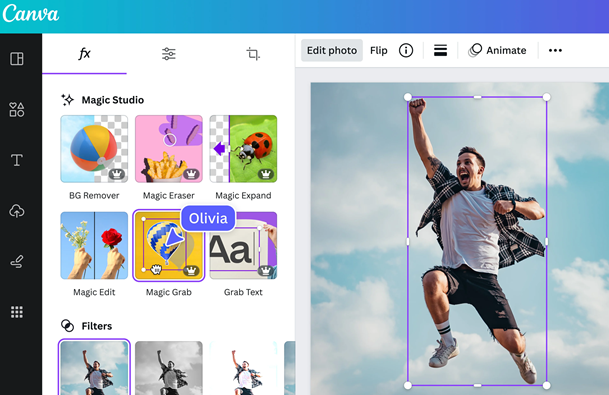
We would shortlist Pro when resizing, background cleanup, or brand consistency occurs every week. Our clients praise speed and template breadth, while report paid assets, repetitive editing work, lag, and less advanced control. You should check stock, font, upload, and generated-image rights. Choose Canva for repeat social assets; remain on Free for occasional posts.
2. Gamma: best for a fast first deck or lightweight page
Gamma fits a different visual job: turning a prompt or outline into card-based presentations and lightweight pages. Free plan allows up to 10 slides per prompt and exports to PDF, PPTX, PNG, and Google Slides. Plus plan removes Gamma branding. Pro plan adds custom branding and fonts, analytics, API access, and up to 10 domains; Ultra plan raises AI access and supports up to 100 domains.
Our users reports fast first drafts and browser sharing, alongside restrictive customization, export cleanup, factual errors, and support concerns. Also you should check AI generated claims; prompts and files pass through a cloud workspace. Shortlist Gamma for repeat decks needing branding, analytics, or domains. Skip payment for rare presentations.
| Product | Useful strengths | Limits to test | Conditional recommendation |
|---|---|---|---|
| Canva | Fast templates; broad asset library; collaboration and scheduling | Paid assets; less advanced control; licensing review | Pay when recurring resize, background removal, or brand work removes a real step. |
| Gamma | Rapid deck drafts; broad exports; browser sharing | Checkout price unavailable; credit limits; claim checks and export cleanup | Pay when repeat publishing needs branding, analytics, API, or domains. |
Another tool, Remove.bg handles batch or API background removal. Free previews exist and one credit generally covers one high-resolution image or 50 API previews. Canva Pro duplicates this task for many creators; compare visual alternatives before paying. Gemini Nano Banana offers limited free image generation and editing; Google AI Pro is $19.99/month and Ultra $200/month. Check quotas, likeness rights, text accuracy, and disclosure.
Writing and search research tools: ChatGPT or Claude, Surfer SEO, and Google Trends
3. ChatGPT or Claude: choose by limit friction, not feature count
Both services support drafting, critique, research, files, and project work. Start with source material and audience constraints, move through outline and draft, then finish with fact checking in your editorial system. ChatGPT Plus and Claude Pro each cost $20/month. ChatGPT Business generally costs $25 per user monthly or $20 annually with a two-seat minimum. Claude Team costs $30 per member monthly or $25 annually with a five-member minimum; Claude Max tiers cost $100 or $200 monthly.
For a solo creator, I would compare both free entries on representative work and note where limits interrupt completion. Paid choice should remove repeated capacity or workflow friction. Team plans are different purchases because minimum seats and data controls differ. API use is billed separately.
4. Surfer SEO: best when search production is already recurring
Surfer becomes relevant after search publishing is a recurring process. It analyzes a target search result set, creates a brief, and provides on-page recommendations while you write. Current plans are Discovery at $49/month, Standard at $99, Pro at $182, and Peace of Mind at $299. Document and higher-level search visibility allowances vary. Google Docs and WordPress integrations also depend on plan.

Our clients value its search-result and language guidance, but they usually warns against mechanical compliance and cite price plus learning effort. Choose Surfer when a recurring search calendar and brief process exist. Otherwise, use basic research and monitor performance.
5. Google Trends: free directional evidence for every stack
Google Trends compares sampled, anonymized, aggregated search interest. Values are normalized by time and location, then scaled from 0 to 100. They are not exact monthly volume or poll results; low-volume queries can show zero or noise. Select topic versus exact term, geography, time range, and search surface, then inspect related and rising queries. CSV exports require attribution.
That relative scale sets the boundary: Trends helps choose timing, language, and direction, but cannot size a business case alone. It is free for public exploration, although associated BigQuery use can create cloud fees beyond free allowances. Keep it in a starter workflow and pair it with editorial judgment.
| Product | Useful strengths | Limits to test | Conditional recommendation |
|---|---|---|---|
| ChatGPT or Claude | Broad writing and file workflows; free entry; $20 solo paid option | Inaccurate output; changing limits; separate API bills | Pay only when one service repeatedly blocks a verified workflow. |
| Surfer SEO | Structured briefs; search-result comparison; integrations | No free entry; document limits; mechanical use can weaken writing | Buy for consistent search production rather than occasional posts. |
| Google Trends | Free; directional interest; related queries and exports | Relative 0-100 scale; sampling and noise; no exact volume | Use before paid research, with its limits stated. |
Video creation tools: CapCut, HeyGen, and InVideo
6. CapCut: best for quick vertical edits
For quick vertical edits, CapCut supports import, timeline editing, automatic captions, effects, music, resizing, and social exports across phone and desktop workflows. Free is usable. CapCut gives $19.99/month or $179.99/year as a US Pro reference, but official help says final pricing varies by region, device, and promotion. Inspect logged-in checkout before subscribing.
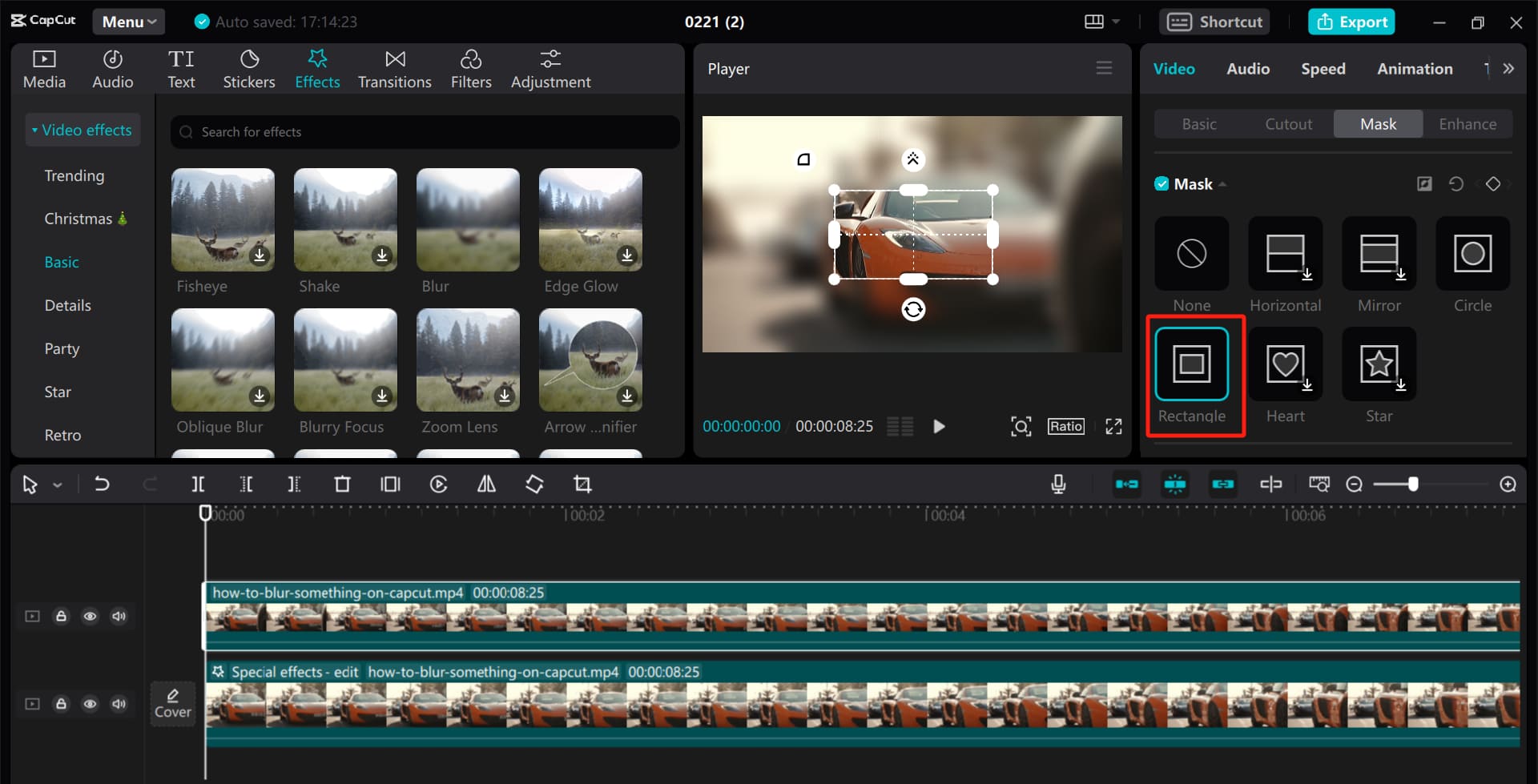
Our users report price increases, device friction, and features moving behind Pro. A recent meeting with our user discussion contrasts its simpler workflow with professional editors. Test device mix, effects, cloud storage, and client-use rights. Choose Pro when premium assets, AI tools, storage, or collaboration recur. Keep Free for basic short-form output. Review music, face, footage, and campaign terms before publishing through social media tools.
7. HeyGen: best for repeat presenter and localization work
Presenter and localization work create a different buying test. HeyGen starts with an avatar and script, then generates presenter video or localized versions. The workflow includes consent, generation, lip-sync and translation review, then export. Free allows three short videos per month. Creator costs $29/month, Pro $49, and Business $149 plus $20 per additional seat. Premium generation consumes credits. Business adds API and integrations; scripts, voices, avatars, and output remain cloud-hosted.
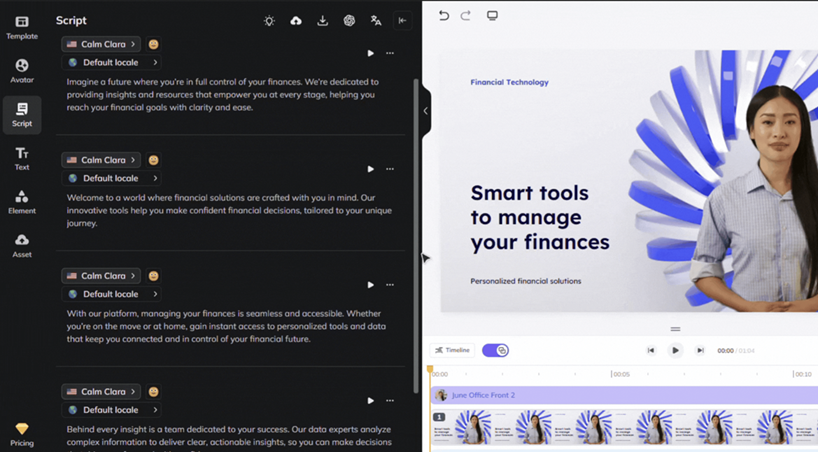
Our clients values avatar realism and speed but reports credit-consuming revisions and support issues. Our teammates usually warn that broad unlimited wording excludes unlimited premium avatar or translation use. Choose HeyGen for repeat presenter output across languages, not cinematic environment control. Digital twins and cloned voices require written consent and secure source footage. Our social scheduling platform guide covers distribution.
8. InVideo: best for prompt-to-rough-cut production
InVideo accepts a prompt or script, generates a stock or generated rough cut, and lets you replace clips, correct narration and captions, then export into a social publishing workflow. Official help gives monthly references of Plus $35, Max $60, and Generative $120. Credits reset monthly and do not roll over. Cost depends on provider, quality, revisions, and accepted output.
A few of our clients did comparison and reported the fastest usable rough cut among five tested services, but also stock-footage feel and one failed export. This single self-reported test is not a general performance claim. We would judge payment by cost per accepted final video, not by generated volume. Choose InVideo when rough-cut speed is valuable and manual cleanup is budgeted. Uploaded media and prompts can move through external generation services, so map data flow before sensitive work.
| Product | Useful strengths | Limits to test | Conditional recommendation |
|---|---|---|---|
| CapCut | Fast short-form editing; capable free tools; captions and effects | Region-variable price; device and feature gates; rights review | Pay when premium or collaboration needs repeat on your actual devices. |
| HeyGen | Avatar speed; localization; voice and presenter workflows | Credits limit premium use; revision cost; consent risk | Pay for repeat localized output when formal consent is in place. |
| InVideo | Fast rough cuts; stock and generated media; cloud workflow | Non-rollover credits; variable provider cost; cleanup and export risk | Buy after a representative project proves enough accepted output. |
DaVinci Resolve 21 is the local professional alternative. Free supports listed 8-bit formats up to UHD 3840×2160 at 60fps. Studio is a one-time $295 and adds AI tools, effects, 10-bit up to 120fps, and beyond-4K support. Our clients highlights learning cost. OpusClip repurposes long video: Free has 60 credits, Starter is $15/month for 150, and Pro is $29/month or $174/year with 3,600 annual credits. One imported minute normally costs one credit. We suggest to make human review essential before a social distribution purchase.

Audience ownership engagement tools: MailerLite and Kit
9. MailerLite: best for an accessible email starting point
MailerLite is the lower paid-entry option in this email pair. It combines forms, landing pages, campaigns, segmentation, and automation. Setup means verifying a sender and domain, importing consented contacts, publishing a form, then building campaigns and automations. It supports more than 100 integrations; API and MCP sending are limited on Free. Official pricing states Free covers 250 active subscribers and 2,500 emails per month, Comfort starts at $12/month, and Power starts at $25/month. Paid tiers increase automatically with active subscriber count, and an address active during a billing cycle can count.
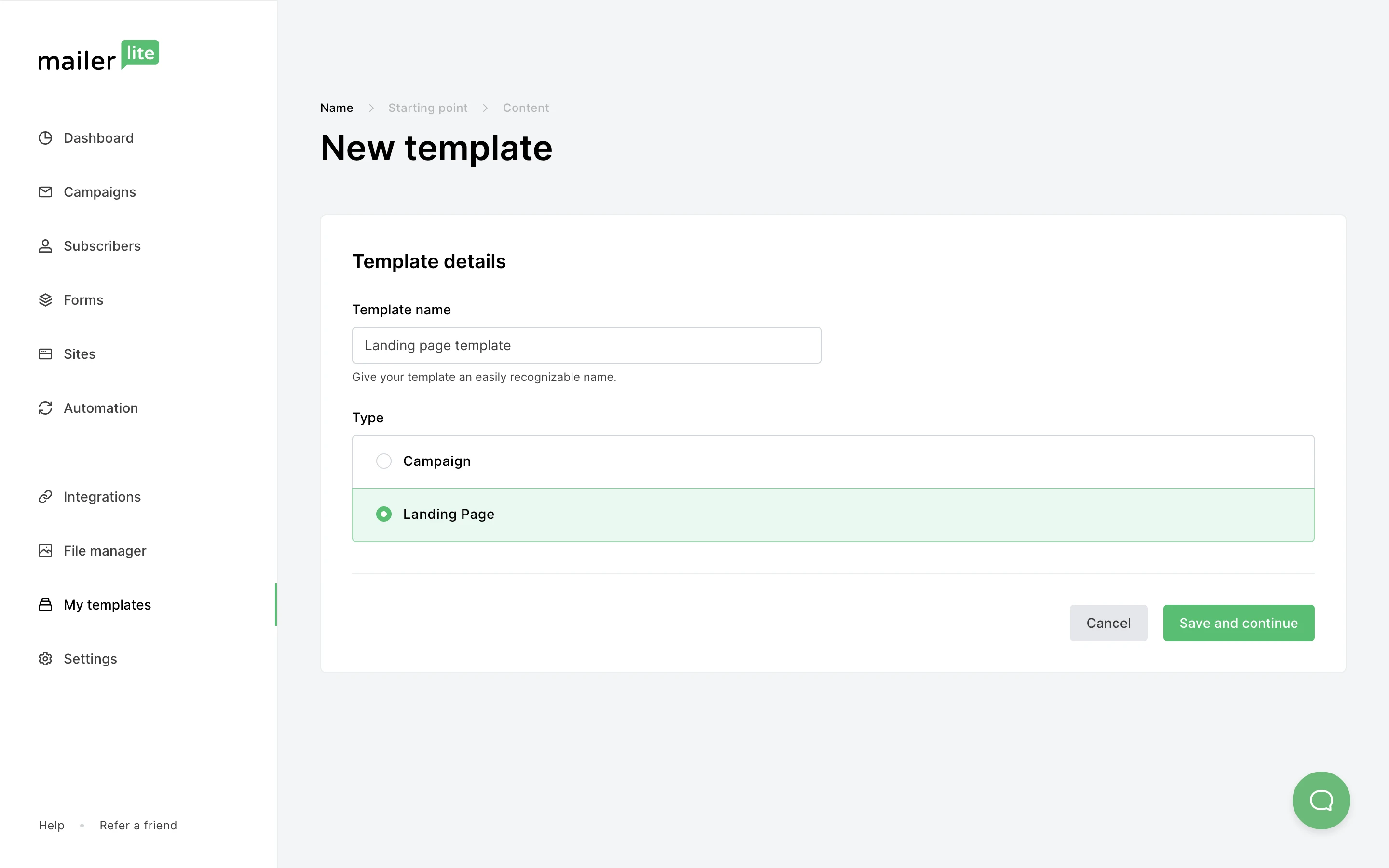
Our common users usually praises editors, segmentation, automation, and handoff, while reporting approval delays, slow UI, limited CRM/reporting, and poor economics for infrequent senders. Choose MailerLite when a small list needs forms and automations. Its exact Sprout Score is 9.1/10. Read our MailerLite review for context.
10. Kit: best for newsletter-led creator commerce
Kit connects forms, broadcasts, tags, sequences, automations, and digital-product sales. Paid apps and integrations move subscriber and purchase data across services. Its newsletter workflow is free for up to 10,000 active subscribers, but includes one basic automation and a Kit-managed recommendation slot. At 1,000 subscribers, Creator starts at $39 monthly or $33 equivalent annually. Pro starts at $79 monthly or $66 equivalent annually. Prices rise with active subscribers.
That free ceiling looks generous, yet paid triggers can appear early when you need multiple sequences, unlimited visual automations, branding removal, integrations, scoring, referral tools, reporting, or collaboration. Treat subscriber and purchase records as first-party data with clear consent and exports. We would choose Kit when creator sales and automation are central; MailerLite fits when accessible campaign building and lower starting paid prices matter more. Kit has an exact Sprout Score of 7.9/10. Our Kit review adds more context.
| Product | Useful strengths | Limits to test | Conditional recommendation |
|---|---|---|---|
| MailerLite | Simple editors; forms and landing pages; practical automation | 250-subscriber free ceiling; active-list auto tiering; reported approval and CRM limits | Shortlist for an early paid plan when straightforward automation matters. Score: 9.1/10. |
| Kit | 10,000-subscriber free ceiling; creator sales; tags and sequences | Free automation and branding gates; recommendation slot; subscriber cost growth | Shortlist when newsletter commerce needs deeper automation. Score: 7.9/10. |
Compare future list size, required sequences, and revenue path, not only current free limits. Use our MailerLite vs Kit comparison and newsletter tools overview before migrating contacts.
Planning, publishing, and booking tools: Notion, Buffer, and Calendly
11. Notion: best for a flexible editorial workspace
A flexible editorial workspace only helps when someone maintains it. Notion can hold an ideas database, editorial calendar, linked briefs, assets, templates, and production views. Free costs $0, Plus $10 per member monthly, and Business $20 per member monthly. AI access on Free and Plus is trial-limited, and separate workspaces can have separate plans. Plus becomes reasonable when collaboration, uploads, history, and permissions block a workflow; Business is tied to broader AI, integrations, and organizational controls.
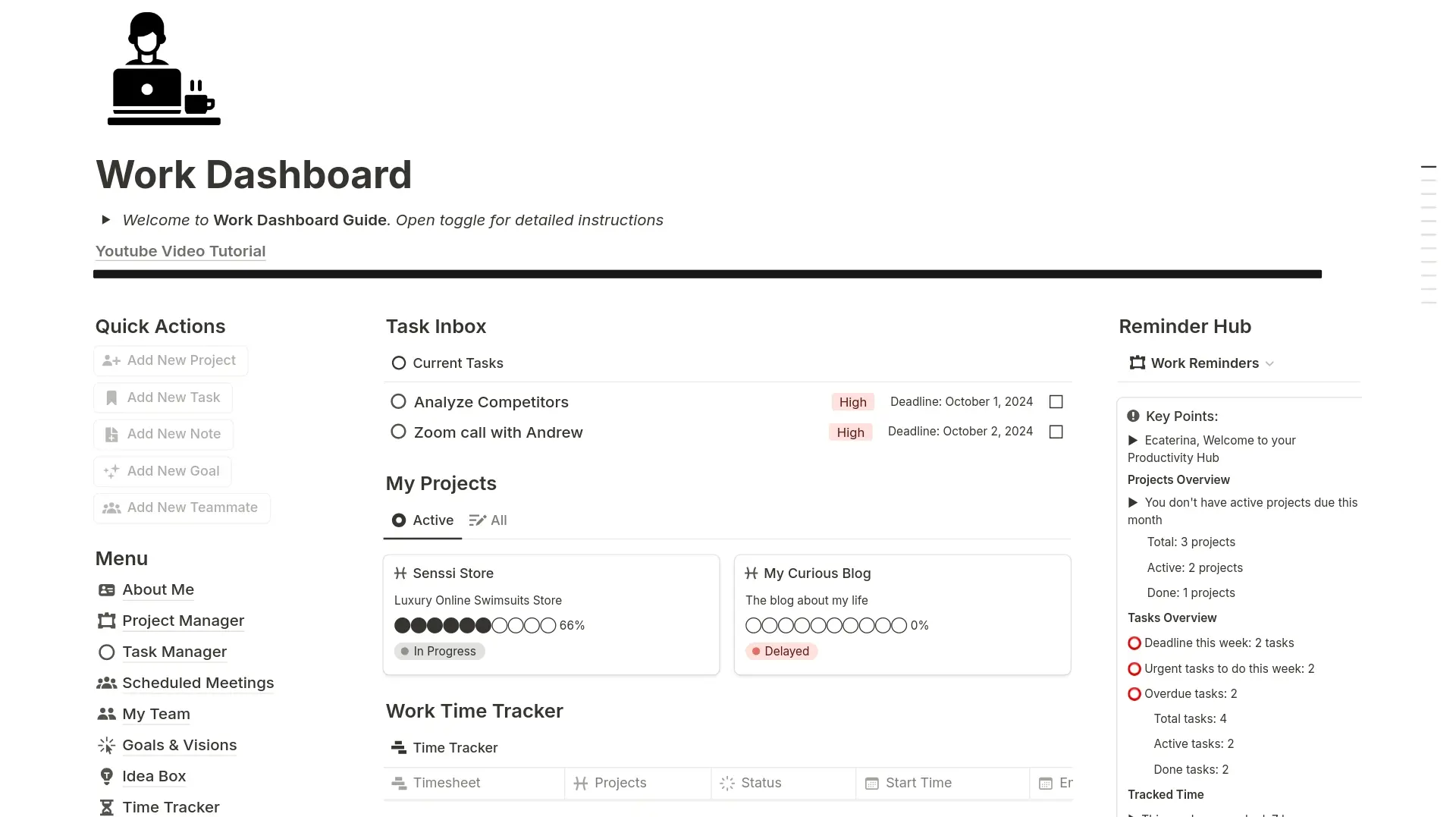
Our team-mates praise linked databases and consolidation, but report learning effort, governance work, large-page slowdown, and offline limits. Audit guests, public links, integrations, and AI processing. Choose Notion when one maintained workspace replaces scattered briefs. Skip payment if a spreadsheet or content management system covers planning.
12. Buffer: best for a small, consistent social queue
Buffer makes most sense after manual posting becomes inconsistent. It connects social channels, holds ideas and drafts, adapts posts per network, schedules a queue, and reports basic performance. Free allows three channels and 10 scheduled posts per channel, with a lifetime limit of eight unique channel connections. Essentials costs $6 per channel monthly for channels one through ten; Team costs $12 per channel monthly. Annual equivalents are $60 and $120 per channel.
Our sample value simple scheduling, while reporting failed posts, basic analytics, and cost growth across channels. Count every channel. Team pays for approvals and unlimited users, not queue space. Restrict permissions and disconnect abandoned accounts because connected tokens can publish. Choose Buffer when a reliable queue replaces manual posting. Our social media tools review covers alternatives.
Postbeam fits a more specific publishing workflow: LinkedIn content for founders, B2B creators, and teams. It combines AI-assisted drafting, scheduling, approval workflows, and engagement tracking in one workspace. Posts can be drafted in an individual writing style, while engagement data helps identify relevant contacts based on job role, company, and audience fit. Solo plan costs $49/month, while Team starts at $39 per connected account monthly with a two-seat minimum. Both plan offer a seven-day trial. Unlike general social schedulers, Postbeam focuses on LinkedIn rather than multiple networks. Check whether its lead-tracking features justify the added subscription.13. Calendly: best when booking supports revenue or collaboration
Booking software earns its place when calls support revenue or coordination. Calendly connects calendars, applies availability and buffers, publishes a booking link, and can collect routing answers or payments on eligible tiers. It connects to video meetings, payment services, automation tools, and CRM systems by plan. Free includes one event type and one connected calendar. Annual Standard costs $10 per seat monthly, Teams $16, and Enterprise starts at $15,000 per year.
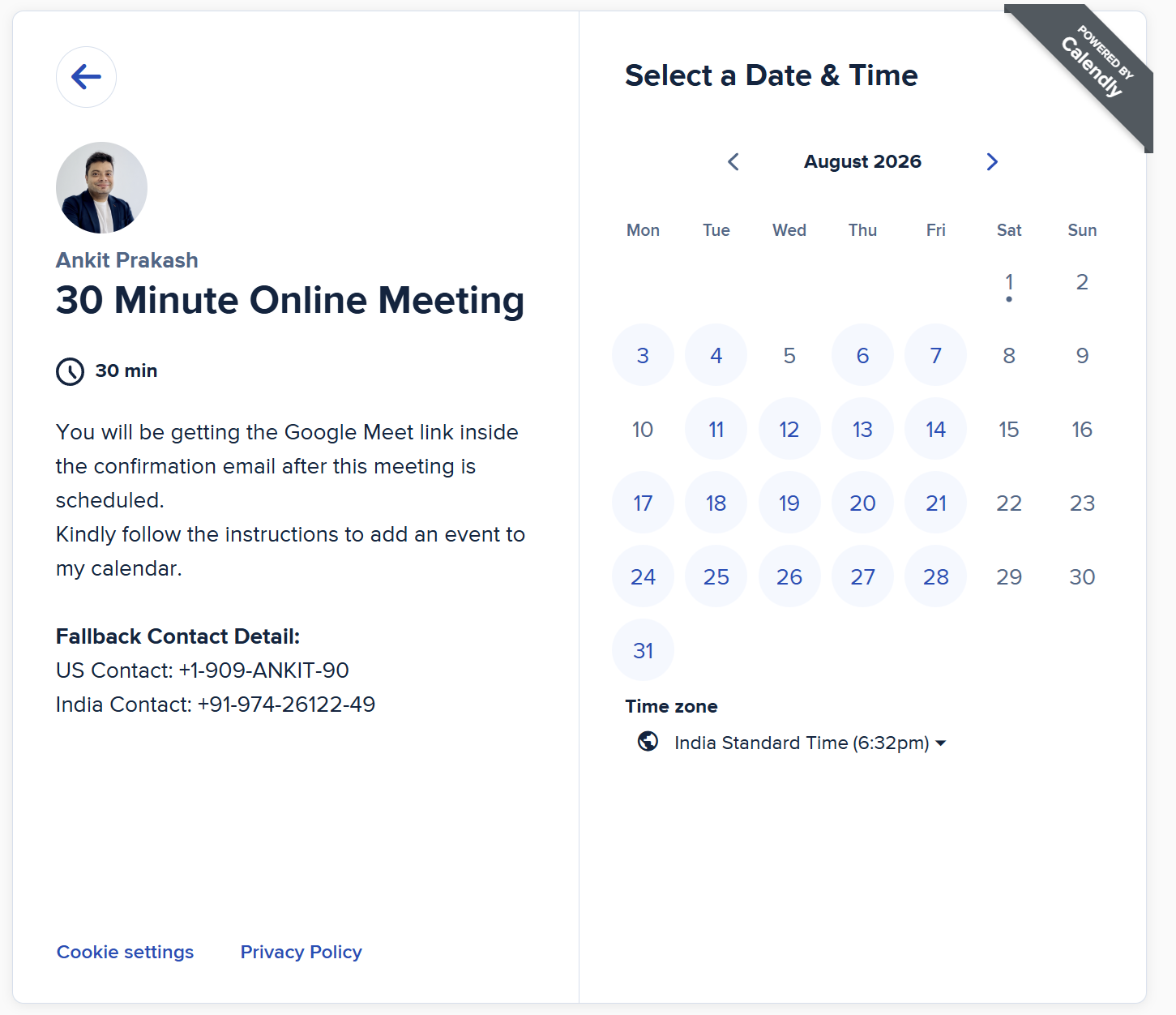
We observe time saved and useful timezone handling, alongside routing and CRM gates, sync issues, and support delays. Standard is the trigger for multiple event types or calendars, payments, reminders, and webhooks. Teams suits routing and round robin. Minimize invitee data and private calendar detail. Google Calendar is a lower-overhead alternative for simple booking. Workspace annual standard rates are $7, $14, and $22 per user monthly for Starter, Standard, and Plus; it overlaps with Notion, Calendly, storage, Docs, and Meet.
| Product | Useful strengths | Limits to test | Conditional recommendation |
|---|---|---|---|
| Notion | Flexible databases; templates and views; consolidated briefs | Learning and governance burden; offline and performance limits | Pay when team history, files, permissions, or advanced connections remove a block. |
| Buffer | Simple scheduling; per-network adaptation; clear queue | Per-channel cost compounds; failed-post reports; basic listening | Pay after counting channels and defining approval needs. |
| Calendly | Timezone handling; reminders; payment and routing options | Free limits; per-seat charge; routing and CRM gates | Choose Standard for several call types or paid booking needs. |
Detailed paid-plan decision table
| Tool group | Upgrade trigger | Billing risk | What testing can expose | Privacy or rights check | Lower-overhead option |
|---|---|---|---|---|---|
| Canva/Gamma | Branding, resize, analytics, API, or volume repeats | Seat or credits | Whether occasional output justifies payment | Do you hold asset and upload rights? | Free plan or Remove.bg for batch cleanup |
| ChatGPT/Claude/Surfer | Limits or recurring search briefs block delivery | Seat or document allowance | Whether an editorial process exists first | Is client material in the correct workspace? | Free assistant plus Google Trends |
| CapCut/HeyGen/InVideo | Premium export or repeat generation is accepted | Flat fee or expiring credits | Generated volume versus publishable output | Are music, faces, voices, and footage cleared? | CapCut Free or DaVinci Resolve Free |
| MailerLite/Kit | List size, automation, branding, or integrations block growth | Active subscribers | Inactive contacts and sequence limits | Is consent and purchase data governed? | Free newsletter plan |
| Notion/Buffer/Calendly | Team history, channel count, approvals, or booking rules grow | Member, channel, or seat | Overlap with Workspace functions | Are guests, tokens, and calendar details restricted? | Spreadsheet, native posting, Google Calendar |
Finally solving buying friction across 13 creator led tools
Key: Seat Flat subscription Credits Subscribers Free Channel
| Tool | Workflow stage | Free entry | Billing unit |
|---|---|---|---|
| Canva | Visual | Yes | Seat |
| CapCut | Short-form video | Yes | Flat subscription |
| Gamma | Presentation | Yes | Credits |
| MailerLite | Yes | Subscribers | |
| ChatGPT or Claude | Writing | Yes | Seat |
| HeyGen | Avatar video | Yes | Credits |
| Kit | Yes | Subscribers | |
| Surfer SEO | Search | No | Flat subscription |
| InVideo | Generated video | Yes | Credits |
| Notion | Planning | Yes | Seat |
| Google Trends | Research | Yes | Free |
| Buffer | Publishing | Yes | Channel |
| Calendly | Booking | Yes | Seat |
Rows are tools; columns show workflow stage, free entry, and billing unit. Billing colors mark categories. This chart shows workflow coverage and buying friction, not quality, value, popularity, rank, or a calculated score.
Which tools for content creators are worth paying for?
After comparing billing units and limits, our recommendation is direct: pay when a free plan fails on a representative project. Start with one creation product, one free research source, and one email platform if you collect subscribers. That might be Canva Free, Google Trends, and MailerLite Free. A short-form creator could substitute CapCut. A newsletter-first creator might choose Kit for its larger free subscriber ceiling while accepting automation and recommendation tradeoffs.
Next, record the cost unit. Buffer charges by channel, credit plans by use, and per-seat workspaces grow with collaborators. Subscriber pricing can rise when publishing slows. The graph shows those units but cannot judge output. Use a representative project, editorial review, and the cost calculator before committing.
Then remove overlap. Canva Pro may replace Remove.bg. Google Workspace may cover Docs, Drive, Meet, Calendar, and basic booking. ChatGPT or Claude may cover early drafting features, but neither replaces verification. Pay for overlap only when a specialist result or integration improves your content workflow.
Finally, choose a monthly plan first when cancellation is practical and record what the upgrade changes. Annual billing can wait until usage is stable. Review the stack every 30 days, noting usage, accepted outputs, and next trigger. If several email products remain, use the email marketing selection guide or request platform selection support. Each charge should remove a repeated constraint and remain defensible at renewal.
Frequently asked questions about content creator software
1. What tools does a new content creator actually need?
Start with one creation tool, Google Trends for direction, and one planning space. Add an email platform only when collecting consented subscribers; our email marketing resources explain that next step.
2. Which content creation tools are useful for free?
Canva, CapCut, Gamma, ChatGPT, Claude, HeyGen, MailerLite, Kit, InVideo, Notion, Google Trends, Buffer, and Calendly all have usable or limited free entries. Surfer SEO requires a paid plan.
3. When is Canva Pro worth paying for?
Pay when background removal, resizing, premium assets, brand controls, or recurring scheduling removes weekly work. Occasional creators should compare Canva alternatives and remain on free options first.
4. Is ChatGPT or Claude better for a creator workflow?
Both cost $20/month at solo paid entry. Test each free service with the same representative work, then choose based on real limit friction, file workflow, and data controls.
5. Which video tool fits short-form creators: CapCut, InVideo, or DaVinci Resolve?
CapCut fits fast social edits, InVideo fits generated rough cuts, and DaVinci Resolve fits deeper local editing. Compare accepted output and review time, then plan distribution through social media tools.
6. Should a creator choose MailerLite or Kit for an email list?
MailerLite suits accessible campaign building and lower paid entry; Kit suits creator commerce and a generous free subscriber ceiling. Use the verified MailerLite vs Kit comparison for a closer decision.
7. How can creators avoid paying for overlapping subscriptions?
Map each tool to one recurring job, note its billing unit, and cancel duplicates before annual renewal. Our email marketing cost calculator helps expose one common area of stack overlap.
No updates recorded yet.
How do we evaluate email marketing tool?
Manual testing is the process that goes beyond just ticking boxes. Our team start by defining clear testing objectives based on the intended use of email marketing tools and platforms. Each tools undergoes a rigorous user experience analysis, where we simulate real-world scenarios to gauge performance, usability, and reliability.
We pay special attention to the integration capabilities, data security, and compliance standards of the MarTech vendor. This hands-on 25 test-point approach allows us to uncover nuances that automated testing might miss, providing a more holistic understanding of the tools.
How do we evaluate and benchmark email marketing service effectively?
Our evaluation process is data-driven and multi-dimensional. Our team analyze tool performance metrics against industry standards and similar product platforms.
Key performance indicators (KPIs) are meticulously examined, including ease of use, customization options, scalability, customer support effectiveness, and innovation. We also incorporate user feedback to ensure our benchmarks reflect actual user experiences and expectations.
This comprehensive method ensures a fair and effective comparison of the email marketing services.
How accurate are these comparisons and alternative suggestions of the email marketing tools?
We pride ourselves on the accuracy of our comparisons and suggestions. Our team expertise, combined with advanced analytics tools, ensures that our data is both current and relevant. We constantly update our database with the latest market trends and user feedback, which helps us provide accurate and timely recommendations.
However, it’s important to remember that each business has unique needs, and our suggestions are a starting point for their decision-making process.
Why email marketing tool buyers trust Sprout24 reports and analysis?
Our reputation for trustworthiness stems from our commitment to impartiality and depth of research. We do not just skim the surface; we go deep into each email marketing tools and service capabilities and shortcomings.
Our reports are comprehensive, easy to understand, and transparent, explaining not just what we recommend but why. This transparency and thoroughness are why email marketing tool buyers trust our reports.
Our FTC Disclosure explains the sources of funding and revenue of Sprout24 platform; this enables us to curate straightforward and unbiased reviews.
How these reports help in reducing the time to purchase a email marketing platform?
Our reports and guides significantly reduce the time to purchase by providing clear, concise, and comparative information. Email marketing tool buyers don’t have to spend countless hours researching; they can find all the necessary information in one place.
Our Sprout scoring system, user reviews, and feature comparisons simplify the decision-making process, enabling buyers to make informed choices quickly.
How effective is the scoring system and help email marketing service buyers in making fast decision?
Sprout Score Scale of 0–10 rating is crafted to provide a quick, yet detailed view of a platform overall standing in various categories.
This scoring system, backed by in-depth contextual data analysis, allows email marketing service buyers to immediately gauge suitability of the tool / service for their needs. It simplifies complexity and enables fast, informed decisions, which is crucial in the fast-paced world of business.