
 Preeti Srivastava

Choosing email newsletter tools becomes difficult when you compare what each price covers. One platform charges by active subscribers, another limits monthly email sends, and another takes a share of paid-newsletter revenue. A low starting price can look sensible until useful segments, extra lists, or a complete welcome sequence require a higher plan.
That mismatch slows campaign work and makes forecasting harder. Old addresses raise bounce risk. An unauthenticated domain or sudden send to a dormant list can interrupt delivery, while privacy protections and automated opens can distort open rate.
During our evaluation, we kept returning to one test: can your team repeat the workflow without manual cleanup?
A signup email should enter the right segment, preserve consent, start a welcome email, and appear in reporting. Bounced and unsubscribed email addresses should stay out of future email sends. If any step requires an upgrade or export, count its add-on fees and staff time. The wrong choice shows up in duplicated contacts, missed suppressions, a sequence stopped by a plan limit, or reports your team cannot use. That is where an apparently cheap email tool becomes expensive to operate before its monthly invoice rises. This comparison follows that path before you move contacts or rebuild forms.
We checked plans and our user feedback information on and before September 17, 2026. Our review covers campaigns, forms, segments, basic sequences, hygiene, and reports. Prices use USD; you should confirm the latest price for your contacts and email sends in your own ESP account.
How We Compared Email Newsletter Platforms
Following our email marketing guide, our team compared editors, lists, segments, automation, forms, reports, integrations, delivery controls, support, and cost as one workflow. A feature list matters less when a contact cannot move from signup to suppression cleanly.
Short Answer: Best Fits by Workflow
Use this as a shortlist, not a ranking. Read best fit, allowance, paid assumption, and limit together.
| Product | Best fit | Free plan allowance | Paid starting assumption | Main limit | Sprout Score |
|---|---|---|---|---|---|
| MailerLite | Simple workflow | 250 subscribers; 2,500 sends | $12 monthly | Reduced free plan | 9.1/10 |
| AWeber | Guided setup | 14-day trial | $15 monthly | Lite caps | 6.8/10 |
| Drip | Ecommerce events | Trial | $39 monthly | Learning curve | 9/10 |
| Brevo | Selective volume | 300 sends/day | $9 monthly | Automation cap | 6.8/10 |
| SendPulse | Multiple channels | 500 subscribers; 15,000 sends | $9.60 annual equivalent | Reporting depth | Unavailable |
| beehiiv | Publisher growth | 2,500 subscribers; unlimited sends | $49 monthly | Paid-tier jump | 9/10 |
| Substack | Paid community | Unlimited publishing | $0 plus 10% revenue | Workflow limits | 9/10 |
| Kit | Creator sequences | 10,000 subscribers; unlimited broadcasts | $33 monthly | Scaling cost | 7/10 |
| Sender | Budget ecommerce | 2,500 subscribers; 15,000 sends | $7 promotional equivalent | Shared IP | 6.8/10 |
| EmailOctopus | Lean newsletters | 2,500 subscribers; 10,000 sends | $9 annual equivalent | Duplicate billing | 7.6/10 |
Use this Matrix Shortlist to Match Your Workflow
Publishing or creator, specialist to moderate
No shortlisted fit in this area.
Publishing or creator, quick launch
beehiiv, Substack, MailerLite, Kit
Campaign or commerce, specialist to moderate
Drip, Brevo, SendPulse
Campaign or commerce, quick launch
AWeber, Sender, EmailOctopus
In above matrix, horizontal axis moves from steeper setup to quick launch. Vertical categories move from campaign or commerce to creator nurture and publishing. Higher means stronger newsletter-business orientation; farther right means quicker setup. Neither measures quality.
You should choose a product family before comparing plans: Drip for commerce events, or beehiiv and Substack for publishing. Check our email marketing feature comparison.
Compare Starting Prices Without Losing the Billing Details
In the above chart, Bar length represents starting monthly cost; shorter means a lower initial fee. It cannot compare capacity, renewal, automation, or labor. Sender price detail is promotional; Substack uses revenue share based price plan. You can compare equal assumptions in our email marketing calculator.
Compare Your Shortlist Around One Real Campaign
10 Email Newsletter Tools Reviewed
The biggest differences appeared where subscriber data met a plan limit. Each review below, follows fit, data flow, price, friction, and verdict.
1. MailerLite: A Quick All-Rounder for Simple Campaigns
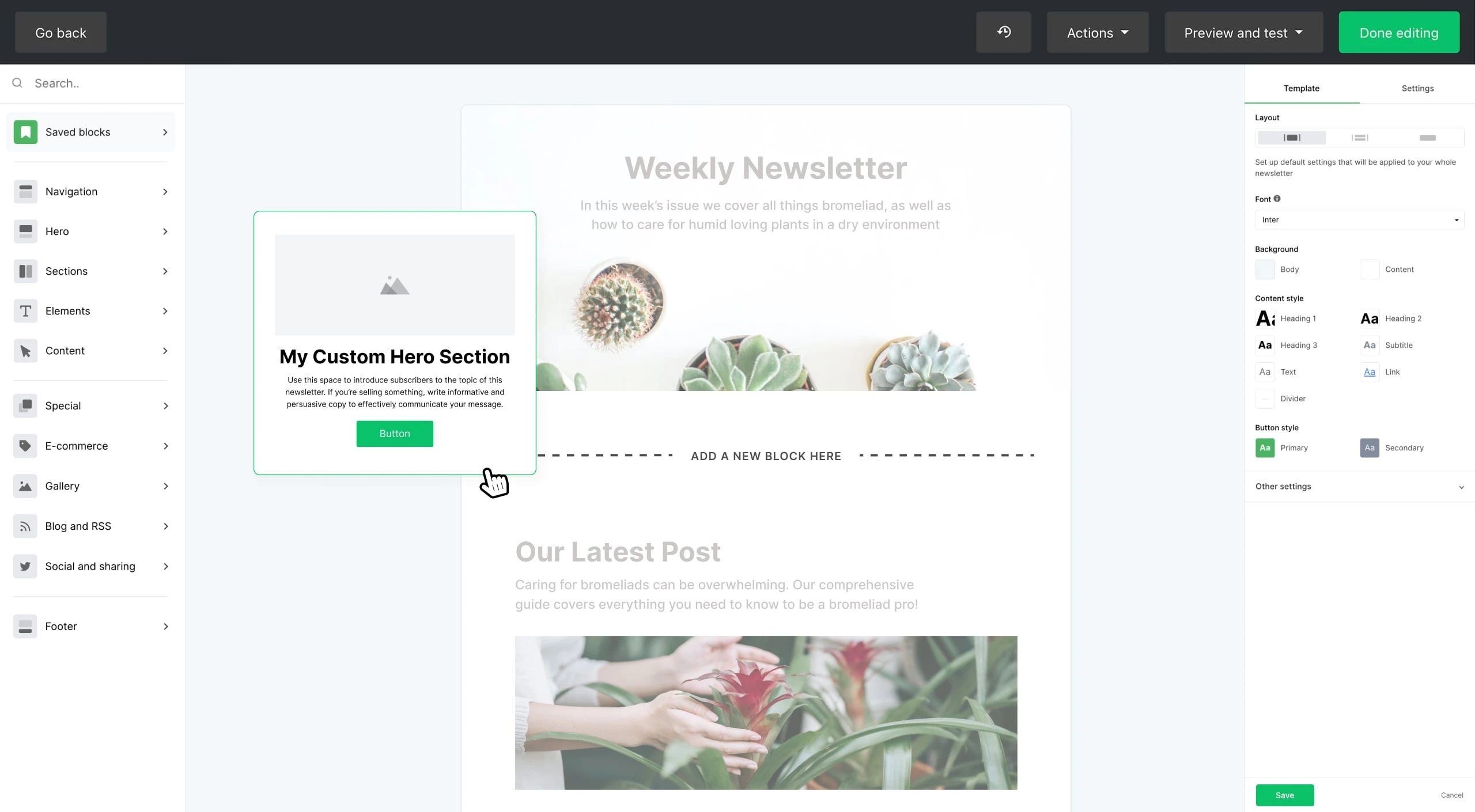
We recommend that you should shortlist MailerLite when you have a small team that need forms, newsletters, and basic sequences together. A contact enters a group, qualifies for a dynamic segment, starts a sequence, and feeds engagement reports. When paired with MailerCheck, it return verified email contacts as a new group in MailerLite.

Free plan covers 250 active subscribers and 2,500 monthly sends; $12 monthly Comfort plan covers 1,000 subscribers and 10,000 sends. We praise straightforward campaigns but a little friction with approval, editor, and analytics. Note cumulative active-contact billing and capped free automation.
Pros
- Clear editor
- useful groups and segments
Cons
- Cumulative active-contact billing
- capped free automation
Verdict: We recommend MailerLite when your team needs straightforward campaigns, basic sequences, and list-growth pages together. Test domain approval before migration, then calculate active subscribers across the full billing cycle. You may want another platform if you need a large permanent free allowance or detailed commerce data. Our MailerLite pricing analysis explains the tier details.
2. AWeber: Guided Basics When Support Matters
AWeber makes sense when guidance matters. A contact enters a list, receives a tag, starts a visual Workflow, branches on engagement, and reaches reporting. Lite plan caps lists, segments, pages, and automations.
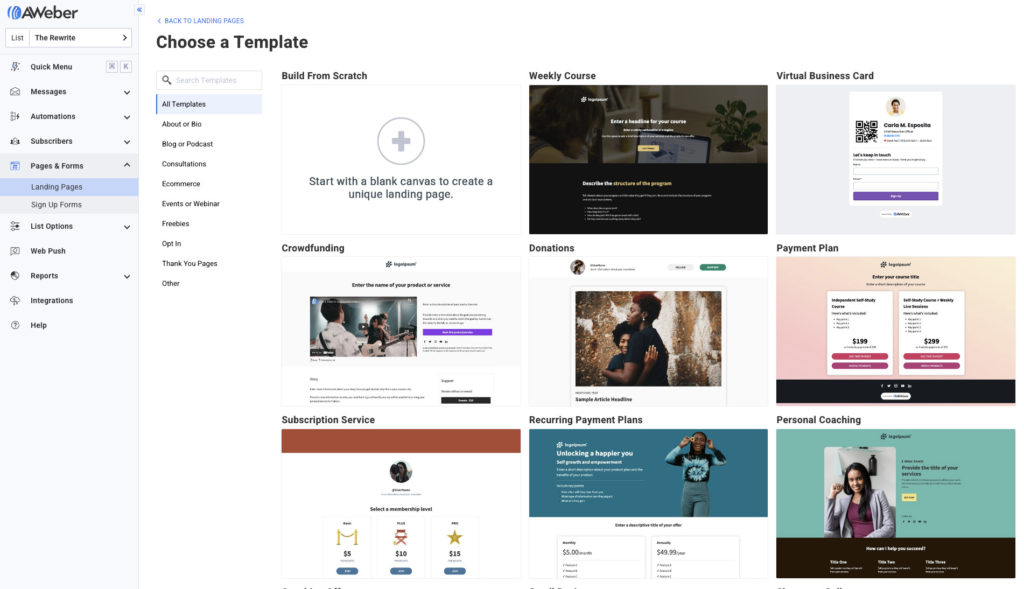
The Lite plan costs $15 per month for up to 500 subscribers and includes 5,000 email sends. Thy have14-day trial, and also has a Free plan. We observe straightforward setup and support, alongside good design and minor restrictions in Lite plan.
Pros
- Guided onboarding
- positive support reports
Cons
- Lite plan restrictions
- designs can feel out dated
Verdict: We recommend that you choose AWeber when support and a familiar email campaign workflow matter more to you than design range. During the trial, run one real import, tag, welcome email, and report so the limits are visible in context. Compare the price tier with Mailchimp versus AWeber. Skip it when several lists, flexible segments, or modern visuals are immediate requirements.
3. Drip: Commerce Behavior That Changes the Next Email
Drip is the specialist option. Ecommerce store events enter customer profiles, update segments, trigger email or SMS, and connect messages with revenue reports. A weekly editorial newsletter may not need this setup.
The starting price is $39 monthly for 2,500 people, unlimited sends, and a trial. We value journeys and support but it involves learning curve, cost, and non-commerce connection limits.
Pros
- Direct store-event flow
- revenue reporting
Cons
- Higher starting price
- specialist setup
Verdict: Choose Drip when your purchase events decide who receives cart, post-purchase, or cross-sell messages and revenue reporting matters. Its price can make sense for you when commerce data replaces manual list work. If you need weekly editorial send, the extra setup is harder to justify. Compare your requirements through our ecommerce email tools guide.
4. Brevo: Volume Value With Careful List Controls
Brevo suits a large stored list with selective sending. Forms, imports, API calls, and webhooks create records; fields drive filters and messages; engagement returns to reports. You should clean old email list imports because poor list quality can trigger suspension.
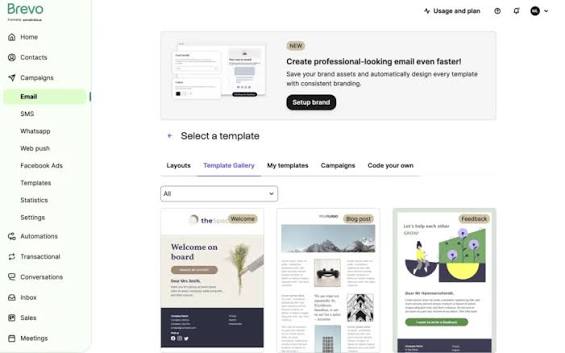
Free plan allows 300 daily emails and 100,000 stored contacts. Starter plan is $9 monthly for 5,000 sends and 500 contacts, with automation capped at 2,000 contacts. We value its price and channels but occasionally we observe email editor lag and minor setup friction.
Pros
- Volume-based starting cost
- broad contact storage
Cons
- Editor complaints
- lower-tier automation cap
Verdict: Test Brevo when you have a large contact database, moderate email volume, or when you need to manage marketing and transactional messages using shared records. Before you start, confirm your contact and email-send limits together, and then import a small, clean segment to test the setup. You will find the Starter plan less suitable when your automation needs to cover your entire database. Our Brevo pricing guide explains its volume logic.
5. SendPulse: Multiple Channels at a Lower Starting Cost
SendPulse puts email and messaging in one flow. Contacts enter segments, automation coordinates channels, and engagement reaches reports. Standard plan uses static segments.
Free plan includes 500 subscribers and 15,000 monthly emails; Standard plan is a $9.60 annual equivalent for 500 subscribers, unlimited sends, and A/B tests. We value interface fexiblity, template, support, and find reporting limits a barrier.
Pros
- Generous email-send allowance
- several channels
Cons
- Busy interface
- limited starting segmentation
Verdict: We recommend that you choose SendPulse when you need email and messaging to share a basic workflow at a controlled starting cost. Build a form-to-automation test and inspect reporting before import. You will need another platform if interface clarity or deeper analysis matters most.
6. beehiiv: Publisher Growth Around Each Issue
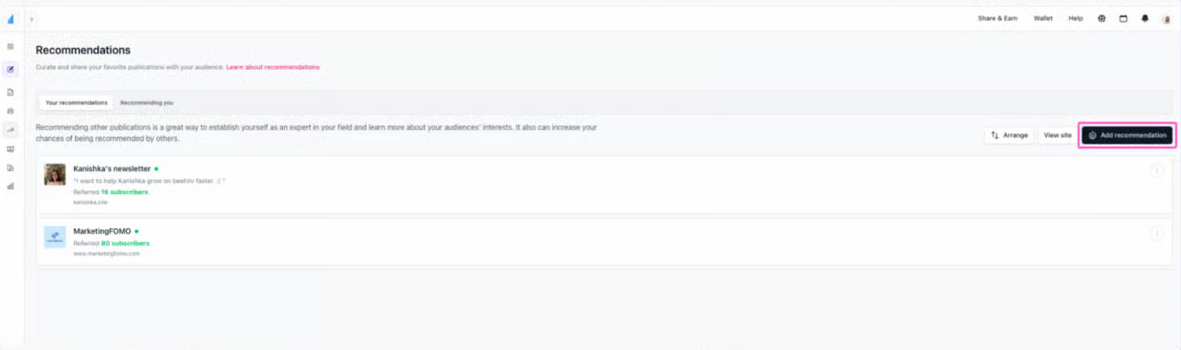
beehiiv publishes each issue to email and web. Forms, imports, and recommendations feed its database; Scale plan adds automation and monetization. Some of our users report migration, design, navigation, and formatting tradeoffs.
Launch plan is free for 2,500 subscribers with unlimited sends; Scale is $49 monthly at 1,000. It has generous free allowance.
Pros
- Direct publishing path
- generous free email sending
Cons
- $49 paid starting cost
- design constraints
Verdict: We recommend beehiiv when you want publishing, audience growth, and monetization around regular newsletter issues. Test import, mobile preview, subscriber search, and one complete publishing cycle. Choose another option when elaborate layouts or a lower first paid tier matter more. Compare our newsletter tools directory before committing to this newsletter-first.
7. Substack: Discovery and Community With Revenue Share
Substack publishes to web, email, and app. Recommendations, Notes, comments, and discovery support growth; import and export preserve portability. Our users report about weaker segmentation, automation, and customization than other wider email software.
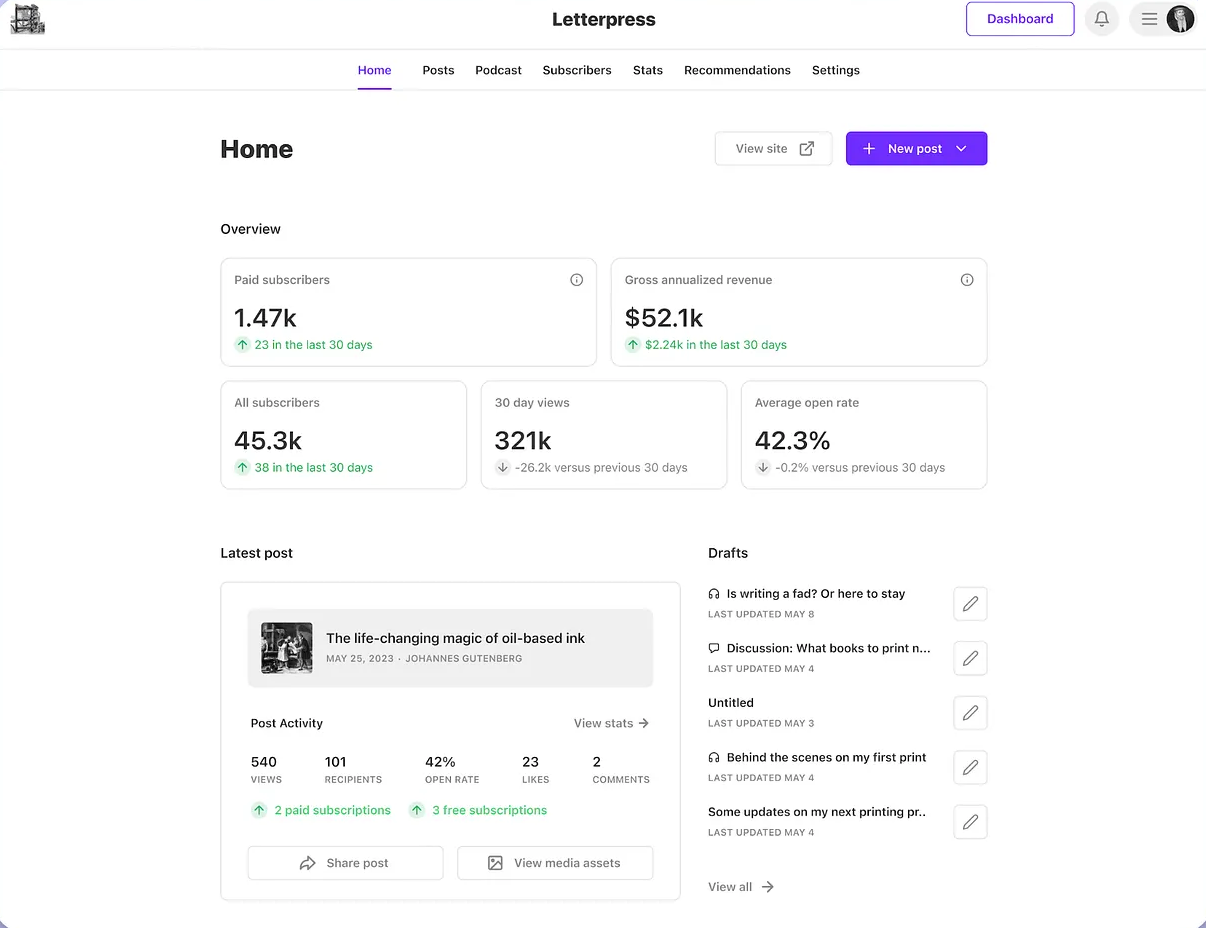
Publishing has no subscriber cap or monthly charge. Paid publications give Substack 10% of subscription revenue, plus Stripe fees. Treat $0 as a starting fee, not total cost.
Pros
- Simple publishing
- built-in discovery
Cons
- Revenue share
- limited marketing control
Verdict: Choose Substack when writing, discovery, membership, and community are central to your plan. Calculate its 10% share against expected paid revenue before calling it free. Skip it when behavior-driven sequences, detailed segments, or direct authentication control are required. Our Substack review explains its publisher fit and platform dependency.
8. Kit: Creator Nurture Through Tags and Sequences
Kit uses one subscriber record. Forms or apps add subscribers, tags record interests and start sequences, and purchases update records. This suits creator nurture, although lower-tier reporting remains basic.
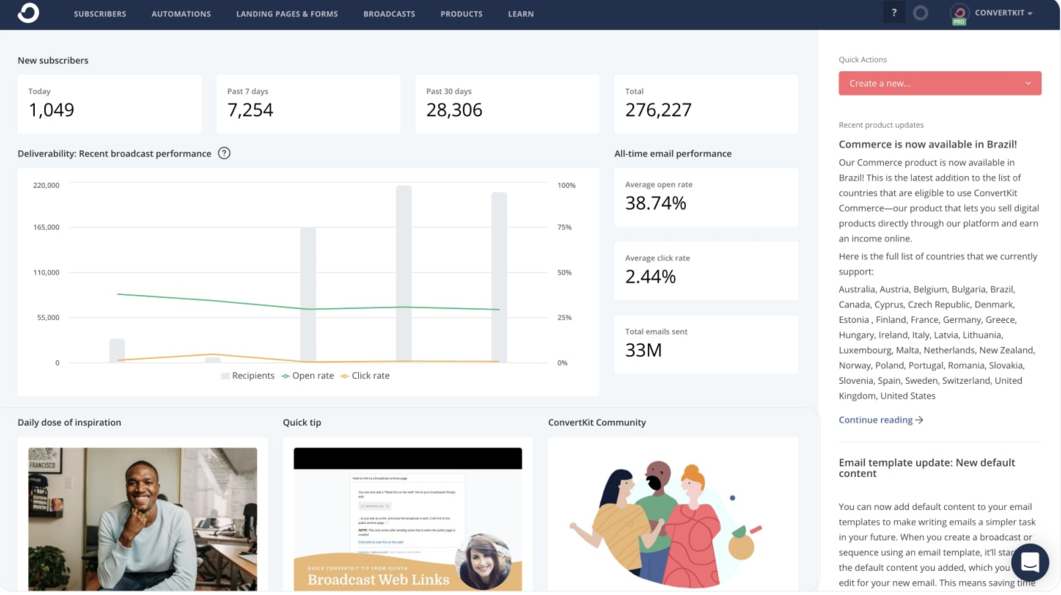
Newsletter is free for 10,000 subscribers, unlimited broadcasts, and one basic automation. Creator plan is $33 monthly at 1,000, adding unlimited sequences and automations. We like tags but had some issues with design, click-reporting, and once scaling concerns.
Pros
- One tagged record
- generous free broadcasts
Cons
- Paid scaling
- limited design and reports
Verdict: Choose Kit when your workflow runs from form to tag to educational sequence and plain email suits your brand. Verify the sending domain, test reports, and estimate paid growth because cleaning after an automatic upgrade may require support. A design-heavy campaign needs another option. See Kit versus Mailchimp for more details.
9. Sender: Budget Ecommerce With Promotion Conditions
Sender offers lower-cost ecommerce email. Form and website popup contacts enter segments, automation, and reports. You should test shared IPs plus template, customization, and bug concerns in your own account.
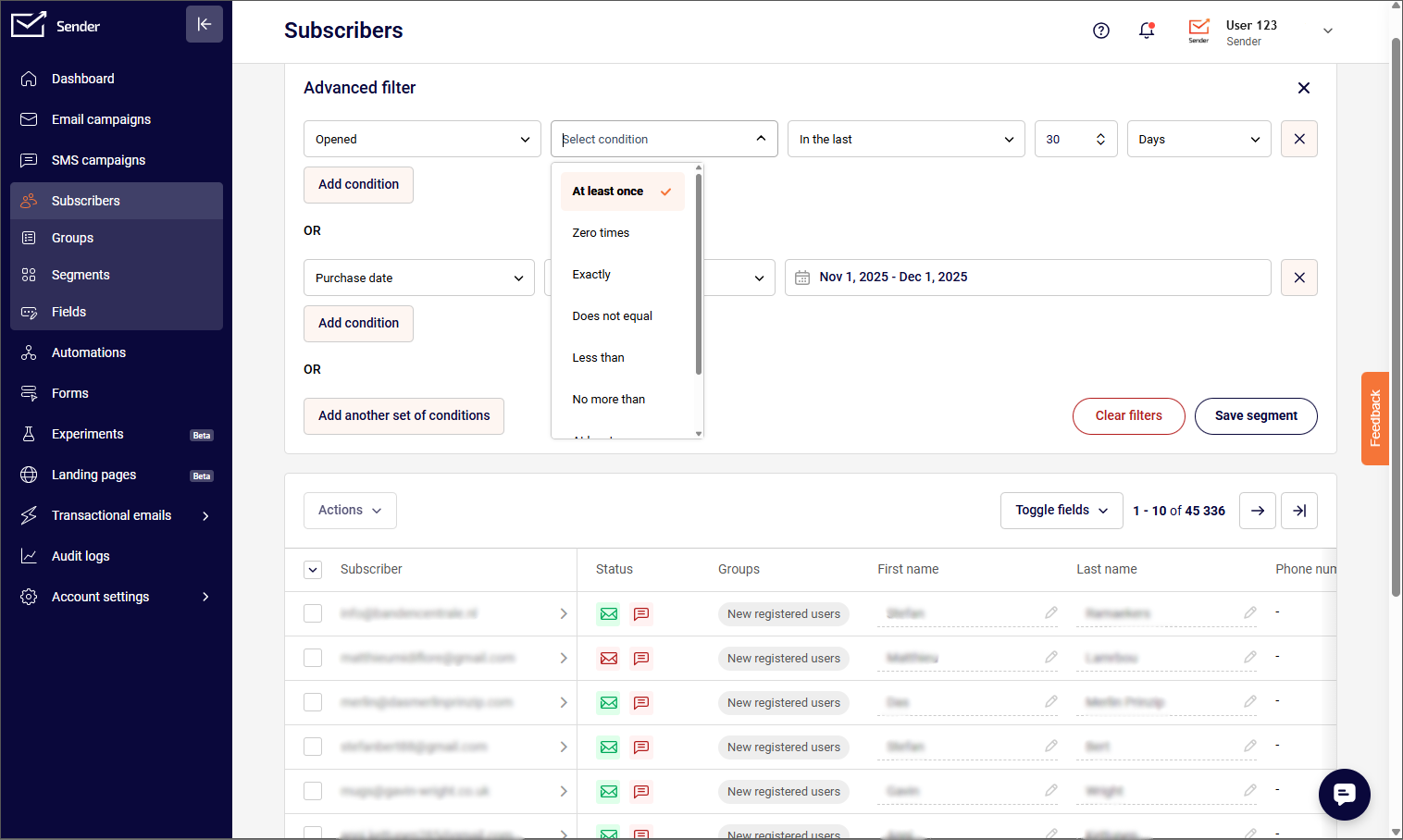
Free plan covers 2,500 subscribers and 15,000 monthly sends. Standard plan displays $7 monthly as a first-year annual promotion for 1,000 subscribers and 12,000 sends. We praise setup, value, and support.
Pros
- Low starting cost
- useful free allowance
Cons
- Promotional price
- template constraints
Verdict: Sender fits a strict budget when basic store reporting is enough. You must test signup, automation, a mobile template, and unsubscribe before migrating. You should compare renewal cost, not only the price form first-year banner. Choose another platform if dedicated infrastructure or broad template control is required. Our Sender review provides verified platform detail.
10. EmailOctopus: Lean Newsletters With Simple Sequences
EmailOctopus is a good fit if you run occasional newsletter campaigns and only need basic email sequences. You can add contacts to separate lists, use their fields to create segments, and set up welcome or drip emails. Keep in mind that if you add the same contact to multiple lists, you will be charged for that contact more than once.
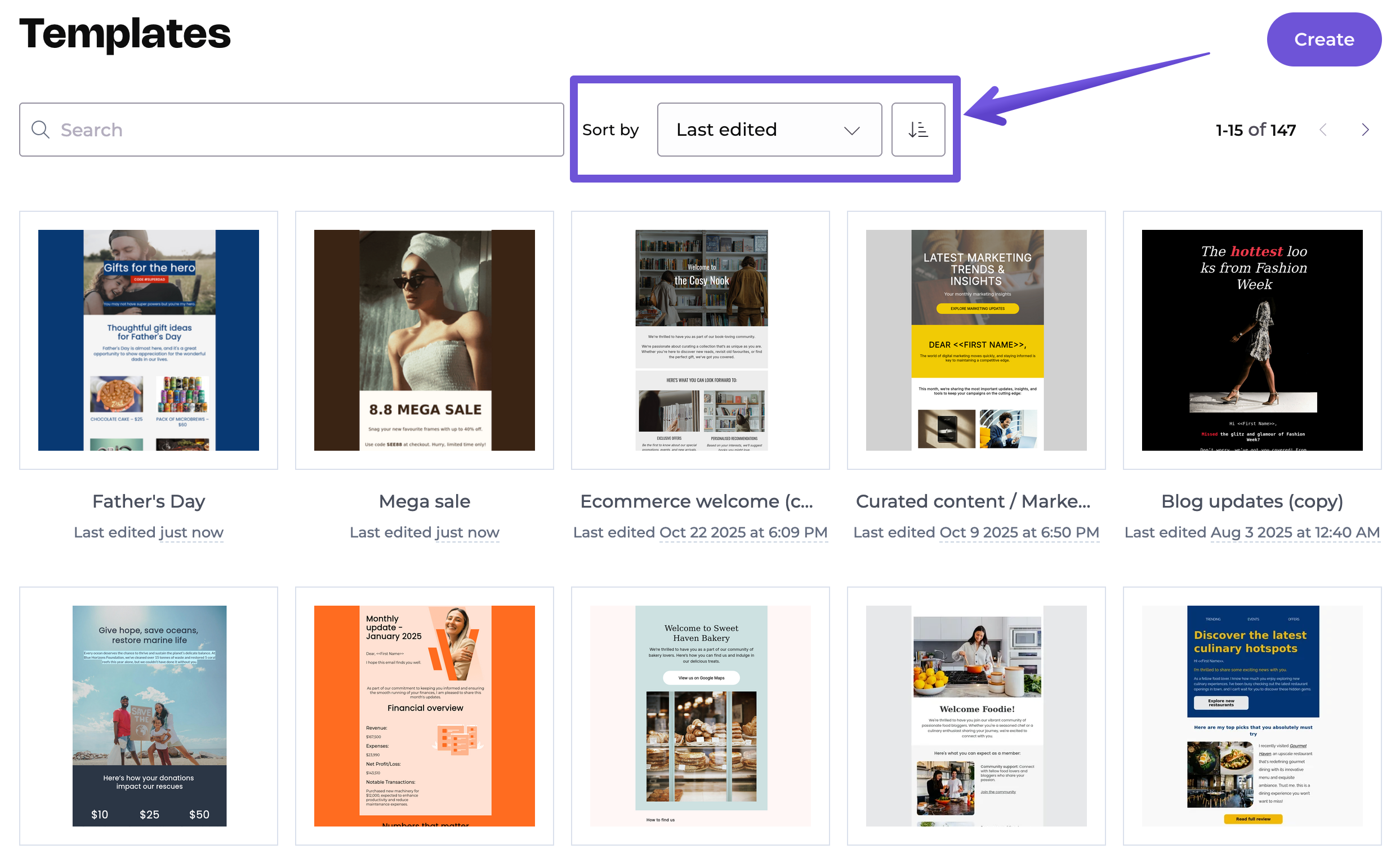
Free plan includes 2,500 subscribers and 10,000 monthly emails. Annual Pro plan starts at $9 monthly. We value its setup simplicity and price but have reports around template, testing, reporting, and automation limits.
Pros
- Low annual starting cost
- simple interface
Cons
- Duplicate-list billing
- limited testing depth
Verdict: We recommend EmailOctopus for occasional newsletter campaigns and simple sequences when low cost and a focused interface outweigh wider features. Consolidate overlapping lists, test templates, and calculate both contacts and email sends. It is less suitable when several teams need complex reports or branching. Our EmailOctopus review provides verified platform details.
Two Bonus Tools for Volume and Guided Small-Business Work
Mailjet fits infrequent email sends or collaboration. Free plan provides 1,000 contacts, 6,000 monthly sends, and 200 daily; Starter plan is $9 for 8,000 sends. Essential plan increased from $17 to $19 on September 9, 2026. Automation requires Premium plan.
Constant Contact offers a familiar editor, support, and 300+ integrations. Lite plan is $12 for 500 contacts before annual discount, with sends equal to ten times contacts and one welcome template. It has no permanent free plan and a Sprout Score of 7.9/10. Shortlist it for guidance.
Keep Every List Clean With MailerCheck
Use MailerCheck before a major campaign or dormant-list reactivation. Upload CSV or TXT, check one address, or use API. It identifies syntax, mailbox, disposable, role-based, full, and catch-all results. With MailerLite, select a list, verify it, and return a cleaned group. Other connections use Zapier, Make, or API.
Verification cannot guarantee delivery. Set a risky-result policy, preserve suppressions, and monitor bounces and complaints. MailerCheck gives 10 free credits and requires 1,000 paid credits; confirm the current credit price before purchase. See our email list cleaning service.
How to Choose and Calculate Your Real Cost?
If we were managing a team today, we would first write how subscriber data should move: “A form records consent, adds an interest tag, starts a welcome sequence, suppresses bounces, and reports clicks.” Ecommerce store events point toward Drip, Brevo, or Sender. Publishing suggests Substack or beehiiv; creator nurture suggests Kit; simple campaigns suggest MailerLite or EmailOctopus. Large lists with fewer email sends suggest Brevo or Mailjet. Guided support suggests AWeber or Constant Contact.
Next, calculate annual operating cost with the same inputs for every finalist:
Annual cost = platform fees + verification credits + email-send overages + paid-newsletter revenue share + staff time.
Choose a tier covering peak contacts and normal email sends, then add growth with our email list growth forecast. For Substack, multiply expected paid revenue by 10% and add Stripe fees. Separate promotions from renewal, add verification and overages, then calculate annual staff time.
Let P be annual platform cost, V verification, O overages, R revenue share, H monthly staff hours, and C hourly cost. Compare P + V + O + R + (H × 12 × C). Use identical contacts, email sends, revenue, and labor for every finalist in our email marketing ROI calculator. This exposes costly manual work.
Test one campaign with clean, consented contacts. Authenticate the domain, import a sample, build a template, connect one source, trigger the welcome email, verify unsubscribe and suppression, and inspect mobile rendering plus reports. Record setup time and restrictions. Universal delivery percentages cannot account for your reputation, consent, content, authentication, list quality, or audience behavior.
Choose the lowest total-cost option that completes your newsletter workflow without routine repair, supports list hygiene, and remains affordable at your next milestone. Recalculate quarterly and before migration. If two products remain close, prefer the one your team can run consistently. Useful segments, sensible frequency, and disciplined suppression matter every week.
Record every assumption so the next review shows whether list growth, email volume, revenue, or labor changed the answer. Our final view reflects verified product details, and our workflow analysis. A starting price or Sprout Score cannot replace your own trial.
FAQs About Email Newsletter Software
What Are the Best Email Newsletter Tools for a Small Team?
MailerLite and EmailOctopus suit simple workflows; AWeber adds guidance. Choose by growth, email sends, and automation.
Which Free Newsletter App Supports Automation?
MailerLite, Kit, Sender, SendPulse, and EmailOctopus offer free automation with contact, email-send, and workflow limits.
Are Free Newsletter Platforms Suitable for a Growing List?
Yes, for validation. Forecast paid thresholds, contact rules, email-send caps, and migration before reaching them.
What Is the Difference Between Newsletter Software and Email Marketing Software?
Newsletter software prioritizes publishing. Wider email software also handles commerce events, segments, workflows, and integrations.
Which Email Newsletter Services Help Improve Open Rates?
No service guarantees opens. Look for authentication, suppression, segments, tests, and reports, then improve relevance and frequency.
Can an AI-Generated Newsletter Replace Editing and Deliverability Checks?
No. Generated copy still needs review, consent controls, authentication, mobile preview, link checks, and hygiene.
How Often Should I Clean a Newsletter List?
Clean before dormant-list reactivation or uncertain imports. Review bounces, complaints, and inactivity after campaigns.
- 05 Feb 2026 – Added deliverability glossary
- 06 Oct 2025 – Expanded email template marketplace section
How do we evaluate email marketing tool?
Manual testing is the process that goes beyond just ticking boxes. Our team start by defining clear testing objectives based on the intended use of email marketing tools and platforms. Each tools undergoes a rigorous user experience analysis, where we simulate real-world scenarios to gauge performance, usability, and reliability.
We pay special attention to the integration capabilities, data security, and compliance standards of the MarTech vendor. This hands-on 25 test-point approach allows us to uncover nuances that automated testing might miss, providing a more holistic understanding of the tools.
How do we evaluate and benchmark email marketing service effectively?
Our evaluation process is data-driven and multi-dimensional. Our team analyze tool performance metrics against industry standards and similar product platforms.
Key performance indicators (KPIs) are meticulously examined, including ease of use, customization options, scalability, customer support effectiveness, and innovation. We also incorporate user feedback to ensure our benchmarks reflect actual user experiences and expectations.
This comprehensive method ensures a fair and effective comparison of the email marketing services.
How accurate are these comparisons and alternative suggestions of the email marketing tools?
We pride ourselves on the accuracy of our comparisons and suggestions. Our team expertise, combined with advanced analytics tools, ensures that our data is both current and relevant. We constantly update our database with the latest market trends and user feedback, which helps us provide accurate and timely recommendations.
However, it’s important to remember that each business has unique needs, and our suggestions are a starting point for their decision-making process.
Why email marketing tool buyers trust Sprout24 reports and analysis?
Our reputation for trustworthiness stems from our commitment to impartiality and depth of research. We do not just skim the surface; we go deep into each email marketing tools and service capabilities and shortcomings.
Our reports are comprehensive, easy to understand, and transparent, explaining not just what we recommend but why. This transparency and thoroughness are why email marketing tool buyers trust our reports.
Our FTC Disclosure explains the sources of funding and revenue of Sprout24 platform; this enables us to curate straightforward and unbiased reviews.
How these reports help in reducing the time to purchase a email marketing platform?
Our reports and guides significantly reduce the time to purchase by providing clear, concise, and comparative information. Email marketing tool buyers don’t have to spend countless hours researching; they can find all the necessary information in one place.
Our Sprout scoring system, user reviews, and feature comparisons simplify the decision-making process, enabling buyers to make informed choices quickly.
How effective is the scoring system and help email marketing service buyers in making fast decision?
Sprout Score Scale of 0–10 rating is crafted to provide a quick, yet detailed view of a platform overall standing in various categories.
This scoring system, backed by in-depth contextual data analysis, allows email marketing service buyers to immediately gauge suitability of the tool / service for their needs. It simplifies complexity and enables fast, informed decisions, which is crucial in the fast-paced world of business.


