Chanty Review

Connor Reynolds authored this review.
This review last updated on: September 30, 2024.

Add your review
Add to compare
7.8/10 (Sprout Score)
Product is rated as #5 in category Project Management
Chanty is a powerful project management platform that can help us achieve our goal of delivering projects on time by providing us with the tools we need to collaborate effectively and efficiently.
Project Management
9.3
Tasks Management
9
Page Customization
4.9
Reporting & Analytics
9.2
Communication & Collaboration
5
Remote Collaboration
8.8
Price
8.2
PROS:
  • Easy to Use
  • Collaboration
  • Customizable
  • Project Management
  • Mobile App
CONS:
  • Limited Integrations
  • Limited Customization
  • Limited Reporting
  • Limited Time Tracking
  • Limited Automation

Details about Chanty

Chanty comes in – a powerful project management platform that can help us streamline our workflow, improve communication, and ultimately achieve our goal of delivering projects on time.

Chanty is a cloud-based collaboration software that offers a variety of features to help us manage our projects. One of its main benefits is its user-friendly interface, which allows us to easily create and assign tasks, track progress, and collaborate with each other in real-time. With Chanty, we can stay on top of deadlines, delegate responsibilities, and communicate with each other seamlessly.

Chanty also offers a number of integrations with other popular tools such as Trello, Google Drive, and Zapier, allowing us to further customize our workflow and streamline our processes. Plus, Chanty’s mobile app ensures that we can access and manage our projects on the go, making it even more convenient for us to stay on top of our tasks.

Chanty is a powerful project management platform that can help us achieve our goal of delivering projects on time by providing us with the tools we need to collaborate effectively and efficiently.

Key features of Chanty:

  1. Task Management: Chanty allows you to create and assign tasks to team members, set deadlines, and track progress, ensuring everyone is aware of their responsibilities and timelines.
  2. Team Collaboration: Chanty provides real-time messaging and file sharing, allowing team members to collaborate seamlessly and stay on the same page.
  3. Project Management: Chanty’s project management tools let you create and manage projects, break them down into tasks, assign them to team members, and track their progress in a centralized location.
  4. Time Tracking: Chanty offers time tracking features to help you monitor how much time is being spent on each task, and identify areas where efficiency can be improved.
  5. Integrations: Chanty integrates with other tools such as Trello, Google Drive, and Zapier, making it easier to streamline your workflow and keep all your tools in one place.
  6. Mobile App: Chanty’s mobile app allows you to manage projects on the go, stay connected with team members, and receive real-time updates.
  7. User-friendly Interface: Chanty’s easy-to-use interface ensures that team members can navigate the platform with ease and focus on their work rather than getting bogged down by complicated software.

Let’s get started and make the most of this great platform!

Price Plans of Chanty

  1. Free Plan: This plan includes basic features such as unlimited messaging, 1-to-1 video calls, file sharing, and task management. This plan is free for teams of up to 10 members, with a storage limit of 10GB.
  2. Business Plan: This plan is designed for small and medium-sized businesses and includes all the features of the Free Plan, plus additional features such as screen sharing, group video calls, and unlimited integrations. The Business Plan starts at $4 per user per month, with a storage limit of 20GB.

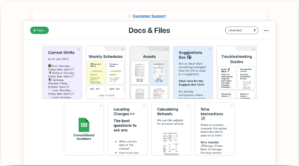
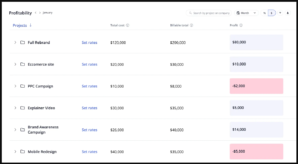
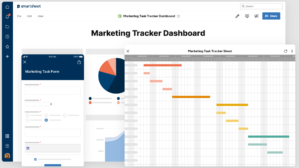
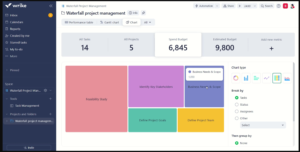
Photos: Chanty

FAQs related of Chanty

What is Chanty and what does it offer?

Chanty is a powerful team collaboration tool designed to enhance communication and productivity. It offers features such as team messaging, file sharing, task management, and integrations with other business applications.

How can Chanty benefit my business?

Chanty can benefit your business by improving team collaboration, streamlining communication, and boosting overall productivity. It provides a centralized platform for real-time messaging, file sharing, and task management, enabling teams to work more efficiently.

Is Chanty easy to use?

Yes, Chanty is designed with user-friendliness in mind. Its intuitive interface and straightforward features make it easy for teams to adapt and start using it without extensive training or technical expertise.

Can Chanty integrate with other business applications?

Absolutely! Chanty offers seamless integrations with popular business tools and applications such as Google Drive, Trello, Asana, and more. This allows you to connect Chanty with your existing workflow and enhance your team productivity.

Is Chanty secure for sensitive business information?

Yes, Chanty prioritizes the security and privacy of your data. It provides features like end-to-end encryption, two-factor authentication, and data backups to ensure that your sensitive business information remains secure and protected.

Can I access Chanty on mobile devices?

Absolutely! Chanty is available on both iOS and Android platforms. You can easily access and use Chanty on your smartphones and tablets, allowing you to stay connected with your team even while on the go.

Does Chanty offer voice and video calling features?

Yes, Chanty provides voice and video calling features that enable you to have real-time conversations with your team members. This allows for more interactive and efficient communication, especially when discussing complex topics or brainstorming ideas.

Can Chanty be used by remote teams?

Absolutely! Chanty is an ideal tool for remote teams. Its collaboration features and real-time messaging capabilities bridge the distance gap and allow remote team members to stay connected, collaborate effectively, and work together seamlessly.

Does Chanty offer task management features?

Yes, Chanty includes task management features that enable you to create, assign, and track tasks within the application. This helps teams stay organized, set priorities, and ensure that projects are completed on time.

Can Chanty be customized to suit my team needs?

Certainly! Chanty offers customization options that allow you to tailor the platform to your team specific requirements. You can personalize notification settings, create custom workflows, and even integrate third-party applications to enhance your team productivity.

What type of customer support does Chanty provide?

Chanty offers responsive customer support to assist you with any questions or issues you may encounter. They provide email support and have a comprehensive knowledge base with helpful resources, tutorials, and FAQs to guide you through the platform.

Is there a free trial available for Chanty?

Yes, Chanty offers a free trial that allows you to explore its features and functionalities before making a purchase decision. This trial period gives you the opportunity to experience Chanty’s benefits firsthand and determine if it meets your team needs.

What pricing plans does Chanty offer?

Chanty offers different pricing plans to accommodate teams of all sizes. They have options for small teams, growing businesses, and enterprise-level organizations. You can visit their website to compare the plans and choose the one that aligns with your team requirements.

Can I upgrade or downgrade my Chanty subscription later?

Yes, Chanty allows you to upgrade or downgrade your subscription at any time. As your team needs evolve, you have the flexibility to adjust your plan accordingly, ensuring that you have the right features and capacity to support your collaboration requirements.

Is there a limit on the number of users I can have in Chanty?

Chanty offers different user limits depending on the pricing plan you choose. They have options for small teams with a limited number of users and plans that cater to larger organizations with more extensive team sizes. You can select the plan that suits your team size and scale.

Can I migrate my existing data to Chanty?

Yes, Chanty provides options for data migration from other team collaboration tools. They offer import features that allow you to transfer your existing conversations, files, and tasks to Chanty, ensuring a smooth transition for your team.

Is Chanty suitable for non-technical users?

Absolutely! Chanty is designed to be user-friendly and accessible for users of all technical backgrounds. You don’t need extensive technical knowledge to use Chanty effectively. Its intuitive interface and straightforward features make it easy for anyone to collaborate and communicate efficiently.

Does Chanty provide analytics or reporting features?

Yes, Chanty offers analytics and reporting features that provide valuable insights into your team communication patterns and productivity. You can track metrics such as message volume, response times, and task completion rates to gain a better understanding of your team performance.

Can Chanty be used in multiple languages?

Yes, Chanty supports multiple languages, including English (US), English (UK), Spanish, French, German, and more. This allows teams from different regions and diverse language preferences to collaborate seamlessly within the platform.

Is there a limit on message history in Chanty?

Chanty retains message history based on your subscription plan. Some plans offer unlimited message history, while others have a certain limit. You can refer to the pricing details on their website to understand the message retention policies for each plan.

Can Chanty be used offline?

Chanty’s mobile applications offer limited offline functionality. You can access your conversations and view previously loaded messages even when you’re offline. However, certain features like real-time messaging and file sharing may require an internet connection to function properly.

Does Chanty offer team-specific channels or groups?

Yes, Chanty allows you to create team-specific channels or groups where you can focus discussions, share files, and collaborate on specific projects or topics. This helps keep conversations organized and ensures that team members can easily find the information they need.

Can Chanty be used for external communication with clients or partners?

While Chanty is primarily designed for internal team communication, you can use it for limited external communication as well. Chanty provides guest access features that allow you to invite clients or partners to specific channels or discussions, enabling collaboration with external stakeholders.

Does Chanty offer any team productivity features?

Yes, Chanty includes various team productivity features to enhance collaboration and productivity. These features may include task management, file sharing, integrations with other business applications, notification settings, and more, all aimed at helping teams work efficiently and achieve their goals.

Can I try Chanty before committing to a subscription?

Yes, Chanty offers a free trial period that allows you to explore the platform and evaluate its suitability for your team needs. The trial period gives you the opportunity to test Chanty’s features, interact with its interface, and assess its impact on your team communication and productivity.

Specification: Chanty

Common Specifications
Alternative to

Basecamp

Customer Type

Accountants, Authors, Automotive, Bloggers, Consultants, Content creators, Copywriters, Course creators, Customer support, Developers, Ecommerce, Educators, Entrepreneur, Event organizers, Finance, Freelancers, Graphic designers, Influencers, IT/security agencies, Large enterprises, Marketers, Marketing agencies, Media, Medium business, Nonprofits, Online coaches, Photographers, Podcasters, Product designers, Product managers, Project managers, Real estate, Recruiters, Remote teams, Retail, SaaS, Sales managers, Small business, Social media managers, Social media marketers, Solopreneurs, Student, Telecom, Travel, Videographers, Virtual assistants, Web design agencies, Web designers, YouTubers

Deployment Type

SaaS

Device Supported

Browser-based, Mac OS, Windows

Languages Supported

English

Pricing Model

Free Trial, Freemium, Monthly Subscription

Support Options

Email/Help Desk, FAQs/Forum, Knowledge Base

Training Options

Documentation, Live Online, Videos

Specification
Project Management Features

Access Control and Permissions, Agile Methodologies, Calendar Management, Communication and Messaging, CRM Integration, Customizable Dashboards, Document Management, File Sharing and Storage, Gantt Charts, Issue Tracking, Kanban Boards, Project Budgeting, Project Planning and Scheduling, Project Templates, Reporting and Analytics, Resource Management, Risk Management, Task Management, Team Collaboration, Time Tracking, Workflow Builder

Alternatives of Chanty

Add to compare
8.1/10

Hive

Hive is a comprehensive project management platform that can help you and your team work more efficiently and effectively.
Deployment: SaaS
More details +
Hive is a comprehensive project management platform that can help you and your team work more efficiently and effectively.
Project Management
6.2
Tasks Management
9.2
Page Customization
9.4
Reporting & Analytics
9.7
Communication & Collaboration
9.6
Remote Collaboration
5
Price
7.9
PROS:
  • User-friendly interface
  • Collaboration features
  • Customizable workflows
  • Integration options
  • Reporting and analytics
CONS:
  • Limited free plan
  • Pricing
  • Limited mobile app
  • No Gantt chart view
  • Learning curve
Add to compare
Basecamp is an excellent project management platform that can help your team to stay organized, communicate effectively, and complete projects on time.
Deployment: SaaS
More details +
Basecamp is an excellent project management platform that can help your team to stay organized, communicate effectively, and complete projects on time. Whether you are managing a small team or a large one, Basecamp has the tools you need to succeed.
Project Management
6.2
Tasks Management
6.8
Page Customization
7.3
Reporting & Analytics
7.6
Communication & Collaboration
5
Remote Collaboration
5
Price
5
PROS:
  • Centralized project management
  • Collaboration
  • Time tracking
  • Reporting
  • User-friendly interface
CONS:
  • Cost
  • Limited integrations
  • Limited customization
  • Steep learning curve
  • Limited customer support
Add to compare
Monday is an innovative project management platform that can help your team stay organized, productive, and focused on delivering projects on time.
Deployment: SaaS
More details +
Monday is an innovative project management platform that can help your team stay organized, productive, and focused on delivering projects on time.
Project Management
9.3
Tasks Management
8
Page Customization
5.7
Reporting & Analytics
8.8
Communication & Collaboration
8.3
Remote Collaboration
7.5
Price
8.5
PROS:
  • Customizable workflows
  • Ease of use
  • Collaboration
  • Project tracking
  • Integration with other tools
CONS:
  • Cost
  • Complexity
  • Limited reporting
  • Limited flexibility
  • Overwhelming for some teams
Add to compare
7.9/10

Wrike

Wrike can be a valuable tool for managing your projects and ensuring that your team members stay on track.
Deployment: SaaS
More details +
Wrike can be a valuable tool for managing your projects and ensuring that your team members stay on track.
Project Management
9.2
Tasks Management
9.3
Page Customization
4.4
Reporting & Analytics
9.7
Communication & Collaboration
9.9
Remote Collaboration
6.1
Price
6.9
PROS:
  • Versatile project management features
  • Real-time collaboration
  • Customizable workflows
  • Integration with other tools
  • User-friendly interface
CONS:
  • Cost
  • Complexity
  • Steep learning curve
  • Limited customization
  • Dependence on internet connectivity
Add to compare
Teamwork Projects is an ideal project management platform for businesses that need to stay organized, collaborate efficiently, and deliver projects on time and within budget.
Deployment: SaaS
More details +
Teamwork Projects is an ideal project management platform for businesses that need to stay organized, collaborate efficiently, and deliver projects on time and within budget.
Project Management
7.9
Tasks Management
8.5
Page Customization
5.7
Reporting & Analytics
8.6
Communication & Collaboration
7.6
Remote Collaboration
8.2
Price
9.5
PROS:
  • User-friendly interface
  • Customizable
  • Collaboration features
  • Time tracking
  • Gantt charts
CONS:
  • Cost
  • Learning curve
  • Limited integrations
  • Limited reporting
  • Limited mobile app
Add to compare
7.8/10

Chanty

Chanty is a powerful project management platform that can help us achieve our goal of delivering projects on time by providing us with the tools we need to collaborate effectively and efficiently.
Deployment: SaaS
More details +
Chanty is a powerful project management platform that can help us achieve our goal of delivering projects on time by providing us with the tools we need to collaborate effectively and efficiently.
Project Management
9.3
Tasks Management
9
Page Customization
4.9
Reporting & Analytics
9.2
Communication & Collaboration
5
Remote Collaboration
8.8
Price
8.2
PROS:
  • Easy to Use
  • Collaboration
  • Customizable
  • Project Management
  • Mobile App
CONS:
  • Limited Integrations
  • Limited Customization
  • Limited Reporting
  • Limited Time Tracking
  • Limited Automation
Add to compare
Smartsheet is a powerful project management platform that provides you with all the tools you need to manage your projects and team collaboration in one place.
Deployment: SaaS
More details +
Smartsheet is a powerful project management platform that provides you with all the tools you need to manage your projects and team collaboration in one place.
Project Management
9
Tasks Management
8.9
Page Customization
4.2
Reporting & Analytics
9.2
Communication & Collaboration
8.7
Remote Collaboration
5
Price
8.4
PROS:
  • Collaboration
  • Customizable
  • Automation
  • Integration
  • Mobile App
CONS:
  • Cost
  • Steep Learning Curve
  • Limited Reporting
  • Limited Security
  • Limited Gantt Chart Functionality
Show next

User Reviews

0.0 out of 5
0
0
0
0
0
Write a review

There are no reviews yet.

Be the first to review “Chanty”

Your email address will not be published. Required fields are marked *

Sprout24 Optimization Tools

Browse all tools →

MarTech Stack Optimization

Customer Engagement Platform Fit

Quick quiz to see whether Email, Marketing Automation, or CRM suits your team right now.

Open tool

Email Marketing Cost Calculator

Compare leading platforms and pick the best plan for your volume & features.

Compare costs

Transactional Email API Cost

Estimate monthly API spend across free limits, pay-as-you-go pricing, and integrations.

Estimate API costs

ESP Migration Effort

Turn your plan into a person-weeks estimate with a clean task breakdown.

Estimate effort

Email Campaign Optimization

Email List Growth Forecast

Project list size by month from sign-ups, churn, and timeframe.

Forecast growth

Subject Line Tester

Score and refine subject lines for higher opens and deliverability.

Test a subject

Fatigue Frequency Optimization

Spot burnout, set a safe cap, and plan your ideal sending cadence.

Find your cadence

Email Marketing ROI Calculator

Estimate ROI from your campaign inputs and plan the next send.

Estimate ROI
Sprout24
Logo
Compare items
  • Total (0)
Compare
0