Sreeram

A client inquiry arrives while you are finishing paid work. You save the name in a spreadsheet, leave a proposal in email, and plan to invoice later. That system feels manageable until a follow-up slips or a collaborator needs context. This is where CRM for Freelancers software becomes useful, although a solo operator can still buy far more software than the work requires.
Choosing a wrong paid plan creates a second problem. Per-seat charges grow, useful reports sit behind a higher tier, and invoicing or email marketing may require another subscription. Even a low entry price can hide a weak export path. A practical question is which CRM can carry your client workflow at a cost and setup level you can sustain.
We compared each product against our review methodology and the practical principles explained about Sprout24. Prices are vendor-published figures accessed August 3, 2026.

How we compared freelance CRM software subscriptions?
Price alone cannot settle this comparison because a contact, record, seat, and workspace are different billing or capacity units. We used own, Sprout24 CRM criteria to organize this audit: contact and lead management 22%, customization 18%, integrations 15%, reporting 15%, usability 12%, automation 10%, security 5%, and pricing and value 3%. These weights guided coverage. You can read the Sprout Score methodology and how Sprout Score works for context.
Our review followed one practical workflow: inquiry, qualification, proposal, active work, invoice, and follow-up. At each point, we checked how data enters, connects, and leaves. We also separated CRM from email marketing platforms, since keeping a contact database does not automatically replace campaign software.
| Term | Meaning here |
|---|---|
| Paid-entry price | Lowest generally available paid plan in vendor-published USD |
| Annual equivalent | Monthly equivalent stated by vendor for annual billing |
| Limit | Exact vendor unit, such as contacts, records, seats, or lead-list items |
| Unavailable | No public USD value, disclosed feature, or Sprout Score |
| Portability | Documented import, export, backup, and cancellation paths |
Quick answer: which CRM fits which workflow?
Use this table as a first shortlist. Find your repeatable workflow, then check the limit that could force a plan change.
| CRM | Best-defined fit | Paid entry in USD | Strongest workflow | Main limit |
|---|---|---|---|---|
| Attio | Configurable solo or small-team CRM | $44/user monthly; $35 annual equivalent | Flexible relationships and automation | Setup work; advanced features need Pro |
| Capsule CRM | Familiar contact and project flow | $18/user monthly | Pipeline, projects, accounting links | Automation and advanced reports need Growth |
| Less Annoying CRM | Consultant or tiny team | $15/user monthly | Contacts, tasks, pipeline, support | Limited advanced marketing and reporting |
| folk | Relationship-led outreach | $30/member monthly; $24 annual equivalent | LinkedIn, email, WhatsApp capture | Sequences, API, deals, dashboards need Premium |
| Daylite | Apple-only freelancer | $20 monthly; $15 annual equivalent | Contacts, tasks, projects on Apple | Apple-only; checkout price needs recheck |
| Saboo CRM | Proposal-led service business | Unavailable | Deals, proposals, online acceptance | Price, export, integrations, reports unavailable |
| CRM Baby | Client and work administration | $9/workspace monthly | CRM, proposals, invoices, projects | Export and integrations need trial checks |
Six core products can enter a USD comparison, although their billing units still differ. Saboo cannot. Foreign-currency alternatives later in this guide also stay outside the ranking because a workspace price and a per-seat price answer different questions.
Seven CRM for freelancers findings
We followed the same questions through every core product: What does an entry plan cover, where does data move, and which limit changes the recommendation?
1. Attio: best for a configurable relationship structure
Attio makes sense for a tech-comfortable freelancer or small team that wants to arrange relationships around its own process. Our evaluation focused on whether that flexibility remains manageable after setup, and where paid feature gates begin to matter.
Attio pricing has Free for three seats and 50,000 records. Plus costs $44 per user monthly or $35 when billed annually, supports ten seats, and raises capacity to 250,000 records. Email and calendar sync, enrichment, tasks, mobile apps, and custom lists cover a broad relationship workflow. Pro at $99 monthly or $79 annual equivalent gates advanced reporting, permissions, call intelligence, and deeper automation.
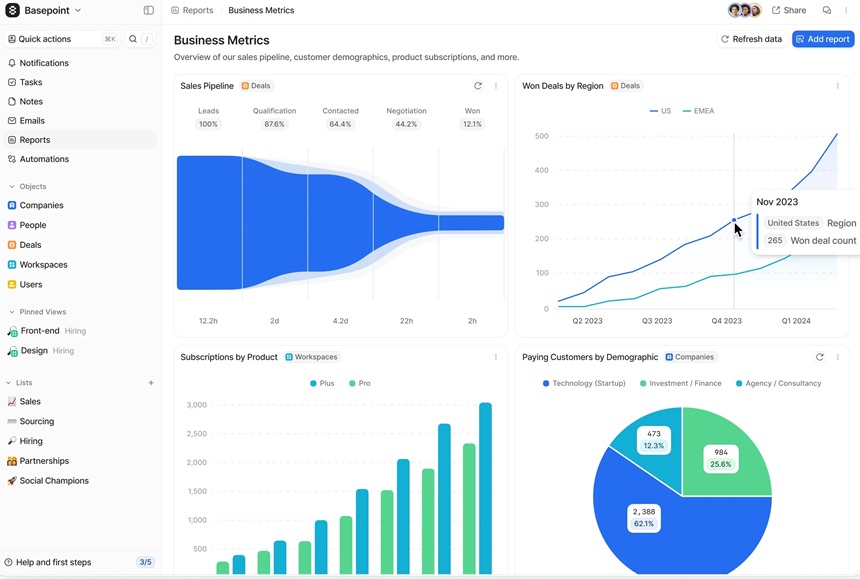
Data movement is one of the stronger areas. Attio has CSV import, list or view export, and workspace backup, while Gmail, Outlook, Slack, Zapier, API, webhooks, and SDK options support connections. That flexibility still creates design decisions. We describe it as a flexible but configuration-heavy. It has reporting and basic automation limits.
| Pros | Cons |
|---|---|
| Configurable records; documented backup and export; mobile apps | Per-user price; ten-seat Plus cap; important controls on Pro |
Verdict: We would shortlist Attio when custom structure and integrations justify setup time. A freelancer who wants a conventional pipeline with fewer design choices should choose another option.
2. Capsule CRM: best for a familiar small-business flow
Capsule suits a freelancer who wants familiar contacts, opportunities, tasks, and projects. The key question is when a starter setup becomes a Growth purchase.
Free supports 250 contacts. Capsule CRM lists Starter at $18 per user monthly with 30,000 contacts and Growth at $36 with 60,000. Higher-tier live prices were not approved, so they remain absent. Growth plan is the first tier in this comparison with Capsule sales and project workflow automation and advanced reports. That gate matters if follow-up rules or reporting are part of your reason for buying.
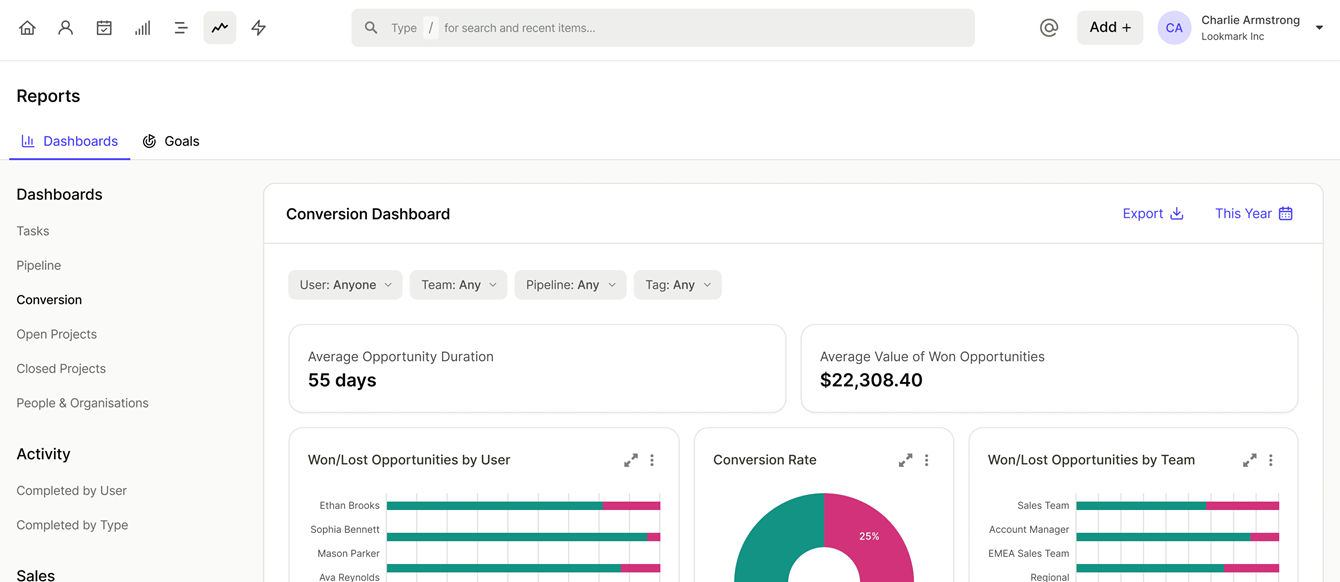
Google Workspace, Microsoft 365, Xero, FreshBooks, Mailchimp, and Zapier cover a familiar small-business stack. Contact import and report export are well documented, but complete account export still need to be checked based on account. We praise ease while noting their customization and integration limits.
| Pros | Cons |
|---|---|
| Familiar pipeline and projects; accounting links; clear contact caps | Free is mainly an address book; automation, reports, roles, and pipelines require upgrades |
Verdict: Choose Capsule when you want a simple CRM for small business without designing a schema. Check Growth cost early, and compare email marketing features before assuming CRM email replaces campaigns.
3. Less Annoying CRM: best for predictable simplicity
Less Annoying CRM takes a narrower route: one published tier at $15 per user monthly, paired with a 30-day full trial. That makes initial cost easier to explain to a consultant or tiny team. There is no strict contact cap, although their guidance recommends staying below roughly 50,000 contacts and companies.
Their workflow covers records, custom pipelines, tasks, calendars, files, and mobile access. Google and Outlook calendars, Mailchimp, and Zapier or API provide a smaller connection set, while bulk or subset export is documented. The tradeoff becomes clear if you need native email marketing or detailed analytics. A separate email marketing selection guide may be necessary, adding another subscription to evaluate.
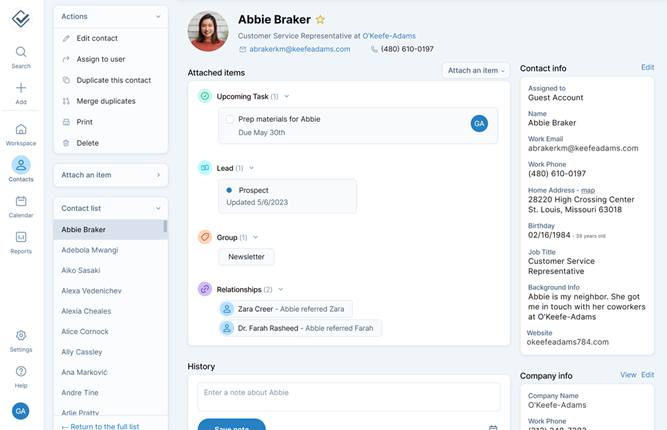
We found ease and support are frequent positives, while it misses marketing automation and fewer integrations appeared among limitations.
| Pros | Cons |
|---|---|
| Transparent monthly tier; 30-day trial; bulk export; human support | No native email marketing; narrower integrations; limited complex reporting |
Verdict: Shortlist it when predictable pricing, reminders, and support matter more than campaign automation. Test reporting before moving records, especially if client or pipeline analysis drives weekly decisions.
4. folk: best for relationship-led outreach
When new work begins in LinkedIn, email, WhatsApp, or a warm introduction, folk fits better than a forecasting-heavy CRM. Plan quotas and post-trial access still shape the decision.
Standard costs $30 per member monthly or $24 annually. Premium costs $60 or $48 annual equivalent. Both list unlimited contacts, yet Standard retains message, enrichment, and magic-field quotas. Premium adds sequences, dashboards, deals, API access, and advanced permissions. In practice, “unlimited contacts” does not mean unlimited usage across every feature.
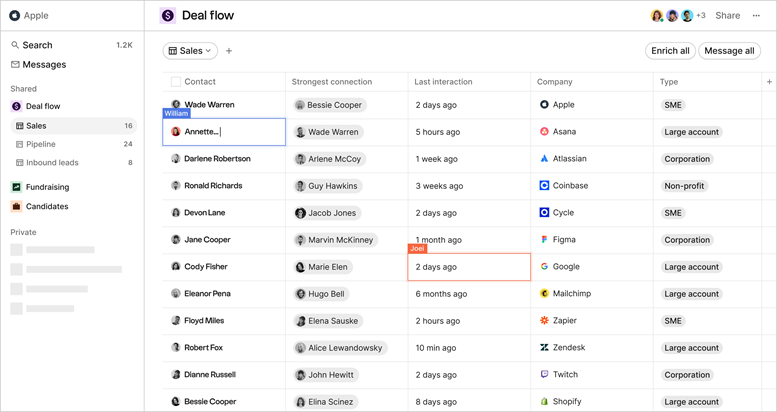
folkX supports LinkedIn capture, while email, calendar, WhatsApp, Zapier, Make, and CSV transfer connect activity. Its 14-day no-card trial blocks access afterward until upgrade or extension, although data is not immediately deleted. Test cancellation before a full import. We praise LinkedIn workflows but felt reporting, forecasting, support, and keyboard concerns over time.
| Pros | Cons |
|---|---|
| Relationship capture; unlimited contacts; CSV export | Per-member cost; API and key features need Premium; quotas apply |
Verdict: I would shortlist folk for relationship-led outreach when capture matters more than forecasting. Compare separate email marketing automation tools if campaigns are central to your workflow.
5. Daylite: best for an Apple-only practice
Device choice settles the first Daylite question. It connects contacts, email, tasks, opportunities, and projects across Mac, iPhone, and iPad, but it does not fit a mixed Windows or Android team.
Leap lists $20 monthly or $15 annually for one user, 500 contacts, and one email account. Growth lists $40 or $30 annual equivalent per user for up to 20 users and 25,000 contacts. Scale lists $60 or $45 for up to 100 users and 250,000 contacts. Its page displayed a promotion that ended July 31, 2026, so checkout needs rechecking before publication.
Daylite documents import, CSV and vCard export, reports, integrations, and Apple sync. Its Mail, calendar, and contact flow can reduce manual data movement. Attachment and project portability, integration depth, and automation still need testing. Good Apple integration support and Apple-only access plus we also noted automation limits.
| Pros | Cons |
|---|---|
| Connected Apple workflow; CRM plus projects; export help | Apple-only; Leap has one user and 500 contacts; promotion expired |
Verdict: Test Daylite when every user works on Apple hardware and connected project context matters. Verify checkout pricing and automation before paying annually.
6. Saboo CRM: best treated as a proposal-led trial candidate
Saboo becomes relevant when proposal acceptance is the main transition between a deal and paid work. Its public page presents customers, contacts, notes, deals, a visual pipeline, follow-ups, proposals, online acceptance, and payment flow.
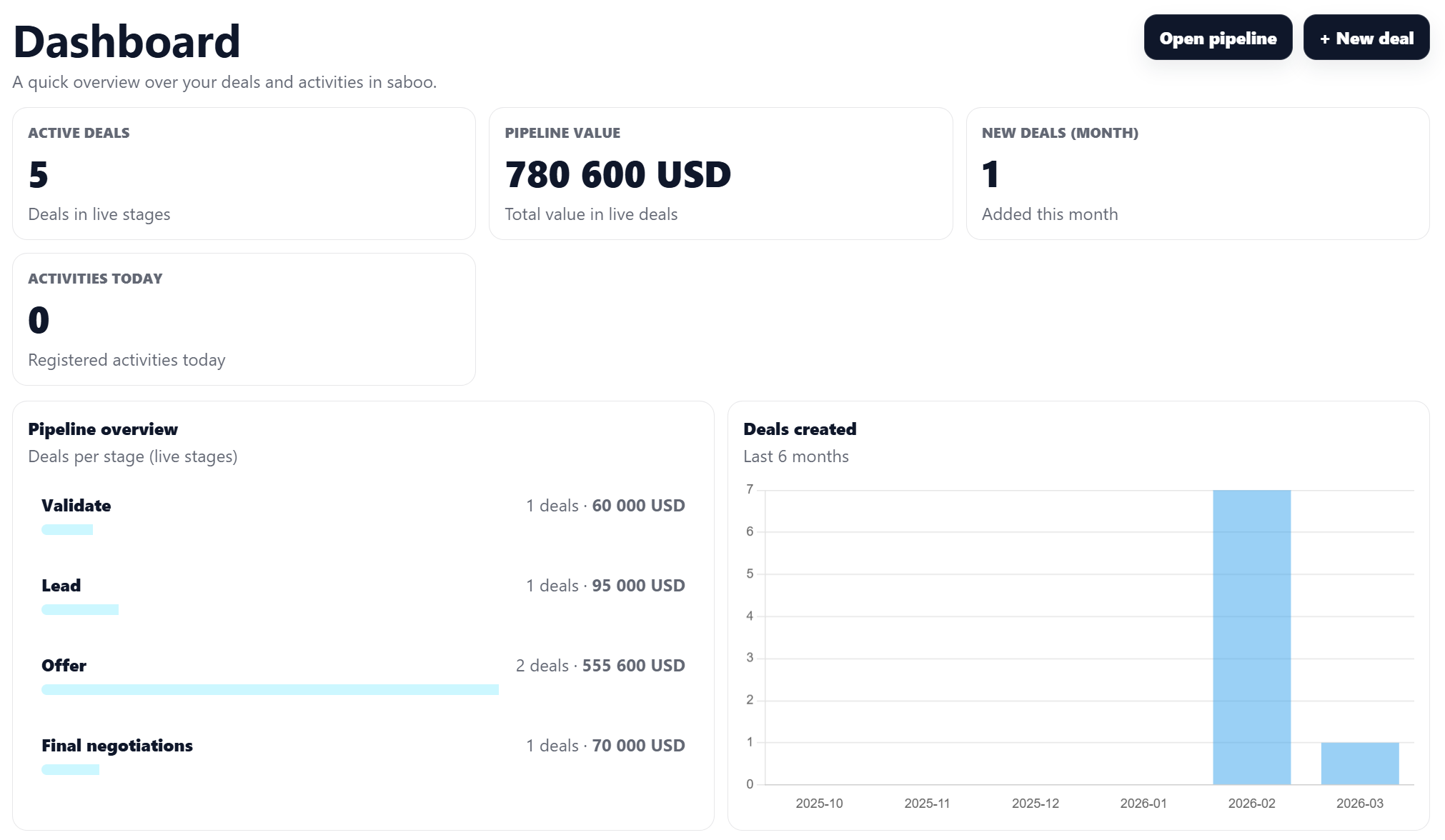
Public information also creates the largest limitation in this core group. Saboo is free to start and allows team invitations, but it does not publish paid pricing, limits, export, integrations, automation, or reporting. A native mobile app is not found. Its quick-setup statement is vendor language, not our measured time.
| Pros | Cons |
|---|---|
| Focused deal and proposal path; online acceptance; team invitations | Paid terms and caps undisclosed; no verified export, integrations, reports, or native app |
Verdict: Run a controlled trial for proposal-first work. Confirm billing, CSV export, deletion, reporting, and email or calendar flow before adding client history. Until then, Saboo cannot support a price-led recommendation.
7. CRM Baby: best for lightweight client and work administration
CRM Baby covers a wider slice of freelance administration: pipeline, proposals, invoices, financial tracking, forms, projects, tasks, and time tracking. We focused on a simple question. Does that breadth come with enough documented portability and connection depth?
Free includes 100 company records. Pro costs $9 per workspace monthly and removes that limit; each extra user costs $8 monthly. A three-person workspace is $25 monthly based on published charges: $9 plus two extra users at $8. This assumes one included user and does not turn Pro into a per-seat price. The distinction matters when you compare it with Attio, Capsule, or folk.
CRM Baby presents a mobile-first web interface, not confirmed native apps. An API link exists, yet approved pages do not clarify native integrations, export, or backup. Those gaps become important once invoice and client history live together.
| Pros | Cons |
|---|---|
| $9 workspace entry; proposals, invoices, projects, and time | Extra-user charges; export, backup, and integrations need trial verification |
Verdict: Shortlist CRM Baby when its broad workflow could replace several lightweight tools. Import a sample, create one invoice, and prove export before committing financial records.
Five additional products worth watching
These products address narrower freelance workflows. Shorter coverage does not imply equal evaluation depth.
| Product | Best-defined use | Published price | Important check |
|---|---|---|---|
| LeadLab CRM | Indian agency with flat billing | USD unavailable; INR 3,999/year launch offer | Limited offer; 59-minute trial; source labels are not proven integrations |
| Klosivo CRM | Fiverr or Upwork freelancer | $6/workspace monthly; $49 lifetime offer | 48-hour trial data removed; export unclear |
| Corymbus Freelance Edition | Solo quotes, invoices, sequences | USD unavailable; EUR 14.99/month billed annually | One user; 20 MB uploaded document storage |
| Khanya CRM | South African lead discovery | USD unavailable; Basic ZAR 159/month | Pro multi-user and CSV export marked Coming Soon |
| Salesflare | B2B automatic data capture | Growth $39/user monthly; $29 annual equivalent | Pro gates workflows, permissions, custom dashboards |
LeadLab has unlimited workspace users, CSV transfer, Kanban, alerts, roles, and win-rate reporting. That flat billing may interest an Indian agency, but its launch price is not permanent and a 59-minute trial leaves little time for migration testing.
Klosivo uses a Chrome extension for Fiverr and Upwork leads, alongside Kanban, AI proposals, projects, invoices, and analytics. Its $49 lifetime offer is not a monthly equivalent. Use a small dataset during the 48-hour trial because their trial data gets removed afterward.
Corymbus combines sales, invoicing, campaigns, forms, sequences, and listed Gmail, LinkedIn, WordPress, Zapier, and API connections. Those listings do not prove every connection is native and two-way. A one-user limit and 20 MB of uploaded document storage define its clearest boundary.
Khanya focuses on a South African lead engine, pipeline, tasks, and rand invoicing. Its lead lists, leads per list, and searches are separate units rather than contact caps. Keep it outside a USD ranking, and remember that Pro multi-user support and custom CSV export were marked Coming Soon.
Salesflare takes a different route by automating contact capture plus email, link, and site tracking. Growth covers campaigns, sidebars, and mobile. Pro is $64 monthly or $49 annual equivalent per user for deeper workflows and reports. While we prise data entry, at the same time we noted several customization limits.
How to choose a paid plan without buying twice?
A useful trial should test your full operating loop, not only contact entry. Follow these five checks before moving client history.
Map one workflow. Write how an inquiry becomes a proposal, active job, invoice, and follow-up. Price any missing tools as part of the same decision.
Count active users and viewers separately. Apply each exact user, member, workspace, or extra-user billing unit. This prevents a low entry price from hiding team cost.
Test entry and exit. Import 20 realistic contacts, then export notes, custom fields, activity, project links, and invoice references. A contact CSV does not guarantee full portability.
Verify communication capture. Test email, calendar, and permissions. If newsletters require another product, consult our email marketing guide, Mailchimp alternatives, or ActiveCampaign alternatives.
Price the first year at the real unit. Separate monthly, annual-equivalent, and lifetime figures. Add seats, campaigns, automation, migration help, and storage. Our email marketing calculator helps where email stays separate.
Conclusion: choose a CRM by workflow condition, then prove the exit
We found no responsible universal winner. Attio fits configurable relationships with setup work. Capsule offers a familiar pipeline, although automation pushes buyers toward Growth. Less Annoying CRM emphasizes predictable pricing, while folk favors relationship-led outreach.
Daylite belongs on an all-Apple shortlist. Saboo fits proposal-led work only after billing and portability checks. CRM Baby offers broad administration at a $9 workspace entry if export and integrations pass trial. Additional products cover marketplace work, one-user invoicing, South African lead discovery, INR workspace billing, or automatic B2B capture.
Editorial categories from public features and plans, not measured quality scores.
Above, horizontal axis shows configuration effort; the vertical axis shows workflow breadth. Low does not mean poor quality, and higher does not prove better capability. Use these editorial categories to find two candidates near your preferred balance.
Then import a small CSV, run one prospect through proposal and follow-up, inspect permissions, and export the result. Pay only after that loop works and required features fit the chosen tier. This test shows whether daily adoption and ownership look acceptable without claiming a long testing history.
If your shortlist remains unclear, contact the Sprout24 team or review our platform selection service. Explain the decision through users, workflow, ownership, and first-year cost.

Frequently asked questions:
1. What is the best CRM for a solo freelancer?
Less Annoying CRM fits straightforward contacts at $15 monthly. CRM Baby adds proposals, invoices, projects, and time tracking at a $9 workspace entry. Daylite fits an Apple-only practice, while folk fits relationship-led outreach. Test two products with real data rather than choosing from a general ranking.
2. Is a free CRM enough for freelance client management?
A free plan can support a small list and light follow-up. Attio Free supports three seats and 50,000 records, Capsule Free 250 contacts, and CRM Baby Free 100 companies. Compare exact units, automation, export, custom fields, and caps before depending on one for daily client work.
3. Which freelance CRM includes proposals and invoicing?
CRM Baby lists proposals, invoicing, projects, tasks, and time tracking. Klosivo lists proposals and invoices for marketplace freelancers. Corymbus includes quotes and invoices for one user. Saboo lists proposals and online acceptance, but not verified invoicing. Listed invoices do not prove accounting compliance or payment processing.
4. How much should a freelancer pay for CRM software?
Published USD entries range from Klosivo at $6 per workspace monthly to Attio Plus at $44 per user monthly. Core prices include CRM Baby at $9 per workspace, Less Annoying CRM at $15 per user, Capsule at $18 per user, and folk at $30 per member. Seats, billing units, and feature gates change actual cost.
5. Can I move my contacts out if I cancel my CRM?
Attio, Less Annoying CRM, folk, LeadLab, and Salesflare document export paths. Daylite and Capsule still need full-account checks; Saboo, CRM Baby, and Klosivo need manual verification. Test notes, fields, activities, files, and linked records because a contact CSV can leave important context behind.
6. Which CRM works best for freelancers who use LinkedIn or Apple devices?
folk supports LinkedIn capture through folkX, while Salesflare offers a LinkedIn sidebar. Klosivo targets Fiverr and Upwork. Daylite is the Apple specialist across Mac, iPhone, and iPad, making it unsuitable for mixed-device teams.
7. What should a small agency check before adding more CRM seats?
Check who needs a paid seat, which caps change by tier, and where permissions are gated. Price automation, reporting, mailboxes, and extra users for a year. Test export and cancellation before scaling. For flat workspace offers, still check currency, trial length, support, and vendor durability.
No updates recorded yet.
How do we evaluate email marketing tool?
Manual testing is the process that goes beyond just ticking boxes. Our team start by defining clear testing objectives based on the intended use of email marketing tools and platforms. Each tools undergoes a rigorous user experience analysis, where we simulate real-world scenarios to gauge performance, usability, and reliability.
We pay special attention to the integration capabilities, data security, and compliance standards of the MarTech vendor. This hands-on 25 test-point approach allows us to uncover nuances that automated testing might miss, providing a more holistic understanding of the tools.
How do we evaluate and benchmark email marketing service effectively?
Our evaluation process is data-driven and multi-dimensional. Our team analyze tool performance metrics against industry standards and similar product platforms.
Key performance indicators (KPIs) are meticulously examined, including ease of use, customization options, scalability, customer support effectiveness, and innovation. We also incorporate user feedback to ensure our benchmarks reflect actual user experiences and expectations.
This comprehensive method ensures a fair and effective comparison of the email marketing services.
How accurate are these comparisons and alternative suggestions of the email marketing tools?
We pride ourselves on the accuracy of our comparisons and suggestions. Our team expertise, combined with advanced analytics tools, ensures that our data is both current and relevant. We constantly update our database with the latest market trends and user feedback, which helps us provide accurate and timely recommendations.
However, it’s important to remember that each business has unique needs, and our suggestions are a starting point for their decision-making process.
Why email marketing tool buyers trust Sprout24 reports and analysis?
Our reputation for trustworthiness stems from our commitment to impartiality and depth of research. We do not just skim the surface; we go deep into each email marketing tools and service capabilities and shortcomings.
Our reports are comprehensive, easy to understand, and transparent, explaining not just what we recommend but why. This transparency and thoroughness are why email marketing tool buyers trust our reports.
Our FTC Disclosure explains the sources of funding and revenue of Sprout24 platform; this enables us to curate straightforward and unbiased reviews.
How these reports help in reducing the time to purchase a email marketing platform?
Our reports and guides significantly reduce the time to purchase by providing clear, concise, and comparative information. Email marketing tool buyers don’t have to spend countless hours researching; they can find all the necessary information in one place.
Our Sprout scoring system, user reviews, and feature comparisons simplify the decision-making process, enabling buyers to make informed choices quickly.
How effective is the scoring system and help email marketing service buyers in making fast decision?
Sprout Score Scale of 0–10 rating is crafted to provide a quick, yet detailed view of a platform overall standing in various categories.
This scoring system, backed by in-depth contextual data analysis, allows email marketing service buyers to immediately gauge suitability of the tool / service for their needs. It simplifies complexity and enables fast, informed decisions, which is crucial in the fast-paced world of business.



![6+ [Instant] Tools for Appointment Management](https://sprout24.com/hub/wp-content/uploads/sites/2/2025/08/Tools-for-Appointment-Management-336x220.webp)